> For the complete documentation index, see [llms.txt](https://help.impact.com/llms.txt). Markdown versions of documentation pages are available by appending `.md` to page URLs; this page is available as [Markdown](https://help.impact.com/brand/what-would-you-like-to-learn-about/advocate-program/manage-advocate-participant-experiences/advocate-program-sharing-options.md).
# Advocate Program Sharing Options
Take the PXA course
Your customer advocates have a wide range of ways that they can engage with the referral program to share their referral details: through a popup or embedded widget, a notification or transactional email, or a mobile app.
From each of these engagement mediums, there are a number of ways that a participant in your program can start sharing. This article outlines each of the available sharing mediums in your referral program, how you can configure them, and the experience participants will have using them.
Share links
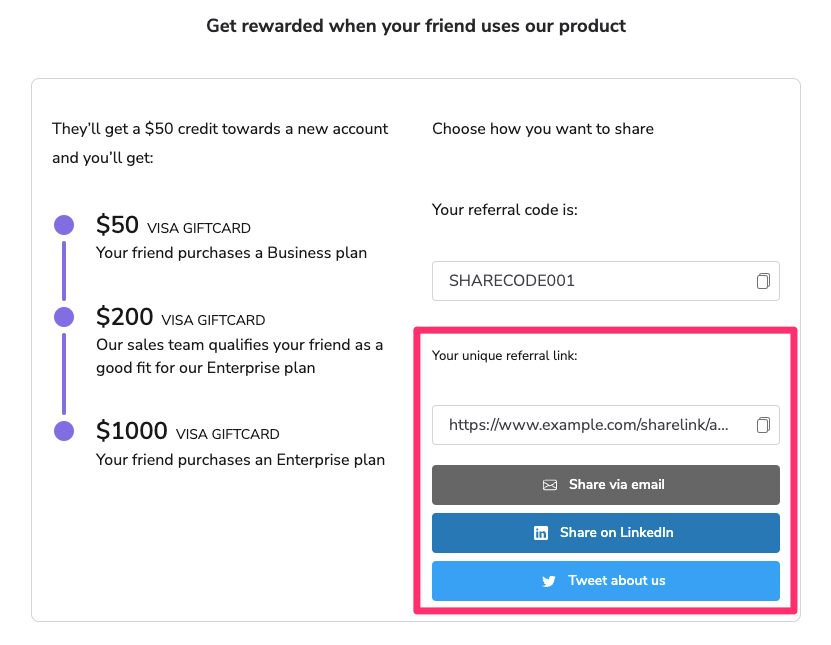
Each participant in your referral program has a unique link that they can share with family and friends as an easy way to make referrals. These links will direct the referred friend to the landing page you have configured for your referral program, where UTT will create an attribution between the advocate and their referred friend. You also have the option of making use of a QR code instead within your referral widgets and emails.
A participant can access their unique links from their referral widget in your product, or from any email that you have included the links in.
Share links use impact.com's short domain by default, but can also be [configured](/brand/what-would-you-like-to-learn-about/advocate-program/manage-advocate-participant-experiences/introduction-to-participant-experiences.md) to use a domain that you own.
There are also a number of UTM parameters that we append to the referral program landing page URL to help with tracking. Source, Medium, and Campaign are [Google Analytics-compatible](https://support.google.com/analytics/answer/1033863?hl=en#parameters) .
| Parameter | Example | Description |
| ----------------- | -------------------------- | ----------------------------------------------------------------------------------------------------- |
| Source | `utm_source=invite` | The traffic source identifier. |
| Medium | `utm_medium=link` | The advertising or marketing medium. |
| Campaign | `utm_campaign=advocate` | This is a static field used for all Advocate programs. |
| Referral Code | `rsCode=JOHNDOE` | The referral code of the customer advocate. |
| Engagement Medium | `rsEngagementMedium=EMBED` | The medium from which the customer advocate engaged with the referral program (e.g. embedded widget). |
| Share Medium | `rsShareMedium=TWITTER/X` | The medium through which the customer advocate shared their referral (e.g. Twitter/X share button). |
Message links for social media
The referral widget also lets your advocates share referrals through social media platforms using [message links](/brand/what-would-you-like-to-learn-about/advocate-program/manage-advocate-participant-experiences/message-links-explained.md). Each of these share options has pre-configured messaging that can be customized to your program.
**Include share links and referral codes in your message links**
impact.com can automatically include a participant's share link or referral code in the message being sent out. This is done by including `{shareLink}` or `{referralCode}` in the message.
| Message text | What the participant sees |
| ----------------------------------------------------------------- | ------------------------------------------------------------- |
| `If you want to sign up, click here: {shareLink}` | If you want to sign up, click here: `http://ssqt.co/mzkw4aZ`. |
| `Be sure to use my referral code {referralCode} during checkout!` | Be sure to use my referral code `ROBINBANKS` during checkout! |
**OpenGraph support**
impact.com uses [Open Graph](http://ogp.me/) to include text and images with your referral link in Facebook, Facebook Messenger, and LinkedIn. Open Graph is used on Facebook to allow any web page to have the same functionality as any other object on Facebook or LinkedIn.
By leveraging impact.com's support for Open Graph metadata, you are able to provide your customer advocates and the people they refer with the best social experience as they go about sharing their referral.
**Images in Open Graph**
Images used for these messages need to be 5MB or smaller and have an ideal ratio of 1.91:1. A recommended size for these images is 1200 x 630 px.
The following is a comparison of what share links look like on Facebook and LinkedIn with and without Open Graph Metadata:
**With Open Graph Metadata**
**Without Open Graph Metadata**
**Available fields**
The following Open Graph Metadata fields can be configured in your Advocate program.
| Field | Tag | Description |
| ----------- | ---------------- | ------------------------------------------------------------- |
| Title | `og:title` | The title for the referral link being shared. |
| Image | `og:image` | The URL of the image to be associated with the referral link. |
| Description | `og:description` | The description of the referral link. |
**Additional Social Media Options**
| Social Media Platform | Example |
| ------------------------------------------------------------------------------------------------------------------------------------------------------------------------------------------------------------------------------------------------------------------------------------------------------------------------------------------------------------------------------------------------------------------------------------------------------------------------------------------------------------------------------------------------------------------------------------------------------------------------------------------------------------------------------------------------------------------------------------------------------------------------------------------------------------------------------------------------------------------------------------------------------------------------------------------------------------------------------------------------------------------------------ | -------------------------------------------------------------------------------------------------------------------------------------------------------------------------------------------------------------------------------------------------------------------------------------------------- |
|
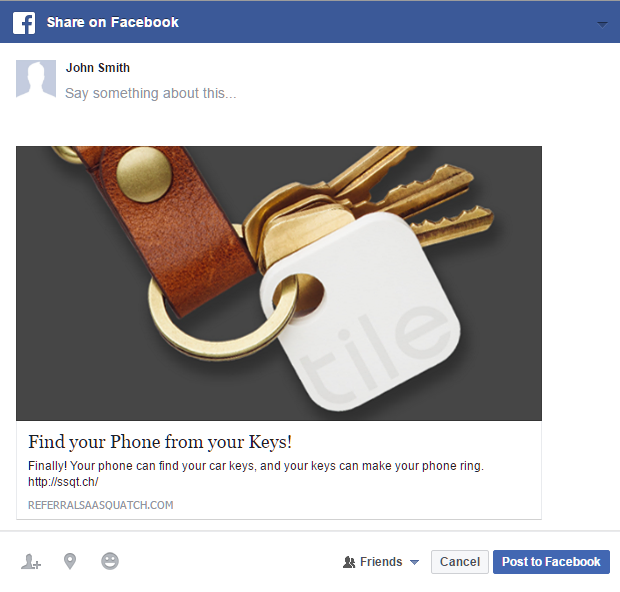
Facebook and Messenger
The Facebook and Messenger sharing options allow a customer advocate to share their referral through the Facebook platform.
They can choose to make a post to their feed or send a message directly to their friends.
Friction is minimized by not requiring participants to authorize access to their account to share via Facebook.
| |
|
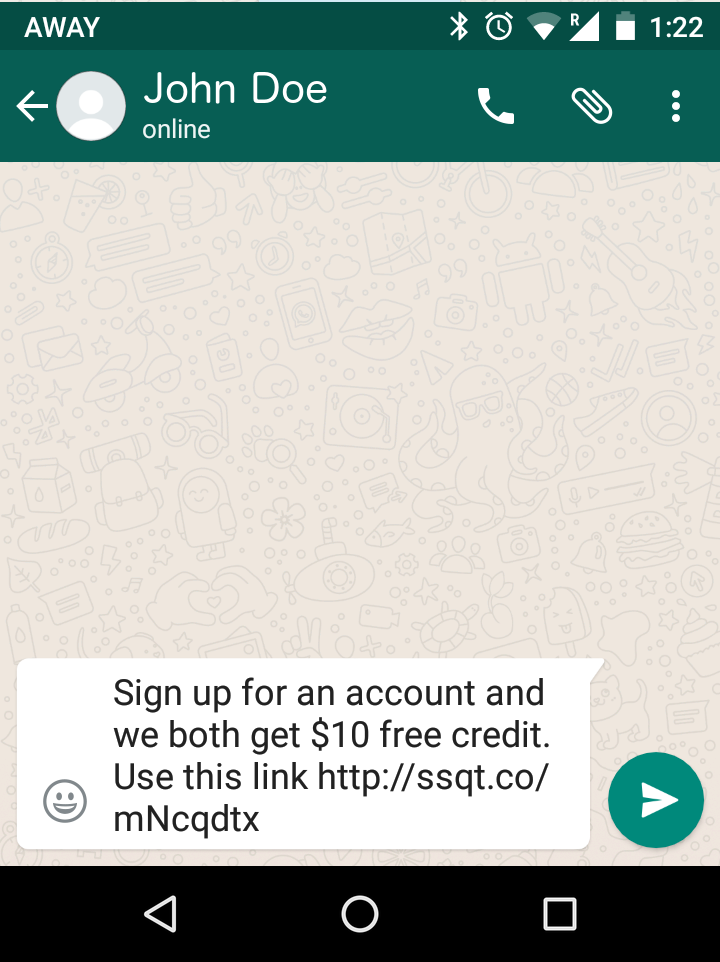
WhatsApp
The WhatsApp sharing options allow a customer advocate to share their referral to their WhatsApp contacts and groups. This option only appears in the widget when it is displayed on a mobile device, where the app could be available for them to share through.
Customer advocates are linked directly into the WhatsApp app to allow them to select who they would like to share with.
| |
|
SMS / Text Message
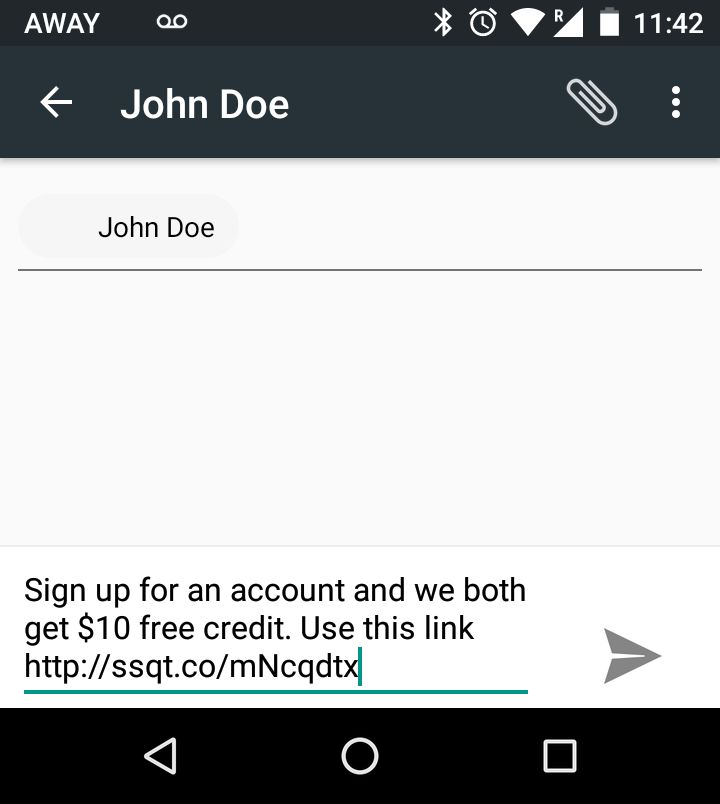
The SMS sharing option allows a customer advocate to share their referral to their text messaging contacts. This option only appears in the widget when it is displayed on a mobile device, where they have the ability to send an SMS.
The SMS share option links the customer advocate directly into their default SMS app which allows them to select who they would like to share with.
| |
|
Email
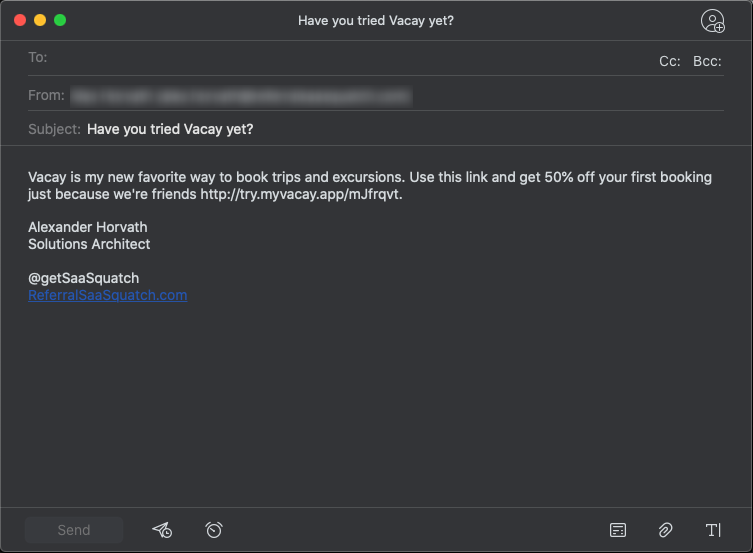
Customer advocates can make a referral by sharing their share link through email. The email share link in the widget is a standard mailto: link which lets customer advocates complete the share process through their email client of choice. In their email client, the customer advocate can then simply input the email address of the desired recipient and make any personalizations to your referral program's standard email message.
This default messaging can be customized just like that of the Facebook and Twitter/X share options. Configurable options for the email share messages include the message subject and body text.
Although formatting is limited to plain text, allowing customer advocates to send the email through their own email account provides a more personalized experience for both the customer advocate and referred friend, and will consistently arrive in the recipient's general inbox, not the promotions folder.
| |
|
Twitter/X
The Twitter/X sharing option allows a customer advocate to share the referral program to their network of friends.
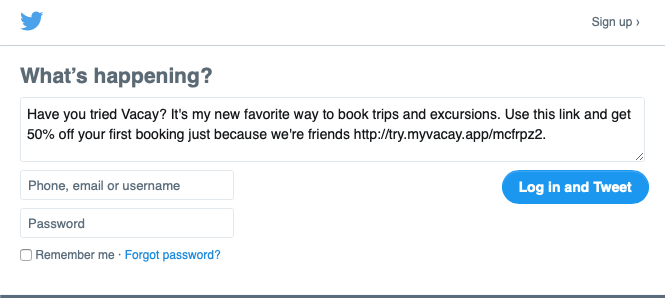
Twitter/X share messages are configurable up to the standard 280 character limit, and any link, including the participant’s sharelink, counts for 23 characters. Thumbnails, up to 440x220px in size, can also be included in the pre-filled tweet copy.
The sharing flow is streamlined by not requiring customer advocates to authorize with Twitter/X in order to make a post.
| |
|
LinkedIn
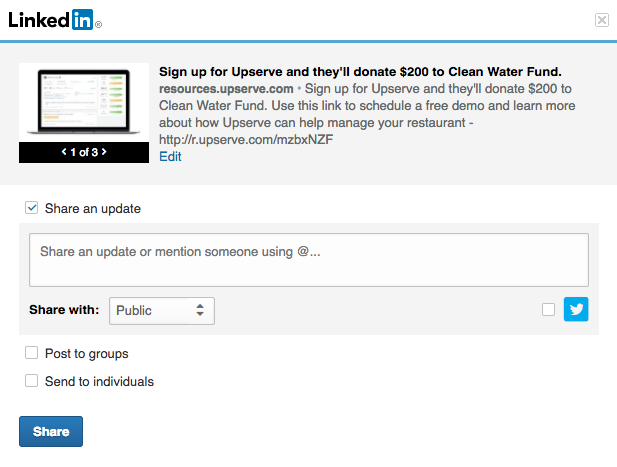
The LinkedIn sharing options allow a customer advocate to share their referral with their LinkedIn network. Their referral can be shared as a published post, an update, a post to a group, or directly to individuals.
| |
|
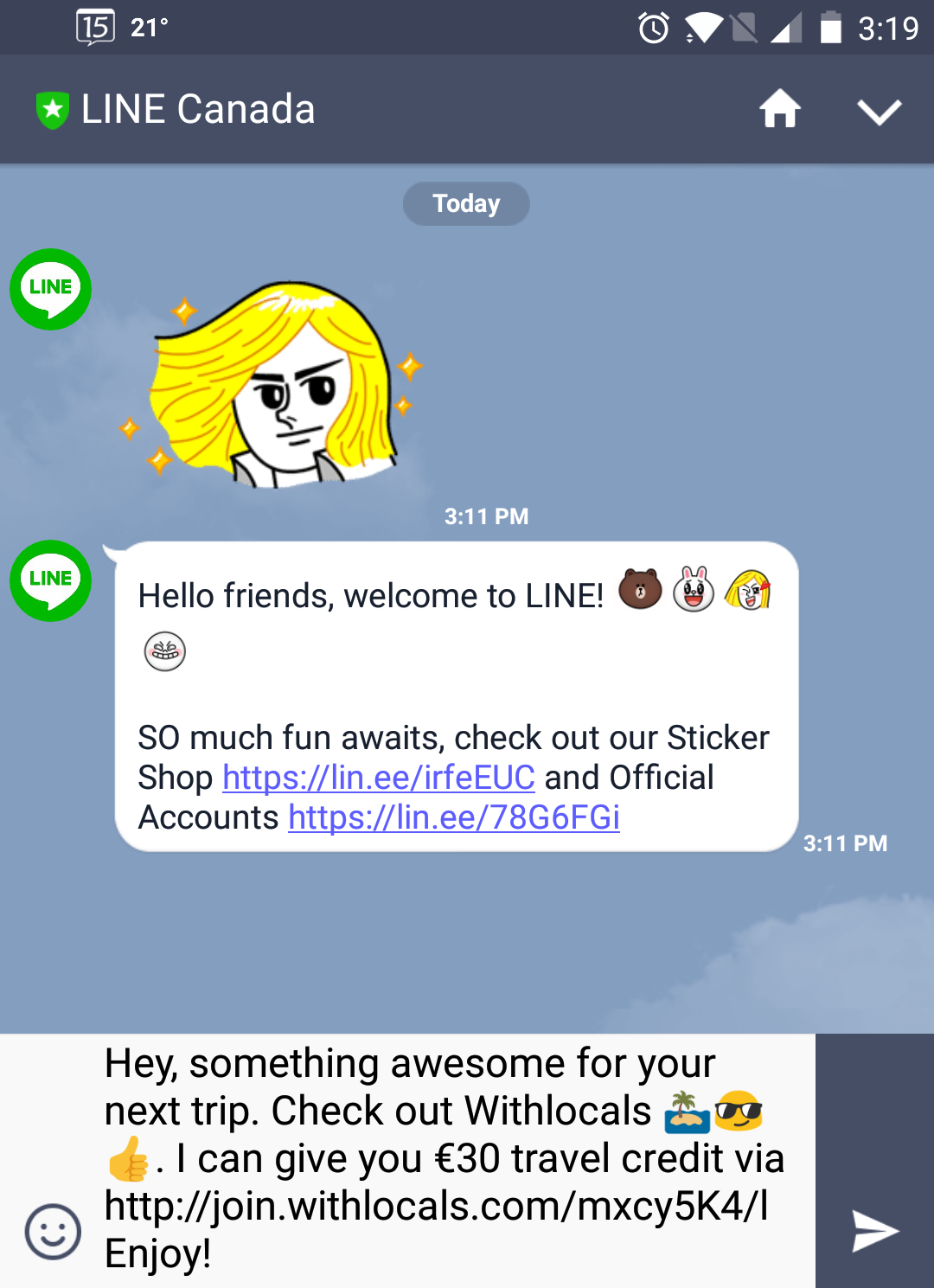
Line Messenger
The Line Messenger sharing options allow a customer advocate to share their referral with their Line Messenger friends as part of a group chat, or directly to individuals.
| |
|
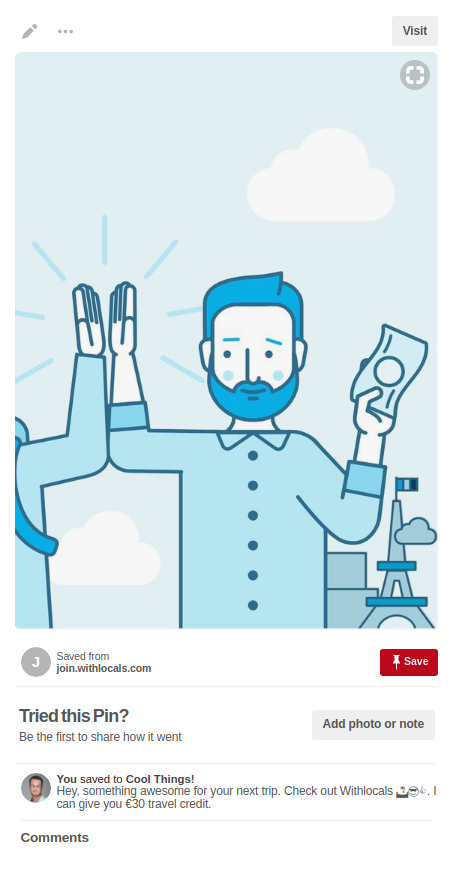
Pinterest
The Pinterest sharing options allow a customer advocate to share their referral with their Pinterest network, where they can pin and comment on their referral link or share it with friends.
| |
Referral code
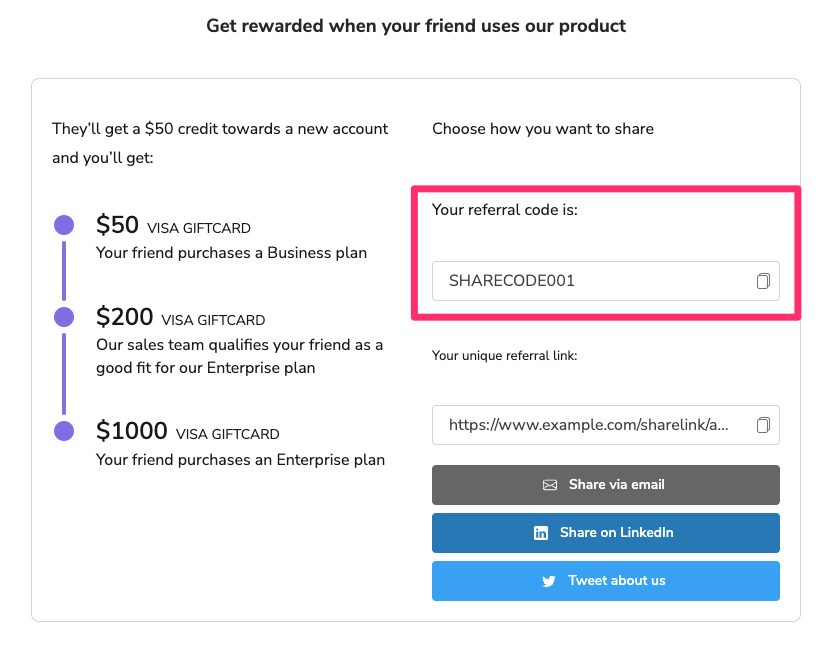
When a user is registered in impact.com, they are provided a unique referral code. This code typically comes in the form of `FIRSTNAMELASTNAME`, such as `JOHNDOE`. By default, the referral code is shown in the referral widget right underneath the main text.
The referral code provides a simple method for users to connect with your referral program. They are relatively short human-readable codes which users can share with their friends and family. Many people are familiar with the concept of a coupon code so using the referral codes as part of your referral program can make the process easier to understand.
The main limitation of this share option is that it does not take advantage of impact.com's automatic referral attribution. The referred friend is required to manually input the referral code on your referral landing page. This means that referred friends could forget the code, or have take the extra step of copying and pasting it. Referral codes can be hidden for products that do not have a coupon or code input field.
---
# Agent Instructions
This documentation is published with GitBook. GitBook is the documentation platform designed so that both humans and AI agents can read, navigate, and reason over technical content effectively. Learn more at gitbook.com.
## Querying This Documentation
If you need additional information that is not directly available in this page, you can query the documentation by asking a question.
Perform an HTTP GET request on the following URL with the `ask` and `goal` query parameters:
```
GET https://help.impact.com/brand/what-would-you-like-to-learn-about/advocate-program/manage-advocate-participant-experiences/advocate-program-sharing-options.md?ask=&goal=
```
`ask` is the immediate question: it should be specific, self-contained, and written in natural language.
`goal` is what the user is ultimately trying to achieve, the reason they need the answer. Sharing it helps GitBook give you a better, more relevant answer. A goal is most helpful when it describes the outcome the user wants rather than restating the question. For example, with `ask=how do I create an API token`, a goal like `automate deployments from our CI pipeline` lets GitBook tailor the answer to that use case.
The response will contain a direct answer to the question and relevant excerpts and sources from the documentation.
Use this mechanism when the answer is not explicitly present in the current page, you need clarification or additional context, or you want to retrieve related documentation sections.



 |
|
|
|  |
|
|
|  |
|
|
|  |
|
|
|  |
|
|
|  |
|
|
|  |
|
|
|  |
|