Advocate Fraud Protection Explained
Potential fraud is a consideration for every brand with a referral program. Inevitably, someone will attempt to test the system by referring themselves.
Your Advocate program has an optional, automated Fraud Protection feature that can be used together with manual actions like blocking email domains and specific participants and IP addresses to mitigate the effects of fraudulent behavior. However, keep in mind that the strongest defense against referral program fraud is effective program design.
Referrals are only placed into a pending state after you turn on Fraud Protection for your Advocate account.
From the top navigation bar, select
[User profile] → Settings.
From the Advocate Settings section, select Security.
Select
[Toggle on] Automatic fraud detection.
Fraud scoring explained
When Fraud Protection is turned on, Advocate will evaluate and assign a fraud score to all new referrals.
The fraud score ranges from 0 (no risk detected) to 100 (very high risk). It is calculated by comparing each new referral against previous referrals to look for similarities. The overall score assigned to a referral determines whether it’s automatically approved or denied, or placed into a pending state for manual review.
Same name (exact match only)
High
Robin Banks and Robin Banks
Same IP address
Medium
192.158.1.38 and 192.158.1.38
Similar name
ROBIN BANKS and Robby Banks
Fraud Protection settings
Advocate supports three Fraud Protection levels: Relaxed, Moderate, or Strict. The level you select applies to all of your referral programs. Legacy referrals won’t be evaluated.
Relaxed
The Relaxed setting is best for brands who want to streamline their referral program and reduce the likelihood of denying legitimate referrals. This level allows more referrals while accepting the possibility of some self-referrals.
Using the Relaxed setting, most referrals are automatically approved. If a referral is highly likely to be fraudulent, then it will be automatically denied.
0 to 84
Automatically approved
85 to 100
Automatically denied
Moderate
The Moderate setting is appropriate for brands with capacity for hands-on review of their referrals. This level provides a middle ground, allowing manual review of potential self-referrals for a more accurate referral program.
Note: If you turn off fraud protection while any referrals are in a pending state, these referrals will remain pending until manually reviewed.
Strict
The Strict setting is recommended for brands prioritizing highly secure programs. This level may occasionally flag legitimate referrals, but it significantly reduces the likelihood of self referrals.
0 to 49
Automatically approved
50 to 100
Automatically denied
Participant experience for instant access widgets
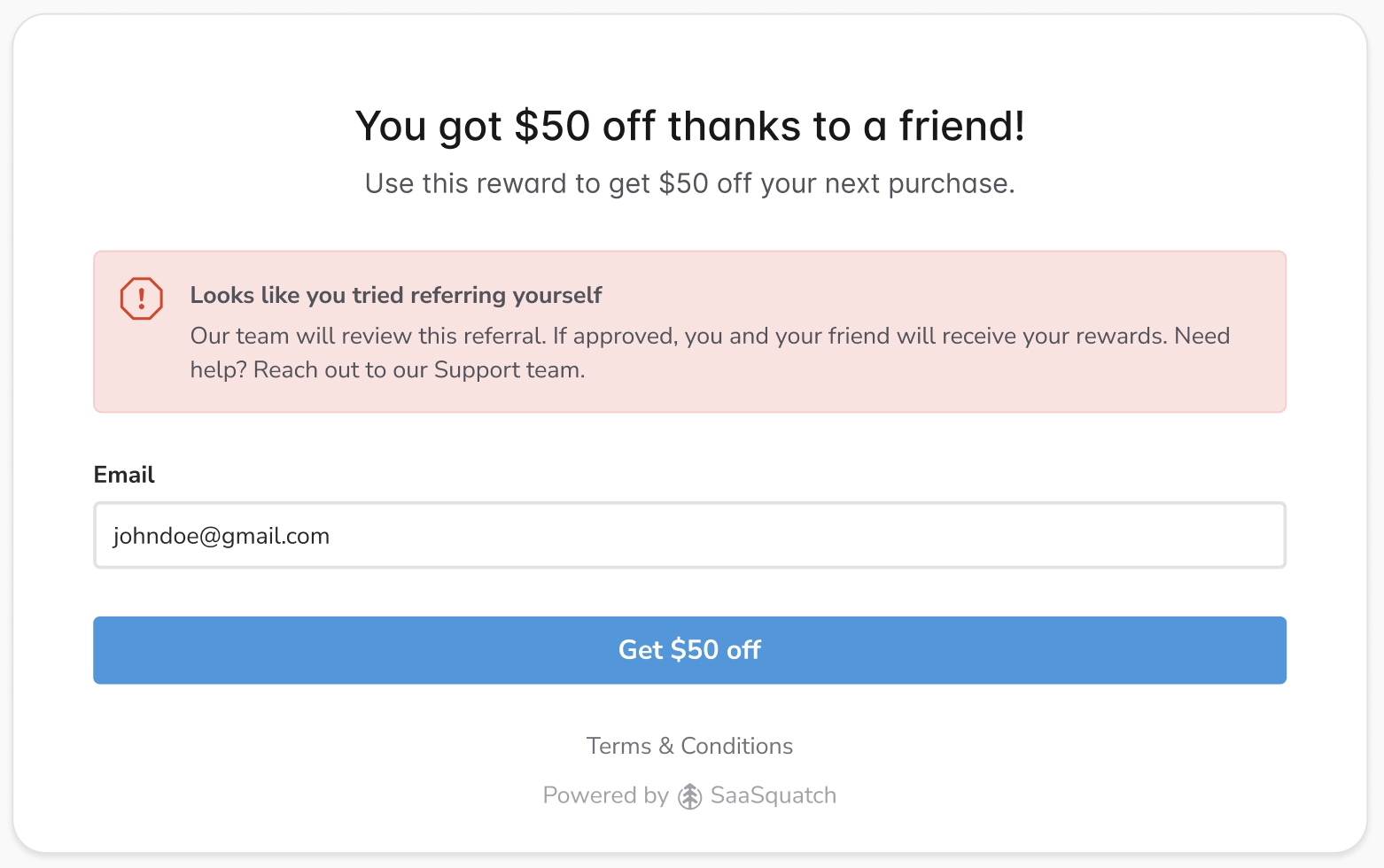
Typically, programs using instant access widgets immediately grant a reward to the referred friend. When Fraud Protection is turned on and Advocate detects a suspicious referral attempt, the referral is either denied or placed into a pending state, depending on its fraud score and your settings. Customer advocates see a message within the widget letting them know the referral was either denied or flagged for manual review. For pending referrals, no reward is issued unless you approve the referral.
Learn more
Last updated
Was this helpful?

