> For the complete documentation index, see [llms.txt](https://help.impact.com/llms.txt). Markdown versions of documentation pages are available by appending `.md` to page URLs; this page is available as [Markdown](https://help.impact.com/partner/zh/ni-xiang-liao-jie-shen-me/platform-features/working-with-brands/applying-to-brands/join-the-brands-marketplace.md).

# 加入 Marketplace

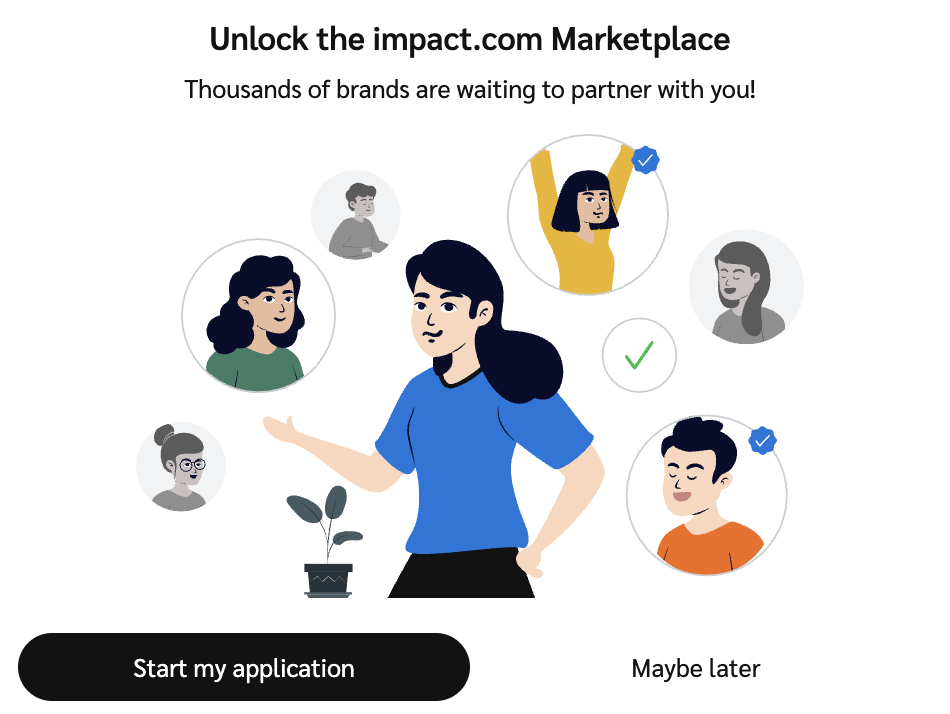
市场是你接触数千个正在寻找像你这样的新合作伙伴的品牌的地方。在你能够申请任何品牌项目之前，你必须先获批准加入市场。

你的市场申请通常会在你完成时自动提交 [注册 impact.com 时](/partner/zh/ni-xiang-liao-jie-shen-me/getting-started/sign-up-as-a-partner-on-impactcom.md)。不过，如果你是通过某个品牌的专属项目注册链接加入的，这份申请可能没有为你提交。参见 [了解你的市场申请状态](/partner/zh/ni-xiang-liao-jie-shen-me/platform-features/working-with-brands/applying-to-brands/understand-your-marketplace-application-status.md) 以了解更多详情。

{% stepper %}
{% step %}

## 开始你的市场申请

1. 从顶部导航栏中，选择 ![](/files/d599d976891a5c0517520cf3405bba1bb9d7163f) **\[用户资料]** → **加入 impact.com 市场**.
2. 选择 **开始我的申请**.
3. 按照申请清单逐步完成各项步骤。
4. 选择 **开始**.

<div data-with-frame="true"><figure><img src="/files/9805e434dd1d5d54e869ec56c38bf8e7c95b2596" alt="" width="375"><figcaption></figcaption></figure></div>
{% endstep %}

{% step %}

## 申请加入市场

### 1. 接受条款和条件

1. 选择 ![](/files/961896379dec15908d56234d0fdc1ba0aa67e8a3) **\[复选框]** 我已阅读并接受 **合作伙伴用户协议** 和 **主活动协议**.
2. 选择 **下一步** 继续。

### 2. 填写你的税务信息（非美国合作伙伴）

如果你位于美国境外，请填写你的 *间接税登记*.

<div data-with-frame="true"><figure><img src="/files/d451272504064bfb345b07aff9b5e73ace2f2ca8" alt=""><figcaption></figcaption></figure></div>

选择 **保存** 以保存任何更改。

### 3. 完善你的资料

在 *完善你的资料* 选项卡中，完成以下部分：

<details>

<summary>资料字段参考</summary>

| 部分    | 所需信息                                                                                                                                                                                                                                                                                                                                                                                                                                                                                                                                                                                                                                                                                                                                                                                                                                                                                                                                                                                                                                                                       |
| ----- | -------------------------------------------------------------------------------------------------------------------------------------------------------------------------------------------------------------------------------------------------------------------------------------------------------------------------------------------------------------------------------------------------------------------------------------------------------------------------------------------------------------------------------------------------------------------------------------------------------------------------------------------------------------------------------------------------------------------------------------------------------------------------------------------------------------------------------------------------------------------------------------------------------------------------------------------------------------------------------------------------------------------------------------------------------------------------- |
| 资料    | <p>你将在此添加：</p><ul><li><strong>标志：</strong> 可在此上传你公司徽标的 PNG、JPG 或 GIF 图片。建议尺寸为 150 x 150 像素。</li><li><strong>简介：</strong> 向品牌介绍你自己或你的公司，以及你的内容。</li><li><strong>内容与兴趣：</strong> 品牌可以通过搜索关键词找到你。例如：生活方式、健康、健身。</li><li><strong>商业模式：</strong> 你可以从下拉列表中选择最适合你业务的模式。</li></ul><p>不确定你的业务类别是什么？更多信息请见下文：<br></p><p><strong>业务类别说明（类别/描述）</strong><br><br><strong>社交影响者</strong></p><p>作为创作者，你拥有一个因娱乐、教育和社区而关注你的受众，他们会与你创作的社交原生内容互动。你可以通过社交媒体平台向该受众推广产品和服务。<br></p><p><strong>内容/评测</strong></p><p>专注于制作与推广、比较和列出产品与服务相关的编辑内容的合作伙伴。<br></p><p><strong>忠诚度/奖励</strong></p><p>通过会员和福利奖励计划激励消费者、员工或企业进行交易的合作伙伴。<br></p><p><strong>优惠/优惠券</strong></p><p>汇总并分类优惠和促销信息，帮助消费者节省开支的合作伙伴。<br></p><p><strong>电子邮件/新闻简报</strong></p><p>拥有订阅其电子邮件或新闻简报的受众，并汇集有价值内容、折扣及其他信息的合作伙伴。<br></p><p><strong>搜索/比价</strong></p><p>为品牌管理关键词活动的搜索引擎、社交或程序化营销人员，通常按绩效计费。<br></p><p><strong>联盟网络</strong></p><p>充当品牌活动入口并提供跟踪、报告和支付服务的合作伙伴平台。<br></p><p><strong>技术解决方案</strong></p><p>站点端购物工具或服务，帮助品牌提升转化优化。<br></p><p><strong>跨受众变现</strong></p><p>向现有客户或受众发布优惠、内容和互补产品的企业（例如，退出流量、改进的 UX），以带来增量收入。</p> |
| 个人信息  | <p><img src="https://paligoapp-cdn-eu1.s3.eu-west-1.amazonaws.com/impact/attachments/f01cdffa431a4d75ff09c130b66974d4-84d1224fd3bb6ba94b899febe2021eaa.svg" alt="[Toggle on]"> <strong>\[开启切换]</strong> 将你的个人信息分享给 impact.com，以便我们为你精选更适合合作的品牌或项目建议。</p><p>所有个人信息字段均为可选项，并且不会在你的资料中公开。</p>                                                                                                                                                                                                                                                                                                                                                                                                                                                                                                                                                                                                                                                                                                                                                                                 |
| 收货信息  | <p><img src="https://paligoapp-cdn-eu1.s3.eu-west-1.amazonaws.com/impact/attachments/f01cdffa431a4d75ff09c130b66974d4-84d1224fd3bb6ba94b899febe2021eaa.svg" alt="[Toggle on]"> <strong>\[开启切换]</strong> 用于填写你的收货地址信息，品牌可据此在其项目中寄送产品或礼品。</p><p>此信息不会添加到你的公开资料中。</p>                                                                                                                                                                                                                                                                                                                                                                                                                                                                                                                                                                                                                                                                                                                                                                                                         |
| 附加信息  | ![\[Toggle on\]](https://paligoapp-cdn-eu1.s3.eu-west-1.amazonaws.com/impact/attachments/f01cdffa431a4d75ff09c130b66974d4-84d1224fd3bb6ba94b899febe2021eaa.svg) **\[开启切换]** 该 *链接* 设置，以列出可与合作伙伴分享的任何附加链接信息。                                                                                                                                                                                                                                                                                                                                                                                                                                                                                                                                                                                                                                                                                                                                                                                                                                                                |
| 联系人   | 选择至少一位账户用户，在品牌审核你的资料时显示为联系点。如果你的账户只有一位用户，该用户将自动被选中。                                                                                                                                                                                                                                                                                                                                                                                                                                                                                                                                                                                                                                                                                                                                                                                                                                                                                                                                                                                                                        |
| 媒体资料包 | 如果你有媒体资料包，请上传其 PDF。你可以上传多个媒体资料包。                                                                                                                                                                                                                                                                                                                                                                                                                                                                                                                                                                                                                                                                                                                                                                                                                                                                                                                                                                                                                                           |
| 暂停资料  | 暂停后，你的资料将暂时不会在市场中展示给品牌。                                                                                                                                                                                                                                                                                                                                                                                                                                                                                                                                                                                                                                                                                                                                                                                                                                                                                                                                                                                                                                                    |

</details>

选择 **保存** 以保存任何更改。

### 4. 修改你的推广渠道

接下来，选择 **修改你的媒体资源** 部分。如果你使用网站或社交页面，则需要进行验证。要添加推广渠道：

1. 选择 **创建媒体资源**.
2. 选择你要创建的推广渠道类型。
3. 填写出现的表单并选择 **保存**.
   * 你的推广渠道及其验证状态将列在 *媒体属性* 页面上。
   * 了解如何 [连接并管理推广渠道](/partner/zh/ni-xiang-liao-jie-shen-me/account-management/account-settings/connect-media-properties/connect-and-manage-media-properties.md).

### 5. 提交你的市场申请！

当你完成清单上的所有步骤后， **提交你的市场申请！** 在清单中，然后确认你要 **提交申请**.

提交后，impact.com 将在 2 个工作日内审核你的申请。一经批准，你可以 [与品牌合作](/partner/zh/ni-xiang-liao-jie-shen-me/platform-features/working-with-brands/applying-to-brands/find-and-apply-to-brands.md) ，立即。
{% endstep %}

{% step %}

## 了解你的市场申请状态

在您申请加入市场后，您的申请会经历以下状态：

1. **审核中** — impact.com 已收到您的申请，并将审核其真实性和合规性。您将在 72 小时内收到结果。
2. **已批准** — impact.com 认为您所声称的身份以及您的推广渠道所有权均符合要求。您的公开资料现已在市场中上线，所有品牌均可查看。
3. **已拒绝** — 您的合作伙伴账户未通过 impact.com 的合规标准，因此您的申请被拒绝。

这些状态仅与你的市场申请有关，与您和单个品牌的关系状态不同（例如 *待处理*, *已激活*，或 *已拒绝*).
{% endstep %}

{% step %}

## 开始参与市场

一旦你的市场申请获批，你就可以 [向品牌申请合作](/partner/zh/ni-xiang-liao-jie-shen-me/platform-features/working-with-brands/applying-to-brands/find-and-apply-to-brands.md), [开始创造成果](/partner/zh/ni-xiang-liao-jie-shen-me/getting-started/readme-1/im-a-partner/introduction-welcome-to-impactcom-for-partners.md)，并获得报酬。请确保以下内容已正确设置：

* [付款设置](/partner/zh/ni-xiang-liao-jie-shen-me/platform-features/finance/payments-withdrawals-and-balance/how-do-partners-get-paid.md)
* [通知设置](/partner/zh/ni-xiang-liao-jie-shen-me/platform-features/dashboard/configure-platform-and-email-notifications-for-partners.md)
  {% endstep %}
  {% endstepper %}


---

# Agent Instructions
This documentation is published with GitBook. GitBook is the documentation platform designed so that both humans and AI agents can read, navigate, and reason over technical content effectively. Learn more at gitbook.com.

## Querying This Documentation
If you need additional information that is not directly available in this page, you can query the documentation dynamically by asking a question.

Perform an HTTP GET request on the current page URL with the `ask` query parameter, and the optional `goal` query parameter:

```
GET https://help.impact.com/partner/zh/ni-xiang-liao-jie-shen-me/platform-features/working-with-brands/applying-to-brands/join-the-brands-marketplace.md?ask=<question>&goal=<endgoal>
```

`ask` is the immediate question: it should be specific, self-contained, and written in natural language.
`goal` is optional and describes the broader end goal you are ultimately trying to accomplish on behalf of the user. GitBook uses it to tailor the answer towards what is most useful for that goal.

The response will contain a direct answer to the question and relevant excerpts and sources from the documentation.

Use this mechanism when the answer is not explicitly present in the current page, you need clarification or additional context, or you want to retrieve related documentation sections.
