> For the complete documentation index, see [llms.txt](https://help.impact.com/llms.txt). Markdown versions of documentation pages are available by appending `.md` to page URLs; this page is available as [Markdown](https://help.impact.com/partner/zh/ni-xiang-liao-jie-shen-me/platform-features/working-with-brands/applying-to-brands/intelligent-tracking-prevention-explained.md).
# 智能跟踪防护说明
{% hint style="warning" %}
**重要:** 截至 2025 年 5 月 7 日,我们已弃用根据 ITP 合规性查找和排序品牌的功能。你将不再在品牌市场中的品牌上看到绿色 ITP 横幅,也不会再看到“ITP 合规”功能筛选器。这是因为所有品牌都已迁移到符合 ITP 的跟踪设置——因此,跟踪可免受未来任何与第三方 cookie 相关的浏览器限制影响。
{% endhint %}
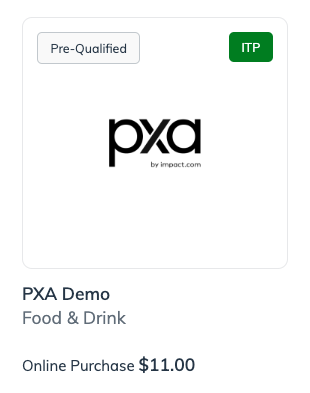
在 impact.com 市场中搜索 [要合作的品牌时](/partner/zh/ni-xiang-liao-jie-shen-me/platform-features/working-with-brands/applying-to-brands/find-and-apply-to-brands.md)时,你很可能已经注意到,某些品牌会被标记上一个绿色横幅,上面写着 *ITP*。这表明 impact.com 已验证该品牌符合 ITP 要求。但这意味着什么?本文旨在解释这一绿色横幅背后的背景、它对你——合作伙伴——意味着什么,以及你合作的品牌如何满足 ITP 合规要求。
## 什么是 ITP?
智能跟踪防护(ITP)是 Apple 在 Safari 浏览器上采用的隐私软件,用于阻止恶意网站在用户浏览互联网时跟踪其行为。不幸的是,ITP 也会阻碍许多传统的联盟营销跟踪方法。其中一种传统方法是网关跟踪,即客户从合作伙伴网站被重定向到品牌落地页,而跟踪提供商(例如 impact.com)则使用 cookie 来追踪客户跨站点的浏览路径。
值得注意的是,Safari 阻止跨站点跟踪的隐私技术并不新鲜,而 impact.com 的跟踪技术一直在跟进每一次 ITP 迭代带来的变化。不过,每一次新的迭代都会进一步限制更多可用的跟踪技术,这意味着,随着时间推移,品牌很可能需要完全切换到我们的服务器到服务器跟踪服务,才能让其合作伙伴对他们带来的动作获得完整归因。
参见 [本文](https://impact.com/partnerships/safaris-done-it-again-what-you-need-to-know-about-itp-2-2/) 要更好地了解 impact.com 如何应对 Safari 的 ITP 限制,或直接访问 WebKit 的网站阅读有关 [最新 ITP 版本](https://webkit.org/blog/9521/intelligent-tracking-prevention-2-3/) .
## 那谷歌的浏览器呢?
Google Chrome 也已启动一项举措,旨在消除跨站点跟踪以及它给用户带来的恶意跟踪风险。Chrome 的 [跟踪保护](https://blog.google/products/chrome/privacy-sandbox-tracking-protection/) 功能默认启用,可防止用户数据(例如客户的点击路径)在网站之间共享,即使目的是进行联盟营销跟踪也是如此。不过,作为 impact.com 上的合作伙伴,你可以放心:如果某个品牌已通过验证并符合 ITP 合规标准,那么尽管存在跨站点跟踪限制,它在 Chrome 和 Safari 上的合作伙伴归因都能正常工作。
要了解 Google 对第三方 cookie 的限制,请参见 [本文](/brand/zh/what-would-you-like-to-learn-about/platform-features/tracking/tracking-explained/does-googles-cookie-blocking-affect-my-tracking.md).
## 品牌如何满足 ITP 合规?
如果某个品牌完全使用 API 跟踪,那么它就符合 ITP 要求。不过,大多数品牌都会使用某种独特的跟踪技术组合,这使得满足 ITP 合规对它们来说更为复杂。
impact.com 平台上的大多数品牌都使用 impact.com 的 JavaScript 跟踪标签(即 [Universal Tracking Tag](https://go.impact.com/rs/280-XQP-994/images/DSdownload-GN-EV-UTT.pdf)),或者使用其服务器到服务器跟踪服务(即 [API](https://integrations.impact.com/integration-guides/for-brands/tracking-integrations/api-online-sale/introduction) / [FTP](https://integrations.impact.com/integration-guides/for-brands/tracking-integrations/ftp-online-sale/introduction) 跟踪)。当 ITP 2.2 发布时,它进一步限制了具有跨站点跟踪能力的 JavaScript cookie,而 impact.com 必须对 Universal Tracking Tag 进行必要调整,以防止其被列入黑名单。impact.com 继续以类似方式保持其跟踪服务符合 ITP 要求;不过,考虑到规则门槛不断变化,impact.com 现在建议所有品牌将我们的服务器到服务器跟踪作为主要跟踪方式。
{% hint style="success" %}
**简而言之:** 使用传统网关跟踪的品牌不会在 Brands Marketplace 中标有绿色 ITP 横幅,如果某个品牌 *是否* 带有 ITP 横幅,那么它与 impact.com 的跟踪集成就不会因 ITP 限制而阻止你获得归因。不过请注意,impact.com 不会披露某个品牌跟踪集成的具体细节。
{% endhint %}
## 作为合作伙伴,我能做什么?
作为合作伙伴,你需要知道,使用传统网关跟踪的品牌不会被标上绿色 ITP 横幅,并且可能会出现最高达 13% 的跟踪流失。这意味着,当你与该品牌合作时,你会损失 13% 的佣金支付。造成这种流失的原因是:
* Safari 会在 24 小时后阻止某些第一方 cookie(此外还会立即阻止所有第三方 cookie)。
impact.com 的基准数据显示,87% 的 Safari 转化发生在最后一次点击后的 24 小时内。这意味着,如果使用 Safari 浏览器的客户在转化前超过 24 小时进行了最后一次点击,你将不会获得该转化的归因。
* Safari 用户数量众多。
Apple 的 Safari 浏览器占全球所有网页流量的 15%,以及美国网页流量的 31%,因此你的客户群中 Safari 用户的比例很可能很高。可以理解,这会带来较高的跟踪流失风险。
另外需要记住的一点是,无论你合作的品牌是否符合 ITP,在生成并分享跟踪链接时,你都应始终使用以 *https*。一个 *https* 链接可用于访问两类 *https* 和 *http*托管站点,但如果用户点击了一个 *http* 链接,Safari [以及 Google Chrome](https://impact.com/partnerships/browser-news-what-is-itp-2-3-and-google-chromes-latest-on-tracking/) 将阻止 impact.com 的 cookie 保存所需的跟踪信息。impact.com 默认以 *https* 该协议提供你的跟踪链接,不过你也许想花点时间 [查看](https://app.impact.com/secure/mediapartner/ads/manage-vanity-urls-flow.ihtml) 你的跟踪链接,以防这一默认设置曾在任何时候被手动覆盖。
## 简而言之:
随着人们对在线数据隐私的担忧日益普遍,所有主要网页浏览器提供商都在对在线跟踪设置限制。目前,使用 impact.com 基于浏览器的跟踪(通过 UTT)的品牌受影响很小,但 Safari 即将推出的 *ITP* 或 Chrome 的 *跟踪保护* 版本可能还会继续要求新的规避方案。因此,impact.com 鼓励品牌完全转向其服务器到服务器跟踪服务。
作为合作伙伴,在 Brands Marketplace 中寻找合作品牌时,留意绿色 ITP 合规标签,并确保你的跟踪链接都通过 *https* 协议安全提供,你就可以保护自己免受归因流失的影响。
---
# Agent Instructions
This documentation is published with GitBook. GitBook is the documentation platform designed so that both humans and AI agents can read, navigate, and reason over technical content effectively. Learn more at gitbook.com.
## Querying This Documentation
If you need additional information that is not directly available in this page, you can query the documentation by asking a question.
Perform an HTTP GET request on the following URL with the `ask` and `goal` query parameters:
```
GET https://help.impact.com/partner/zh/ni-xiang-liao-jie-shen-me/platform-features/working-with-brands/applying-to-brands/intelligent-tracking-prevention-explained.md?ask=&goal=
```
`ask` is the immediate question: it should be specific, self-contained, and written in natural language.
`goal` is what the user is ultimately trying to achieve, the reason they need the answer. Sharing it helps GitBook give you a better, more relevant answer. A goal is most helpful when it describes the outcome the user wants rather than restating the question. For example, with `ask=how do I create an API token`, a goal like `automate deployments from our CI pipeline` lets GitBook tailor the answer to that use case.
The response will contain a direct answer to the question and relevant excerpts and sources from the documentation.
Use this mechanism when the answer is not explicitly present in the current page, you need clarification or additional context, or you want to retrieve related documentation sections.