> For the complete documentation index, see [llms.txt](https://help.impact.com/llms.txt). Markdown versions of documentation pages are available by appending `.md` to page URLs; this page is available as [Markdown](https://help.impact.com/partner/zh/ni-xiang-liao-jie-shen-me/impactcom-mobile-app/mobile-app-reporting/performance-by-sub-id-and-shared-id-report-for-the-mobile-app.md).
# 移动应用中的按 Sub ID 和 Shared ID 绩效报告
该 *按子 ID 和共享 ID 的表现* 该报告列出了您曾使用跟踪链接的项目 [子 ID 或共享 ID](/partner/zh/ni-xiang-liao-jie-shen-me/platform-features/tracking/tracking-links/link-parameters/sub-id-and-shared-id-parameters-explained-for-partners.md).
## 管理报告
1. 从屏幕底部的导航栏中,选择  **\[报告]**.
2. 在 *报告* 部分中,选择 **按子 ID 和共享 ID 的表现**.
3. 在右上角,选择日期  **\[下拉菜单]** 以选择业绩数据的日期范围。
4. 在右上角,选择  **\[筛选]** 以筛选您要查看的数据。
* 详情请参见下面的 *筛选参考表* 如下。
筛选参考表
| 筛选 | 描述 |
| ---- | ------------------------------------------------------------------------------------------------------------------------------------------------------------------------------------------------------------------------------------------------------------------------------------------------------ |
| 排序方式 | 按字母顺序对您想查看子 ID 数据的品牌名称进行排序。 |
| 品牌 | 通过选择相关品牌来筛选特定品牌  **\[复选框]**. |
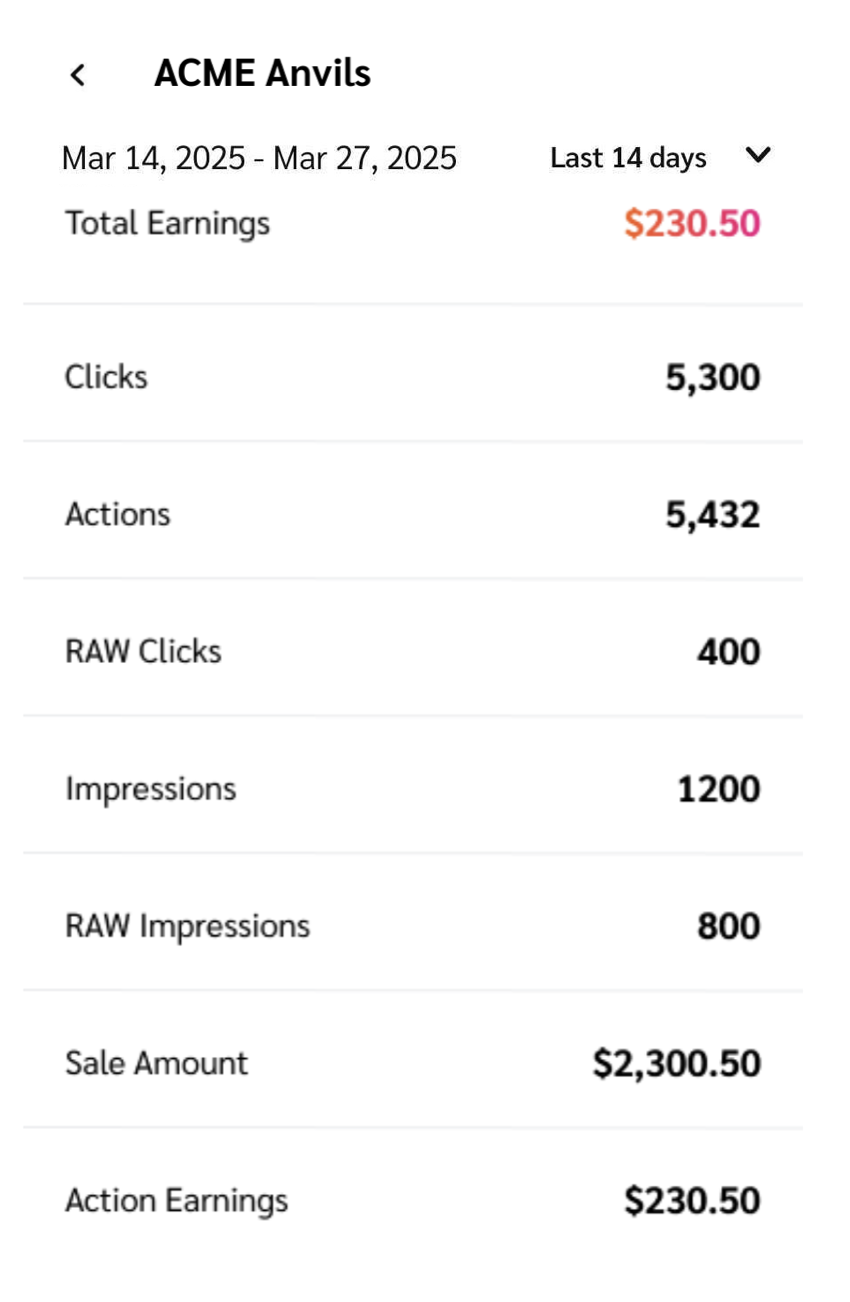
5. 查看您的子 ID 和共享 ID 绩效数据的细分。选择  **\[展开]** 旁边的日期来打开业绩指标的详细视图。
* 详情请参见下面的 *报告数据列参考* 如下。
报告数据列参考
| 指标 | 描述 |
| ------ | ------------------------- |
| 总收益 | 该项目支付给您的所有佣金收入。 |
| 点击次数 | 用户通过您的链接访问品牌着陆页的次数。 |
| 操作 | 您为该项目带来的转化次数,不包括被品牌撤销的转化。 |
| 原始点击次数 | 用户打开您链接的次数,包括重复点击。 |
| 展示次数 | 您的链接展示给用户查看的次数。 |
| 原始展示次数 | 您的链接展示给用户查看的次数,包括重复查看。 |
| 销售金额 | 您为该项目创造的总收入价值。 |
| 操作佣金 | 您因带来促成转化的流量而获得的佣金金额。 |
---
# Agent Instructions
This documentation is published with GitBook. GitBook is the documentation platform designed so that both humans and AI agents can read, navigate, and reason over technical content effectively. Learn more at gitbook.com.
## Querying This Documentation
If you need additional information that is not directly available in this page, you can query the documentation by asking a question.
Perform an HTTP GET request on the following URL with the `ask` and `goal` query parameters:
```
GET https://help.impact.com/partner/zh/ni-xiang-liao-jie-shen-me/impactcom-mobile-app/mobile-app-reporting/performance-by-sub-id-and-shared-id-report-for-the-mobile-app.md?ask=&goal=
```
`ask` is the immediate question: it should be specific, self-contained, and written in natural language.
`goal` is what the user is ultimately trying to achieve, the reason they need the answer. Sharing it helps GitBook give you a better, more relevant answer. A goal is most helpful when it describes the outcome the user wants rather than restating the question. For example, with `ask=how do I create an API token`, a goal like `automate deployments from our CI pipeline` lets GitBook tailor the answer to that use case.
The response will contain a direct answer to the question and relevant excerpts and sources from the documentation.
Use this mechanism when the answer is not explicitly present in the current page, you need clarification or additional context, or you want to retrieve related documentation sections.