# Join the Brands Marketplace

The brands marketplace is where you can find thousands of brands looking for new partners. However, before applying to programs, you must be approved to join the marketplace.

{% stepper %}
{% step %}

#### **Step 1: Start your marketplace application**

Get started with your application by following these steps:

1. From the top navigation bar, select ![](https://347878556-files.gitbook.io/~/files/v0/b/gitbook-x-prod.appspot.com/o/spaces%2Fb2rE79d9UhOKZQLgzSqx%2Fuploads%2Fgit-blob-1183576591b45997efe4dc81a25024640591d02a%2F245137dc972a7a7f6165b59538fcdbac8fd5bd8fee4ba9f20c1a2982c5b58b57.svg?alt=media) **\[User Profile]** → **Join the impact.com Marketplace**.
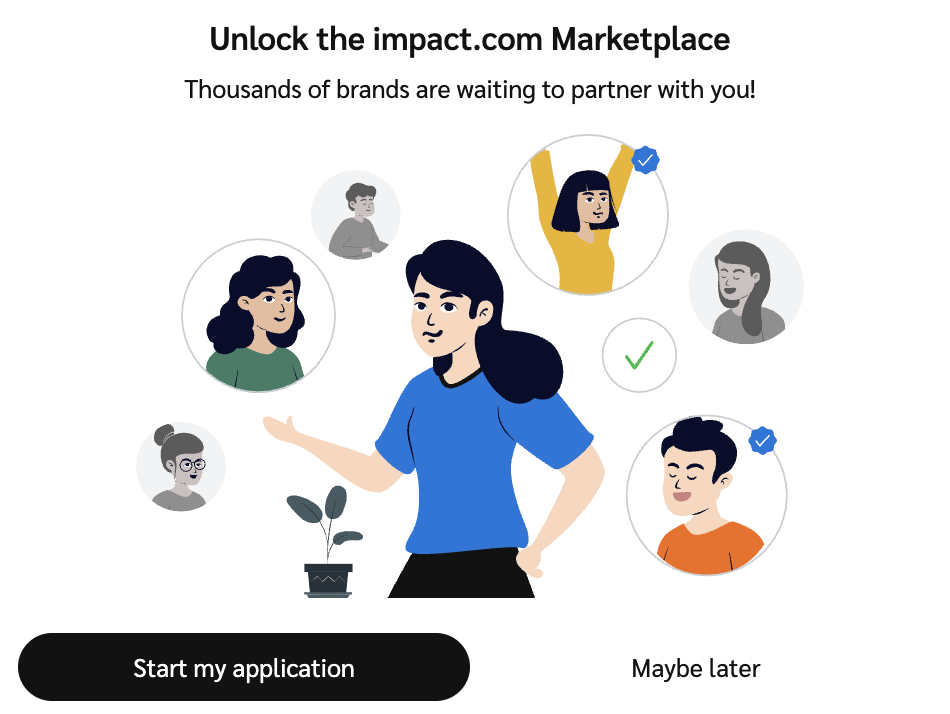
2. Select **Start my application**.

   <div data-with-frame="true"><figure><img src="https://347878556-files.gitbook.io/~/files/v0/b/gitbook-x-prod.appspot.com/o/spaces%2Fb2rE79d9UhOKZQLgzSqx%2Fuploads%2Fgit-blob-2be5788ebc5e6ad3cf866a7379b12494984593e1%2Fb9a535f23efe53a7dd8d5defac4d2434e3db8d07ae9a9b2f59fbf94263bc5978.png?alt=media" alt="" width="563"><figcaption></figcaption></figure></div>
3. Follow the steps through the application checklist.
4. Select **Get Started**.
   {% endstep %}

{% step %}

#### **Step 2: Apply to the brands marketplace**

There are 5 steps to complete when you apply to the brands marketplace:

**1. Accept the Terms and Conditions**

1. Select ![](https://347878556-files.gitbook.io/~/files/v0/b/gitbook-x-prod.appspot.com/o/spaces%2Fb2rE79d9UhOKZQLgzSqx%2Fuploads%2Fgit-blob-d2954616dc486c3e12c9211e20ff376bda0ab1af%2F7586e04e82e7c7203e5c82320dd417f8ac564cae5035024fdf0eb2ed017e6376.svg?alt=media) **\[Checkbox]** I have read and accept the **Partner User Agreement** and the **Master Campaign Agreement**.
2. Select **Next** to proceed.

**2. Complete your tax information (Non-U.S. Partners)**

If you are based outside of the US, you will be asked to complete your *Indirect Tax Registration*.

<div data-with-frame="true"><figure><img src="https://347878556-files.gitbook.io/~/files/v0/b/gitbook-x-prod.appspot.com/o/spaces%2Fb2rE79d9UhOKZQLgzSqx%2Fuploads%2Fgit-blob-e05580713ad6c9a9c3272fbcfa7f94458e100131%2F94e9a590855e3f6a161b9728614b6a8c3abf4b496f2d7e1e450ac351642fa38f.png?alt=media" alt=""><figcaption></figcaption></figure></div>

Select **Save** to save any changes.

**3. Enhance your profile**

In the *Enhance your profile* tab, you will be requested to fill out the following sections:

| Section                | Required information                                                                                                                                                                                                                                                                                                                                                                                                                                                                                                                                                                                                                                                                                                                                                                                                                                                                                                                                                                                                                                                                                                                                                                                                                                                                                                                                                                                                                                                                                                                                                                                                                                                                                                                                                                                                                                                                                                                                                                                                                                                                                                                                                                                                                                                                                                                                                                                            |
| ---------------------- | --------------------------------------------------------------------------------------------------------------------------------------------------------------------------------------------------------------------------------------------------------------------------------------------------------------------------------------------------------------------------------------------------------------------------------------------------------------------------------------------------------------------------------------------------------------------------------------------------------------------------------------------------------------------------------------------------------------------------------------------------------------------------------------------------------------------------------------------------------------------------------------------------------------------------------------------------------------------------------------------------------------------------------------------------------------------------------------------------------------------------------------------------------------------------------------------------------------------------------------------------------------------------------------------------------------------------------------------------------------------------------------------------------------------------------------------------------------------------------------------------------------------------------------------------------------------------------------------------------------------------------------------------------------------------------------------------------------------------------------------------------------------------------------------------------------------------------------------------------------------------------------------------------------------------------------------------------------------------------------------------------------------------------------------------------------------------------------------------------------------------------------------------------------------------------------------------------------------------------------------------------------------------------------------------------------------------------------------------------------------------------------------------------------- |
| Profile                | <p>Here you will add:</p><ul><li><strong>Logo:</strong> A PNG, JPG, or GIF image of your company's logo can be uploaded here. Recommended size is 150 x 150 pixels.</li><li><strong>Description:</strong> Tell brands about yourself or your company as well as your content.</li><li><strong>Content and Interests:</strong> Brands can find you by searching keywords. E.g., Lifestyle, health, fitness.</li><li><strong>Business Model:</strong> You can select the model your business fits best from the drop list.</li></ul><p>Not sure what your business category is? See the section below for more info.<br></p><p><strong>Business categories explained (Category/Description)</strong><br><br><strong>Social Influencer</strong></p><p>As a creator, you have an audience that follows you for entertainment, education, and community, and they engage with social-native content that you produce. You may market products and services to this audience via social media platforms.<br></p><p><strong>Content/Reviews</strong></p><p>Partners focused on producing editorial content related to promoting, comparing and listing products and services.<br></p><p><strong>Loyalty/Rewards</strong></p><p>Partners who incentivize transactions from consumers, employees, or businesses through a membership and benefits reward program.<br></p><p><strong>Deal/Coupons</strong></p><p>Partners who aggregate and classify deals and promotions for consumer savings.<br></p><p><strong>Email/Newsletter</strong></p><p>Partners who have an audience that subscribes to their email or newsletter that brings together valuable content, discounts, and other information.<br></p><p><strong>Search/Comparison</strong></p><p>Search Engine, Social, or Programmatic marketers that manage keyword campaigns for brands, often on a performance basis.<br></p><p><strong>Network</strong></p><p>Partner platforms that broker access to brand campaigns and provide tracking, reporting, and payment services.<br></p><p><strong>Technology Solution</strong></p><p>Site-side shopping tools or services that drive conversion optimization for brands.<br></p><p><strong>Cross Audience Monetization</strong></p><p>Businesses that publish offers, content, and complementary products to current customers or audiences (e.g., exit traffic, improved UX) to drive incremental revenue.</p> |
| Personal Information   | <p><img src="https://paligoapp-cdn-eu1.s3.eu-west-1.amazonaws.com/impact/attachments/f01cdffa431a4d75ff09c130b66974d4-84d1224fd3bb6ba94b899febe2021eaa.svg" alt="[Toggle on]"> <strong>\[Toggle on]</strong> to share your personal information with impact.com so that the platform can curate better suggestions on which brands or programs to work with.</p><p>All personal information fields are optional and will not be made public on your profile.</p>                                                                                                                                                                                                                                                                                                                                                                                                                                                                                                                                                                                                                                                                                                                                                                                                                                                                                                                                                                                                                                                                                                                                                                                                                                                                                                                                                                                                                                                                                                                                                                                                                                                                                                                                                                                                                                                                                                                                                |
| Shipping information   | <p><img src="https://paligoapp-cdn-eu1.s3.eu-west-1.amazonaws.com/impact/attachments/f01cdffa431a4d75ff09c130b66974d4-84d1224fd3bb6ba94b899febe2021eaa.svg" alt="[Toggle on]"> <strong>\[Toggle on]</strong> to specify your shipping address information that a brand would use to deliver products or gifts as part of their program.</p><p>This information will not be added to your public profile.</p>                                                                                                                                                                                                                                                                                                                                                                                                                                                                                                                                                                                                                                                                                                                                                                                                                                                                                                                                                                                                                                                                                                                                                                                                                                                                                                                                                                                                                                                                                                                                                                                                                                                                                                                                                                                                                                                                                                                                                                                                    |
| Additional Information | ![\[Toggle on\]](https://paligoapp-cdn-eu1.s3.eu-west-1.amazonaws.com/impact/attachments/f01cdffa431a4d75ff09c130b66974d4-84d1224fd3bb6ba94b899febe2021eaa.svg) **\[Toggle on]** the *Links* setting to list any additional links with information to share with partners.                                                                                                                                                                                                                                                                                                                                                                                                                                                                                                                                                                                                                                                                                                                                                                                                                                                                                                                                                                                                                                                                                                                                                                                                                                                                                                                                                                                                                                                                                                                                                                                                                                                                                                                                                                                                                                                                                                                                                                                                                                                                                                                                      |
| Contacts               | Select at least one account user to be displayed as the point of contact when brands are reviewing your profile. If your account only has one user, that user will be automatically selected.                                                                                                                                                                                                                                                                                                                                                                                                                                                                                                                                                                                                                                                                                                                                                                                                                                                                                                                                                                                                                                                                                                                                                                                                                                                                                                                                                                                                                                                                                                                                                                                                                                                                                                                                                                                                                                                                                                                                                                                                                                                                                                                                                                                                                   |
| Media Kit              | If you have one, upload a PDF of your media kit. You can upload multiple media kits.                                                                                                                                                                                                                                                                                                                                                                                                                                                                                                                                                                                                                                                                                                                                                                                                                                                                                                                                                                                                                                                                                                                                                                                                                                                                                                                                                                                                                                                                                                                                                                                                                                                                                                                                                                                                                                                                                                                                                                                                                                                                                                                                                                                                                                                                                                                            |
| Pause Profile          | Pausing prevents your profile from being shown to brands in the marketplace.                                                                                                                                                                                                                                                                                                                                                                                                                                                                                                                                                                                                                                                                                                                                                                                                                                                                                                                                                                                                                                                                                                                                                                                                                                                                                                                                                                                                                                                                                                                                                                                                                                                                                                                                                                                                                                                                                                                                                                                                                                                                                                                                                                                                                                                                                                                                    |

Select **Save** to save any changes.

**4. Modify your media properties**

Next, select the **Modify your media properties** section. If you make use of a website or social page, you will need to verify them. To add media properties:

1. Select **Create Media Property**.
2. Choose the type of media property you want to create.
3. Fill out the form that appears and select **Save**.

   * Your media properties and their verification statuses will be listed on the *Media Properties* page.
   * Learn how to [connect and manage media properties](https://help.impact.com/partner/what-would-you-like-to-learn-about/account-management/account-settings/connect-media-properties/connect-and-manage-media-properties).

   <div data-with-frame="true"><figure><img src="https://347878556-files.gitbook.io/~/files/v0/b/gitbook-x-prod.appspot.com/o/spaces%2Fb2rE79d9UhOKZQLgzSqx%2Fuploads%2Fgit-blob-11316c8391adc4c050bdc95d7ac4dfa0c764c2d3%2F392be9e01f4f4347fd1ff5a0ebb271eff43b1dd58c7f23a4b0ec00a9e661661c.png?alt=media" alt="" width="196"><figcaption></figcaption></figure></div>

**5. Submit your marketplace application!**

Once you’ve completed all the steps on the checklist, select **Submit your Marketplace application!** from the checklist, and select **Submit Application**.

Once submitted, impact.com will review your application within two business days. Once approved, you'll be able to [work with brands](https://help.impact.com/partner/what-would-you-like-to-learn-about/platform-features/working-with-brands/applying-to-brands/find-and-apply-to-brands) immediately.
{% endstep %}

{% step %}

#### **Step 3: View your marketplace application status**

You will hear back from our team within 24-72 hours.

* *Pending*, *Active*, or *Declined* relationship with a brand and *pending* brands marketplace application: A *Marketplace Status* tab overlay should appear on the navigation bar. You can select this tab to review the status of your application(s).
* *Rejected:* A message on your dashboard will inform you that your application was rejected. If you want to be reconsidered, create a new account and submit another application. Make sure you follow the guidelines above.
* *Approved:* The *Marketplace status* tab will disappear and you will have access to the marketplace. You will also receive an email informing you of application updates.
  {% endstep %}

{% step %}

#### **Step 4: Start participating in the marketplace**

When your marketplace application is approved, you can start [applying to brands](https://help.impact.com/partner/what-would-you-like-to-learn-about/platform-features/working-with-brands/applying-to-brands/find-and-apply-to-brands), get notified, and get paid. Ensure the following is set up correctly:

* [Payment settings](https://help.impact.com/partner/what-would-you-like-to-learn-about/platform-features/finance/payments-withdrawals-and-balance/how-do-partners-get-paid)
* [Notification settings](https://help.impact.com/partner/what-would-you-like-to-learn-about/platform-features/dashboard/configure-platform-and-email-notifications-for-partners)
  {% endstep %}
  {% endstepper %}


---

# Agent Instructions: Querying This Documentation

If you need additional information that is not directly available in this page, you can query the documentation dynamically by asking a question.

Perform an HTTP GET request on the current page URL with the `ask` query parameter:

```
GET https://help.impact.com/partner/what-would-you-like-to-learn-about/platform-features/working-with-brands/applying-to-brands/join-the-brands-marketplace.md?ask=<question>
```

The question should be specific, self-contained, and written in natural language.
The response will contain a direct answer to the question and relevant excerpts and sources from the documentation.

Use this mechanism when the answer is not explicitly present in the current page, you need clarification or additional context, or you want to retrieve related documentation sections.
