> For the complete documentation index, see [llms.txt](https://help.impact.com/llms.txt). Markdown versions of documentation pages are available by appending `.md` to page URLs; this page is available as [Markdown](https://help.impact.com/partner/what-would-you-like-to-learn-about/platform-features/working-with-brands/applying-to-brands/find-and-apply-to-brands.md).
# Find & Apply to Brands
Take the PXA course
The *Brands Marketplace* is where you can find brands and apply to partner with them. Forming multiple partnerships helps you drive more traffic for brands that align with your promotional channels and audience—increasing revenue for you and your partnered brands. You'll need to [join the Brands Marketplace](/partner/what-would-you-like-to-learn-about/platform-features/working-with-brands/applying-to-brands/join-the-brands-marketplace.md) before you can find and apply to brands.
Keep in mind that a brand may have multiple programs in the marketplace, such as separate options for different regions or distinct partner and creator programs. When you apply to a program, you’re requesting to join a specific one and not all the brand’s programs. Make sure you apply to the program that fits your goals.
If you're a creator, impact.com allows you to apply to either a brand's Performance program or its [creator campaign](/partner/what-would-you-like-to-learn-about/campaigns/creator-campaigns/campaign-management/campaigns-for-creators-explained.md). This article only explains how to apply as a partner to a brand's program. To work with a brand as a creator, see [Join Creator Campaigns](/partner/what-would-you-like-to-learn-about/campaigns/creator-campaigns/campaign-management/join-creator-campaigns.md) instead.
## Find brands
1. From the top navigation bar, select **Discover** **→** [**Find Brands**](https://app.impact.com/secure/mediapartner/marketplace/new-campaign-marketplace-flow.ihtml).
* This option will not appear unless you have applied to the Brands Marketplace.
* Want to find brands based on the products they offer? See the [*Apply to brands via the Product Marketplace*](#apply-to-brands-via-the-product-marketplace) section below.
2. Navigate around the marketplace to find brands.
* Alternatively, use the search bar beneath the navigation menu to find brands, e.g., *Clean beauty brands*. See [Marketplace Search Explained](/other/reference-documentation/marketplace-search-explained.md) to learn more about the marketplace search.
* Refer to the *Marketplace navigation bar*, *Brand filters*, and *Learn more about the brand* references below.
Marketplace navigation bar
The top marketplace navigation bar provides quick access to many screens and can help you keep your partnership creation efforts organized.
| Tab | Description |
| ---------------- | ------------------------------------------------------------------------------------------------------------------------------------------------------------------------------------------------------------------------- |
| **Home** | View brands that impact.com recommends for you, as well as brands that have joined the Brands Marketplace recently. |
| **All Brands** | See all brands on the Brands Marketplace. Here, you can filter and search for brands. |
| **Pre-approved** |
View brands for which you've already met their initial requirements and can start promoting them instantly.
impact.com sorts brands by recommendation score to help you find the most relevant brands first.
|
| **New** | View brands that have joined the Brands Marketplace recently. |
| **Favorites** | See what brands you favorited during your previous marketplace searches. |
Brand filters
The left navigation menu shows filters you can use to sort any given list of brands you're viewing. Select  **\[Plus]** to expand the filter and toggle its settings.
{% hint style="success" %}
**Note:** The filters won't display when you've selected the **Home** tab.
{% endhint %}
| Filter | Description |
| -------------------- | --------------------------------------------------------------------------------------------------------------------------------------------------------------------------------------------------------------------------------------------------------- |
| **Categories** | Filter brands by their categories. |
| **Payout Model** |
What the brand will pay out for — an online sale/CPA, a lead, an app install, etc. Refer to the brand's terms for specific details.
Note: This filter is being phased out and may not be available to all users.
|
| **Brand Attributes** |
Which brand attributes are configured on the brand’s marketplace profile.
For example, brands can provide unique promo codes, have websites that are responsive to mobile devices, and allow you to modify their ads for deep linking.
|
| **Service Areas** | The countries where the brand can service customers (i.e., sell products or services). |
| **Eligibility** | Filter for brands you are qualified to work with. |
Learn more about a brand
Once you find a brand you are interested in partnering with, select their icon to learn more about their program.
#### Brand insights
Access a high-level profile of each brand such as its social pages, *About* information, and other statistics.
| Detail | Description |
| -------------------------- | ------------------------------------------------------------------------------------------------------------------------------------------------------------------------ |
| Brand summary | View an overview of the brand, including the brand name, associated categories, country location, and direct links to their official website and social media platforms. |
| Description | A brief description of what the brand is about. |
| Who we’re looking for | Ideal characteristics of a suitable partner. |
| Qualifying business models | The promotional methods that qualify for this brand's program. |
| 30 Day EPC | View how much the brand's current partners earn on average from each click. |
| Response | See the percentage of applications this brand has replied to in the past 7 days. |
| Acceptance | See the percentage of applications this brand has approved in the past 7 days. |
| Funding Status | See how often the brand has funded its account enough to pay its partners the full earned amount at the agreed-upon time. |
#### Program promotion reference
| Detail | Description |
| ----------------------- | --------------------------------------------------------------------------------------------------------------------------------------------------------------------------------------------------------------------------------------------------------------------------------------------------------------------------------------------------------------------------------------------------------------------------------------------------------------------------------- |
| Payouts | Get a quick view of the brand's payout details. Select **View terms** to see the particulars of the brand's terms. |
| Promotional information | View any promotional information that the brand has to offer. |
| Top selling products | View the top 3 selling products of brands with items listed in the Product Marketplace. Select  **Go To Product** to view a product you're interested in or select **View all** to see all products from the brand. |
#### Program details reference
| Detail | Description |
| -------------------- | ------------------------------------------------------------------------------------------------------------------------------------------------------------------------------------------------------------------------------------------------------------------------------------------------------------------------------------------------------------------------------------------------------------------------------------------------------------------------------------------------------------------------------------------------------------------------------------------------------------------------------------------------------------------------------------------------------------------------------------------------------------------------------------------------------------------------------------------------------------ |
| Contacts | The brand's contact details. You can view the brand's marketplace contact and the agency contact, if available. Select **View all** to display all available brand contacts. To copy a contact's email address, select  **\[Copy].** |
| Where we service | The geographical regions this program focuses on. |
| How we track |
The available tracking methods the program uses:
Unique Promo Code Tracking
View if the brand has set up promo code tracking. This tracks whenever a promo code is used during checkout.
Mobile Site
See if the brand has a mobile site set up. This would likely mean they have ads that are mobile site compatible.
Mobile Apps
See if the brand has a mobile app. This would likely mean the brand has ads that drive app installations.
Pixel Piggyback
The brand allows you to place piggyback pixels on their ads.
Deep Linking
See if this program lets partners deep link.
|
| More program details |
Any additional information you might need to promote the brand:
Product Catalog
See if the brand has created at least one product catalog.
Allow Trademark
You can bid with other partners for terms that the brand has trademarked. This would be useful for keywording in SEO efforts.
Payouts on Gift Cards
The brand will pay out based on consumers using gift cards during checkout.
Open To Placements
The brand allows and is willing to pay for ad placements.
Sell on Amazon
The brand has products available on Amazon.
Open To Influencers
The brand is open to working with influencers.
|
| Date joined | View the date this program started on impact.com. |
| External links | Any links a brand wants to share with a partner, e.g., a link to a product collection, FAQs, or a sample landing page. |
| About the company | Where the company is situated, as well as other relevant information such as the web address and address. |
{% hint style="success" %}
**Note:** There are brands you're pre-approved to work with. Use the *Brands to work with instantly* widget on the *Dashboard* page, or learn more about the widget [here](/partner/what-would-you-like-to-learn-about/platform-features/dashboard/partner-dashboard-and-widgets-explained.md).
{% endhint %}
## Apply to brands via the Brands Marketplace
### Apply to a single brand
1. From the top navigation bar, select **Discover** **→** [**Find Brands**](https://app.impact.com/secure/mediapartner/marketplace/new-campaign-marketplace-flow.ihtml).
2. From the Marketplace navigation bar, select **All Brands**.
3. Hover over the brand's tile, then select **Apply**.
* If you don’t see an action button like **Apply**, **Get Link**, or **Join**, it means you do not qualify to work with the brand. Refer to [*Improve your application eligibility*](#improve-your-application-eligibility) for more information.
* Optionally, if you only want to see the brands for which you qualify, use the **Eligibility** filter.
4. In the pop-up, review the brand's contract terms. Optionally, add a note explaining why you want to work with the brand.
5. If a brand has attached a survey to its marketplace application, select **Continue** and fill in your answers.
6. Select **Apply** to submit your application.
### Apply to multiple brands
1. If you want to apply to multiple brands at once, first review each brand individually by selecting its tile to ensure you qualify for the brand’s program.
* If you don’t meet the brand’s requirements, you’ll see *Not eligible to apply*. Refer to [*Improve your application eligibility*](#improve-your-application-eligibility) for more information.
2. After reviewing, check the  **\[Checkbox]** in the upper-left corner for any brand's marketplace tiles where you meet the requirements. You may select a maximum of 10 brands.
3. Select **Apply** just below the top navigation bar.
4. You can view the selected brands’ contract terms in the pop-up that follows, and if you are ready to proceed, select **Apply to Selected Brands**.
### Improve your application eligibility
You can only apply to brands for which you are pre-approved. If you don't see an **Apply** button or receive a message that you don't meet the requirements, it means the brand has set specific criteria (such as location, follower count, or other business conditions) that limit eligibility.
To improve your chances of meeting brand requirements:
* Make sure your [public profile](/partner/what-would-you-like-to-learn-about/platform-features/working-with-brands/applying-to-brands/profile-management/update-and-manage-your-public-profile.md) is complete and accurately represents you, your content, and your audience.
* [Verify your media properties](/partner/what-would-you-like-to-learn-about/account-management/account-settings/connect-media-properties/connect-and-manage-media-properties.md).
* Keep your information up to date so brands understand your value. This can reduce the likelihood of these restrictions.
## Apply to brands via the Product Marketplace
The [Product Marketplace](/partner/what-would-you-like-to-learn-about/platform-features/marketing-content/product-marketplace-and-catalogs/find-products-on-the-product-marketplace.md) is a brand discovery tool that allows partners to discover and apply to new brands via the products that the brands have on offer.
1. From the top navigation bar, select **Discover** **→** [**Find Products**](https://app.impact.com/secure/mediapartner/marketplace/fr/pds-ui.ihtml).
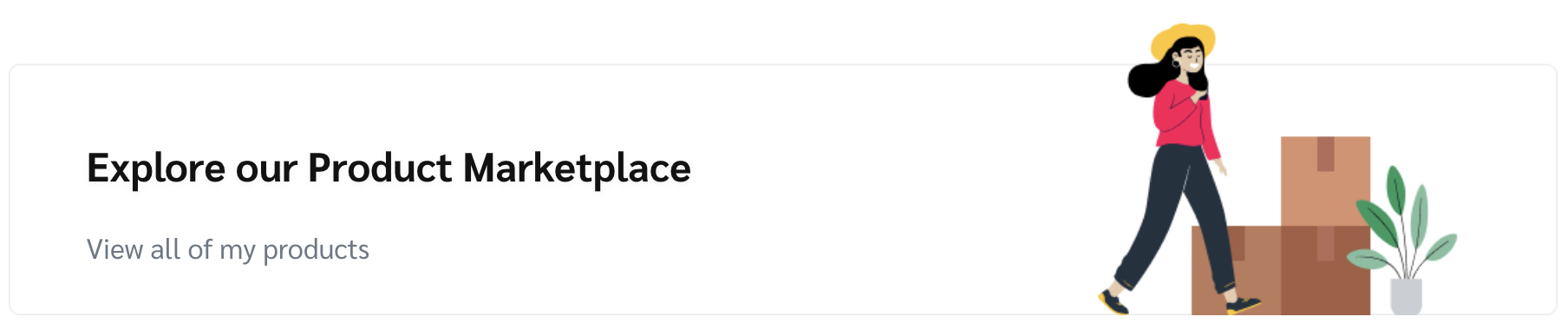
2. Select **Explore our Product Marketplace** to view all products.
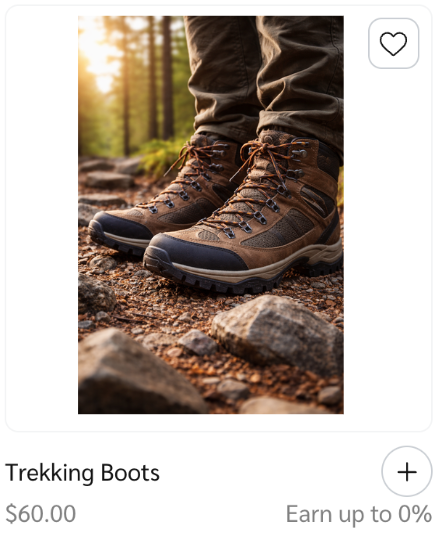
3. Select the **icon** of a product you are interested in, then select **Apply to brand**.
* Alternatively, select  **\[Add]** alongside the product name.
4. Once you have read the *Payout* terms, select  **\[Checked box]** to indicate that you understand you will be legally bound to the terms if the brand accepts your application.
* Optionally, add a note explaining why you want to work with the brand.
5. Select **Apply**.
* Once a brand accepts your application to join its program, you'll be able to get your unique tracking link to the brand's products.
{% hint style="success" %}
**Note:** After you apply to a brand, a  **\[Clock]** will appear next to its name in the Brands Marketplace. impact.com will notify the brand that you've applied to become a partner, and the brand will review your application. If the brand accepts your application, the  **\[Clock]** will turn into a  **\[Checkmark]**. If the brand declines your application, the  **\[Clock]** will disappear. You'll receive an email once the brand makes its decision.
{% endhint %}
---
# Agent Instructions
This documentation is published with GitBook. GitBook is the documentation platform designed so that both humans and AI agents can read, navigate, and reason over technical content effectively. Learn more at gitbook.com.
## Querying This Documentation
If you need additional information that is not directly available in this page, you can query the documentation by asking a question.
Perform an HTTP GET request on the following URL with the `ask` and `goal` query parameters:
```
GET https://help.impact.com/partner/what-would-you-like-to-learn-about/platform-features/working-with-brands/applying-to-brands/find-and-apply-to-brands.md?ask=&goal=
```
`ask` is the immediate question: it should be specific, self-contained, and written in natural language.
`goal` is what the user is ultimately trying to achieve, the reason they need the answer. Sharing it helps GitBook give you a better, more relevant answer. A goal is most helpful when it describes the outcome the user wants rather than restating the question. For example, with `ask=how do I create an API token`, a goal like `automate deployments from our CI pipeline` lets GitBook tailor the answer to that use case.
The response will contain a direct answer to the question and relevant excerpts and sources from the documentation.
Use this mechanism when the answer is not explicitly present in the current page, you need clarification or additional context, or you want to retrieve related documentation sections.
.png?alt=media&token=70ba238b-f6c8-4ef4-bc16-40d5ad747a35)
.png?alt=media&token=5424ae6f-1e59-47a0-82aa-0e8274fc6841)