> For the complete documentation index, see [llms.txt](https://help.impact.com/llms.txt). Markdown versions of documentation pages are available by appending `.md` to page URLs; this page is available as [Markdown](https://help.impact.com/partner/ja/nitsuitebitaidesuka/platform-features/working-with-brands/applying-to-brands/join-the-brands-marketplace.md).

# マーケットプレイスに参加する

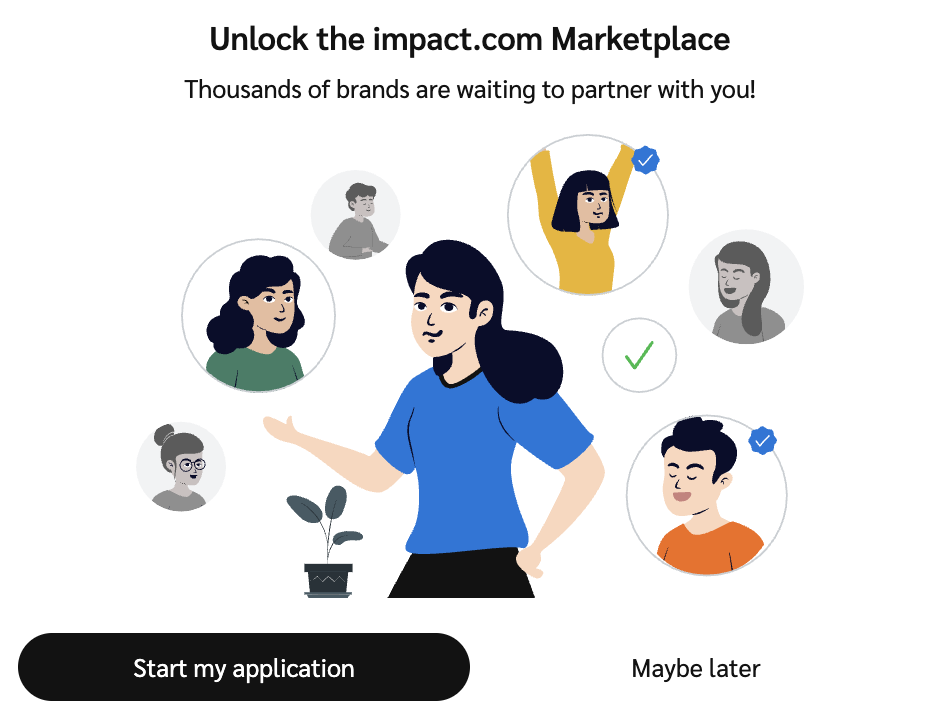
マーケットプレイスでは、あなたのような新しいパートナーを探している何千ものブランドにアプローチできます。ブランドのプログラムに応募するには、まずマーケットプレイスへの参加を承認される必要があります。

impact.comは通常、 [impact.comへの登録](https://help.impact.com/partner/ja/nitsuitebitaidesuka/getting-started/sign-up-as-a-partner-on-impactcom.md)が完了すると、マーケットプレイスへの参加申請を提出します。ただし、ブランド専用のプログラム登録リンクを使用した場合は、申請が提出されないことがあります。詳しくは「 [マーケットプレイスへの参加申請状況を理解する](https://help.impact.com/partner/ja/nitsuitebitaidesuka/platform-features/working-with-brands/applying-to-brands/understand-your-marketplace-application-status.md) 」をご覧ください。

{% stepper %}
{% step %}

## マーケットプレイスへの参加申請を開始する

1. 上部のナビゲーションバーで、次の順に選択します： ![](https://3659882269-files.gitbook.io/~/files/v0/b/gitbook-x-prod.appspot.com/o/spaces%2Fb2rE79d9UhOKZQLgzSqx%2Fuploads%2FhyR4iWDS0fO9ZcKFGf82%2FUser%20profile.svg?alt=media\&token=281d8f1b-b9c5-4208-a0a2-a078f54e0eb6) **［ユーザープロフィール］** → **impact.comマーケットプレイスに参加する**.
2. 次を選択します： **申請を開始**.
3. 申請チェックリストの手順に従って進めます。
4. ［ **開始する**.

<div data-with-frame="true"><figure><img src="https://3659882269-files.gitbook.io/~/files/v0/b/gitbook-x-prod.appspot.com/o/spaces%2Fb2rE79d9UhOKZQLgzSqx%2Fuploads%2Fgit-blob-2be5788ebc5e6ad3cf866a7379b12494984593e1%2Fb9a535f23efe53a7dd8d5defac4d2434e3db8d07ae9a9b2f59fbf94263bc5978.png?alt=media" alt="" width="375"><figcaption></figcaption></figure></div>
{% endstep %}

{% step %}

## マーケットプレイスへの参加を申請する

### 1. 利用規約に同意する

1. 次のチェックボックスを選択します： ![](https://3659882269-files.gitbook.io/~/files/v0/b/gitbook-x-prod.appspot.com/o/spaces%2Fb2rE79d9UhOKZQLgzSqx%2Fuploads%2Fgit-blob-d2954616dc486c3e12c9211e20ff376bda0ab1af%2F7586e04e82e7c7203e5c82320dd417f8ac564cae5035024fdf0eb2ed017e6376.svg?alt=media) **［チェックボックス］** 次の内容を読み、同意します： **パートナーユーザー契約（** ([PUA](https://app.impact.com/content/displaympserviceagreement.ihtml)）および **マスターキャンペーン契約（** ([MCA）](https://app.impact.com/content/MCA.ihtml)).
2. 「 **次へ** 」を選択して進みます。

### 2. 税務情報を入力する（米国外のパートナー）

米国外に拠点を置いている場合は、次の情報を入力します： *間接税登録*.

<div data-with-frame="true"><figure><img src="https://3659882269-files.gitbook.io/~/files/v0/b/gitbook-x-prod.appspot.com/o/spaces%2Fb2rE79d9UhOKZQLgzSqx%2Fuploads%2Fgit-blob-e05580713ad6c9a9c3272fbcfa7f94458e100131%2F94e9a590855e3f6a161b9728614b6a8c3abf4b496f2d7e1e450ac351642fa38f.png?alt=media" alt=""><figcaption></figcaption></figure></div>

「 **保存** 」を選択して変更を保存します。

### 3. プロフィールを充実させる

「 *プロフィールを充実させる* 」タブで、次の項目を入力します：

<details>

<summary>プロフィール項目のリファレンス</summary>

| タスクの詳細画面を確認し、完了に必要な内容を把握します。 | 必要な情報                                                                                                                                                                                                                                                                                                                                                                                                                                                                                                                                                                                                                                                                                                                                                                                                                                                                                                                                                                                                                                                                                                                                                                                                                                                                                                                                                                                                                               |
| ---------------------------- | ----------------------------------------------------------------------------------------------------------------------------------------------------------------------------------------------------------------------------------------------------------------------------------------------------------------------------------------------------------------------------------------------------------------------------------------------------------------------------------------------------------------------------------------------------------------------------------------------------------------------------------------------------------------------------------------------------------------------------------------------------------------------------------------------------------------------------------------------------------------------------------------------------------------------------------------------------------------------------------------------------------------------------------------------------------------------------------------------------------------------------------------------------------------------------------------------------------------------------------------------------------------------------------------------------------------------------------------------------------------------------------------------------------------------------------- |
| プロフィール                       | <p>ここでは次の情報を追加します：</p><ul><li><strong>ロゴ：</strong> 会社のロゴをPNG、JPG、GIF形式の画像でアップロードできます。推奨サイズは150 × 150ピクセルです。</li><li><strong>説明：</strong> あなた自身や会社、コンテンツについてブランドに紹介します。</li><li><strong>コンテンツと関心分野：</strong> ブランドはキーワードで検索してあなたを見つけることができます。例：ライフスタイル、健康、フィットネス。</li><li><strong>ビジネスモデル：</strong> ドロップダウンリストから、ビジネスに最も適したモデルを選択できます。</li></ul><p>ビジネスのカテゴリーがわからない場合は、以下の詳細をご覧ください：<br></p><p><strong>ビジネスカテゴリの説明（カテゴリ／説明）</strong><br><br><strong>ソーシャルインフルエンサー</strong></p><p>クリエイターとして、エンターテインメント、教育、コミュニティを目的にあなたをフォローするオーディエンスがいて、あなたが制作するソーシャルメディア向けコンテンツに反応します。ソーシャルメディアプラットフォームを通じて、このオーディエンスに商品やサービスを宣伝できます。<br></p><p><strong>コンテンツ／レビュー</strong></p><p>商品やサービスの宣伝、比較、一覧化に関する編集コンテンツの制作に重点を置くパートナー。<br></p><p><strong>ロイヤルティ／特典</strong></p><p>会員制の特典プログラムを通じて、消費者、従業員、企業の取引を促進するパートナー。<br></p><p><strong>セール／クーポン</strong></p><p>消費者の節約につながるセールやプロモーションを集約し、分類するパートナー。<br></p><p><strong>メール／ニュースレター</strong></p><p>価値あるコンテンツ、割引、その他の情報をまとめたメールやニュースレターを購読するオーディエンスを持つパートナー。<br></p><p><strong>検索／比較</strong></p><p>ブランドのキーワードキャンペーンを管理する検索エンジン、ソーシャルメディア、またはプログラマティック広告のマーケター。多くの場合、成果報酬型で運用します。<br></p><p><strong>ネットワーク</strong></p><p>ブランドキャンペーンへのアクセスを仲介し、トラッキング、レポート、支払いサービスを提供するパートナープラットフォーム。<br></p><p><strong>テクノロジーソリューション</strong></p><p>ブランドのコンバージョン最適化を促進する、サイト上のショッピングツールまたはサービス。<br></p><p><strong>クロスオーディエンスの収益化</strong></p><p>既存の顧客やオーディエンスにオファー、コンテンツ、関連商品（離脱時のトラフィックやUXの改善など）を提供し、追加収益の獲得を目指す企業。</p> |
| 個人情報                         | <p><img src="https://paligoapp-cdn-eu1.s3.eu-west-1.amazonaws.com/impact/attachments/f01cdffa431a4d75ff09c130b66974d4-84d1224fd3bb6ba94b899febe2021eaa.svg" alt="[Toggle on]"> <strong>\[オンに切り替える]</strong> 個人情報をimpact.comと共有すると、提携先として適したブランドやプログラムをより的確にご提案できます。</p><p>個人情報の各項目は任意であり、プロフィール上で公開されることはありません。</p>                                                                                                                                                                                                                                                                                                                                                                                                                                                                                                                                                                                                                                                                                                                                                                                                                                                                                                                                                                                                                                                                                                                 |
| 配送情報                         | <p><img src="https://paligoapp-cdn-eu1.s3.eu-west-1.amazonaws.com/impact/attachments/f01cdffa431a4d75ff09c130b66974d4-84d1224fd3bb6ba94b899febe2021eaa.svg" alt="[Toggle on]"> <strong>\[オンに切り替える]</strong> 配送先住所を設定します。ブランドはプログラムの一環として、商品やギフトの配送にこの住所を使用します。</p><p>この情報が公開プロフィールに追加されることはありません。</p>                                                                                                                                                                                                                                                                                                                                                                                                                                                                                                                                                                                                                                                                                                                                                                                                                                                                                                                                                                                                                                                                                                                               |
| 追加情報                         | ![\[Toggle on\]](https://paligoapp-cdn-eu1.s3.eu-west-1.amazonaws.com/impact/attachments/f01cdffa431a4d75ff09c130b66974d4-84d1224fd3bb6ba94b899febe2021eaa.svg) **\[オンに切り替える]** 「 *リンク* 」設定を使用して、パートナーと共有する追加リンクを掲載します。                                                                                                                                                                                                                                                                                                                                                                                                                                                                                                                                                                                                                                                                                                                                                                                                                                                                                                                                                                                                                                                                                                                                                                                                             |
| 連絡先                          | ブランドがプロフィールを確認する際の連絡窓口として表示するアカウントユーザーを1人以上選択してください。アカウントユーザーが1人のみの場合、そのユーザーが自動的に選択されます。                                                                                                                                                                                                                                                                                                                                                                                                                                                                                                                                                                                                                                                                                                                                                                                                                                                                                                                                                                                                                                                                                                                                                                                                                                                                                                                                            |
| メディアキット                      | メディアキットをお持ちの場合は、PDFをアップロードしてください。複数のメディアキットをアップロードできます。                                                                                                                                                                                                                                                                                                                                                                                                                                                                                                                                                                                                                                                                                                                                                                                                                                                                                                                                                                                                                                                                                                                                                                                                                                                                                                                                                                             |
| プロフィールを一時停止                  | プロフィールを一時停止すると、マーケットプレイスでブランドにプロフィールが表示されなくなります。                                                                                                                                                                                                                                                                                                                                                                                                                                                                                                                                                                                                                                                                                                                                                                                                                                                                                                                                                                                                                                                                                                                                                                                                                                                                                                                                                                                    |

</details>

「 **保存** 」を選択して変更を保存します。

### 4. プロモーションチャネルを変更する

次に、 **メディアプロパティを変更** セクションを選択します。ウェブサイトやソーシャルページを利用している場合は、それらの認証が必要です。プロモーションチャネルを追加するには、次の手順に従います。

1. 選択 **メディアプロパティを作成**.
2. 作成するプロモーションチャネルの種類を選択します。
3. 表示されるフォームに入力し、 **保存**.
   * プロモーションチャネルと認証状況は、 *メディアプロパティ* ページに表示されます。
   * 方法を見る： [プロモーションチャネルを連携・管理する](https://help.impact.com/partner/ja/nitsuitebitaidesuka/account-management/account-settings/connect-media-properties/connect-and-manage-media-properties.md).

### 5. マーケットプレイスへの申請を送信しましょう！

チェックリストのすべての手順を完了したら、 **マーケットプレイスへの申請を送信しましょう！** チェックリストから、申請を送信することを確認します。 **申請を送信**.

申請を送信すると、impact.com が2営業日以内に審査します。承認されると、 [ブランドと](https://help.impact.com/partner/ja/nitsuitebitaidesuka/platform-features/working-with-brands/applying-to-brands/find-and-apply-to-brands.md) すぐに連携できます。
{% endstep %}

{% step %}

## マーケットプレイス申請のステータスを確認する

After you request to join the marketplace, your application goes through the following statuses:

1. **In Review** — impact.com received your application and will review it for authenticity and compliance. You'll receive a decision within 72 hours.
2. **Approved** — impact.com found that all is in order with who you claim to be and your promotional channel ownership. Your public profile is now live in the marketplace for all brands to see.
3. **Declined** — Your partner account did not pass impact.com's compliance standards and your application was rejected.

これらのステータスはマーケットプレイスへの申請のみに関するもので、個々のブランドとの関係ステータスとは異なります（例： *審査中*, *有効*、または *却下*).
{% endstep %}

{% step %}

## マーケットプレイスへの参加を始める

マーケットプレイスへの申請が承認されると、 [ブランドに申請し](https://help.impact.com/partner/ja/nitsuitebitaidesuka/platform-features/working-with-brands/applying-to-brands/find-and-apply-to-brands.md), [生産的に活動し](https://help.impact.com/partner/ja/nitsuitebitaidesuka/getting-started/readme-1/im-a-partner/introduction-welcome-to-impactcom-for-partners.md)、報酬を受け取ることができます。以下が正しく設定されていることを確認してください：

* [支払い設定](https://help.impact.com/partner/ja/nitsuitebitaidesuka/platform-features/finance/payments-withdrawals-and-balance/how-do-partners-get-paid.md)
* [通知設定](https://help.impact.com/partner/ja/nitsuitebitaidesuka/platform-features/dashboard/configure-platform-and-email-notifications-for-partners.md)

{% hint style="success" icon="circle-info" %}
**Finance の設定を完了しましょう。** あなたの **ホーム** ダッシュボードには、 **To Do List** を含む、 **Finance の設定を完了** するチェックリストがあります。選択してください **チェックリストに戻る** 報酬を受け取れるよう、次の3つのセクションを完了してください：

* **アカウント情報** — メールアドレスを確認し、請求先住所を入力します。
* **税務情報** — 税務情報を入力します。
* **銀行口座の設定** — impact.comから報酬を受け取れるよう、銀行口座情報を入力します。

銀行口座情報を入力するまで、報酬の支払いが保留される場合があります。

詳しくは、こちらをご覧ください [パートナーとして報酬を受け取る](https://help.impact.com/partner/ja/nitsuitebitaidesuka/platform-features/finance/payments-withdrawals-and-balance/how-do-partners-get-paid.md) および [パートナー向け電子税務書類の解説](https://help.impact.com/partner/ja/nitsuitebitaidesuka/platform-features/finance/finance-documents/electronic-tax-documents-for-partners-explained.md).
{% endhint %}
{% endstep %}
{% endstepper %}


---

# Agent Instructions
This documentation is published with GitBook. GitBook is the documentation platform designed so that both humans and AI agents can read, navigate, and reason over technical content effectively. Learn more at gitbook.com.

## Querying This Documentation
If you need additional information that is not directly available in this page, you can query the documentation by asking a question.

Perform an HTTP GET request on the following URL with the `ask` and `goal` query parameters:

```
GET https://help.impact.com/partner/ja/nitsuitebitaidesuka/platform-features/working-with-brands/applying-to-brands/join-the-brands-marketplace.md?ask=<question>&goal=<user_goal>
```

`ask` is the immediate question: it should be specific, self-contained, and written in natural language.
`goal` is what the user is ultimately trying to achieve, the reason they need the answer. Sharing it helps GitBook give you a better, more relevant answer. A goal is most helpful when it describes the outcome the user wants rather than restating the question. For example, with `ask=how do I create an API token`, a goal like `automate deployments from our CI pipeline` lets GitBook tailor the answer to that use case.

The response will contain a direct answer to the question and relevant excerpts and sources from the documentation.

Use this mechanism when the answer is not explicitly present in the current page, you need clarification or additional context, or you want to retrieve related documentation sections.
