> For the complete documentation index, see [llms.txt](https://help.impact.com/llms.txt). Markdown versions of documentation pages are available by appending `.md` to page URLs; this page is available as [Markdown](https://help.impact.com/partner/ja/nitsuitebitaidesuka/platform-features/tracking/tracking-links/create-and-manage-links/chrome-extension/apply-to-a-brand-program-via-the-chrome-extension.md).
# Chrome拡張機能からブランドプログラムに応募する
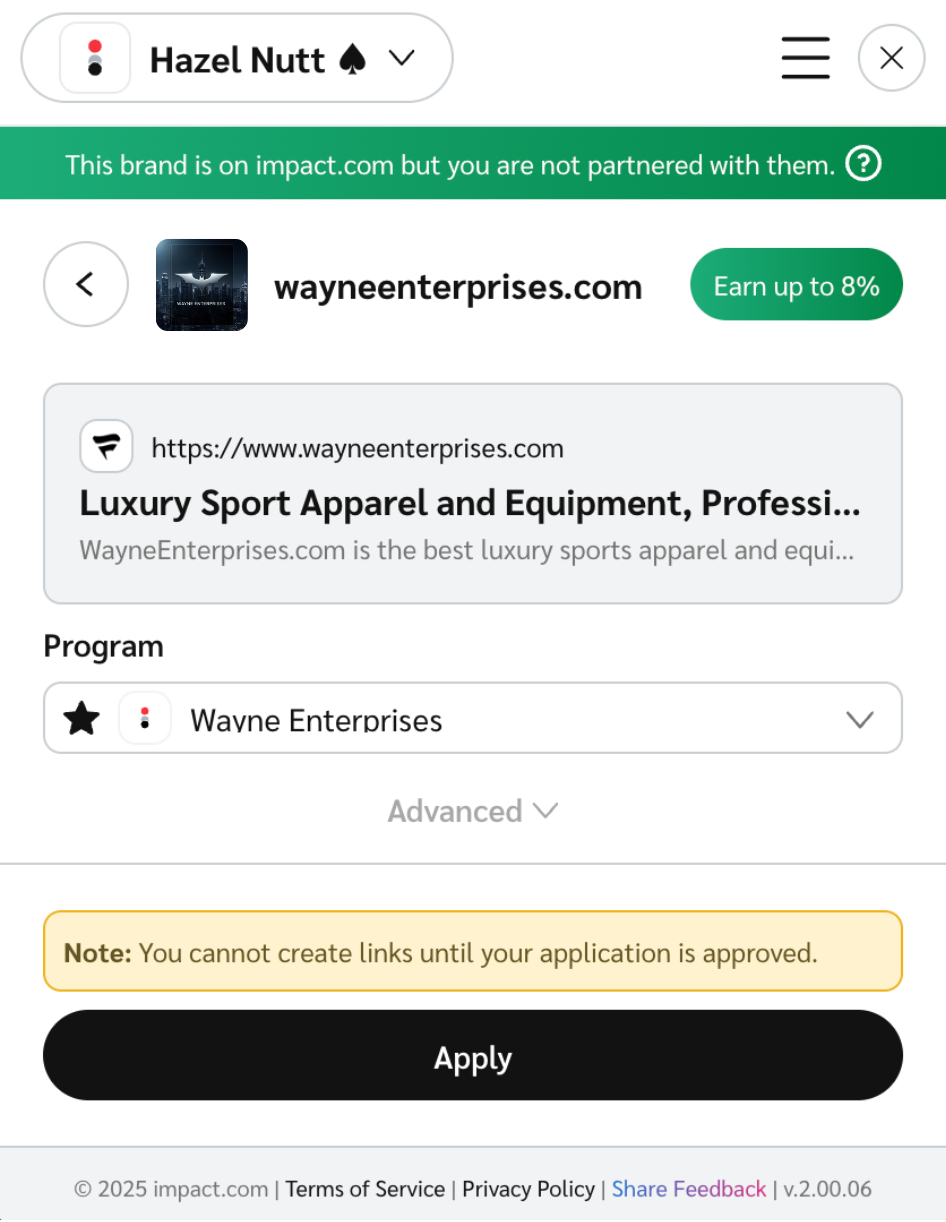
まだ提携していないブランドのウェブサイトを訪問すると、 [impact.com Chrome拡張機能](https://chromewebstore.google.com/detail/impactcom-for-chrome/jliaphkmaknmllgfgfifmaciiindcpmi) が通知します。これらの通知には次のものが含まれます:
* **そのブランドはimpact.comにありますが、あなたはまだ提携していません:** そのブランドはimpact.comにありますが、あなたとの有効な契約はありません。
* **あなたはこのブランドと仕事をするための事前資格があります:** そのブランドはimpact.comにあり、あなたはそのプログラムに自動承認されます。
* **あなたはこのプログラムに応募する資格がありません:** あなたのプロフィールは、ブランドの現在の基準に合致していません。後の段階で資格を満たす可能性があるため、ブランドのウェブサイトを必ず再度ご確認ください。
1. 提携していないブランドのウェブサイト上で、拡張機能を開いてください。
2. 選択 **適用**.
* この操作により、ブランドに応募が自動送信されます。
* ユーザー名に紐づく複数のパートナーアカウントがある場合は、  **\[ドロップダウン]** 左上のメニューを使ってアカウントを切り替え、各アカウントから応募してください。
---
# Agent Instructions
This documentation is published with GitBook. GitBook is the documentation platform designed so that both humans and AI agents can read, navigate, and reason over technical content effectively. Learn more at gitbook.com.
## Querying This Documentation
If you need additional information that is not directly available in this page, you can query the documentation by asking a question.
Perform an HTTP GET request on the following URL with the `ask` and `goal` query parameters:
```
GET https://help.impact.com/partner/ja/nitsuitebitaidesuka/platform-features/tracking/tracking-links/create-and-manage-links/chrome-extension/apply-to-a-brand-program-via-the-chrome-extension.md?ask=&goal=
```
`ask` is the immediate question: it should be specific, self-contained, and written in natural language.
`goal` is what the user is ultimately trying to achieve, the reason they need the answer. Sharing it helps GitBook give you a better, more relevant answer. A goal is most helpful when it describes the outcome the user wants rather than restating the question. For example, with `ask=how do I create an API token`, a goal like `automate deployments from our CI pipeline` lets GitBook tailor the answer to that use case.
The response will contain a direct answer to the question and relevant excerpts and sources from the documentation.
Use this mechanism when the answer is not explicitly present in the current page, you need clarification or additional context, or you want to retrieve related documentation sections.