> For the complete documentation index, see [llms.txt](https://help.impact.com/llms.txt). Markdown versions of documentation pages are available by appending `.md` to page URLs; this page is available as [Markdown](https://help.impact.com/partner/ja/nitsuitebitaidesuka/platform-features/marketing-content/brand-assets/access-widgets-created-by-partnered-brands.md).
# 提携ブランドが作成したウィジェットにアクセスする
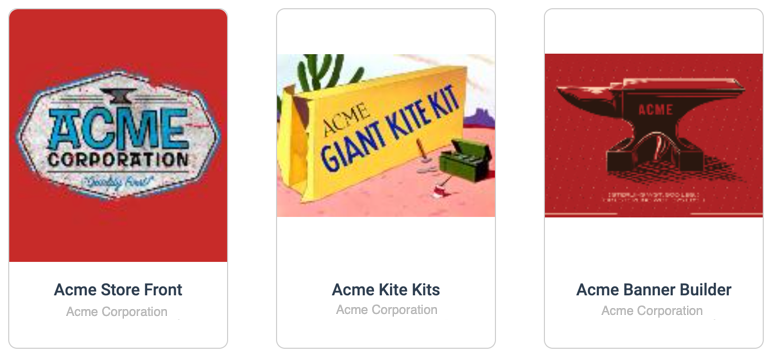
提携している一部のブランドでは、カスタムウィジェットを共有しており、それを使って高度にカスタマイズされたコンテンツを作成できます。これらのウィジェットを使用すると、ストアフロントを完全にカスタマイズしたり、画像アセットを作成したり、アプリケーション プログラミング インターフェース(API)に問い合わせたり、その他さまざまなことができます。利用できるウィジェットは、提携しているブランドによって異なります。
{% hint style="success" %}
**注:** コンテンツウィジェットのオプションは、提携ブランドがウィジェットを利用可能にすると、上部ナビゲーションに表示されます。
{% endhint %}
## ウィジェットにアクセスする
ウィジェットは impact.com 内でホストされている場合もあれば、ブランドのウェブサイト上でホストされている場合もあります。その場合は impact.com プラットフォームからリダイレクトされます。
1. 上部ナビゲーションバーから、 **管理** → **その他** → [**ブランドウィジェット**](https://app.impact.com/secure/mediapartner/tools/view-mp-tools-flow.ihtml).
2. 使用したいカスタムウィジェットを選択します。
* ウィジェットが提供されているブランドページにリダイレクトされます
**または**
* ウィジェットは impact.com プラットフォームに表示されます。
3. この時点で、必要に応じて、または提携ブランドの案内に従ってウィジェットを使用してください。
---
# Agent Instructions
This documentation is published with GitBook. GitBook is the documentation platform designed so that both humans and AI agents can read, navigate, and reason over technical content effectively. Learn more at gitbook.com.
## Querying This Documentation
If you need additional information that is not directly available in this page, you can query the documentation by asking a question.
Perform an HTTP GET request on the following URL with the `ask` and `goal` query parameters:
```
GET https://help.impact.com/partner/ja/nitsuitebitaidesuka/platform-features/marketing-content/brand-assets/access-widgets-created-by-partnered-brands.md?ask=&goal=
```
`ask` is the immediate question: it should be specific, self-contained, and written in natural language.
`goal` is what the user is ultimately trying to achieve, the reason they need the answer. Sharing it helps GitBook give you a better, more relevant answer. A goal is most helpful when it describes the outcome the user wants rather than restating the question. For example, with `ask=how do I create an API token`, a goal like `automate deployments from our CI pipeline` lets GitBook tailor the answer to that use case.
The response will contain a direct answer to the question and relevant excerpts and sources from the documentation.
Use this mechanism when the answer is not explicitly present in the current page, you need clarification or additional context, or you want to retrieve related documentation sections.