> For the complete documentation index, see [llms.txt](https://help.impact.com/llms.txt). Markdown versions of documentation pages are available by appending `.md` to page URLs; this page is available as [Markdown](https://help.impact.com/partner/ja/nitsuitebitaidesuka/platform-features/dashboard/partner-dashboard-and-widgets-explained.md).
# パートナーダッシュボードとウィジェットの解説
PXAコースを受講する
その [ホーム画面](https://app.impact.com/secure/mediapartner/home/pview.ihtml) ダッシュボードでは、impact.comアカウントに関する情報の概要を確認できます。ダッシュボードウィジェットには、アカウントのパフォーマンスやその他の指標の要約が表示されます。一部のウィジェットは、impact.com Marketplaceに参加して複数のブランドと連携しているパートナー/クリエイターの場合にのみ表示されます。
ブランド申請
申請チェックリストを完了すると、あなたを招待したブランドのウィジェットがダッシュボードの上部に表示されます。ウィジェット名はブランド名にちなんで付けられます。たとえば、 *Acmeの申請* — そして3つのステータスのいずれかが表示されます。
| ステータス | 意味 | 対応 |
| ------ | ----------------------------------------------- | ----------------------------------------------------------------------------------------------------------------------------------------------------- |
| *審査中* | ブランドがチェックリストの情報を確認し、プログラムへの参加を承認するかどうかを判断しています。 | ブランドからの返答をお待ちください。 |
| *承認済み* | ブランドがあなたの申請を承認しました。 | ブランドのプロモーションを始めましょう — こちらをご覧ください [パートナー契約を結んだブランドで収益を得る](/partner/ja/nitsuitebitaidesuka/getting-started/start-earning-with-your-partnered-brand.md). |
| *却下* | ブランドはあなたの申請を承認しませんでした。 | ウィジェットには、ブランドから提示された理由があればそれが表示されます。impact.com上の他のブランドにも申請できます。 |
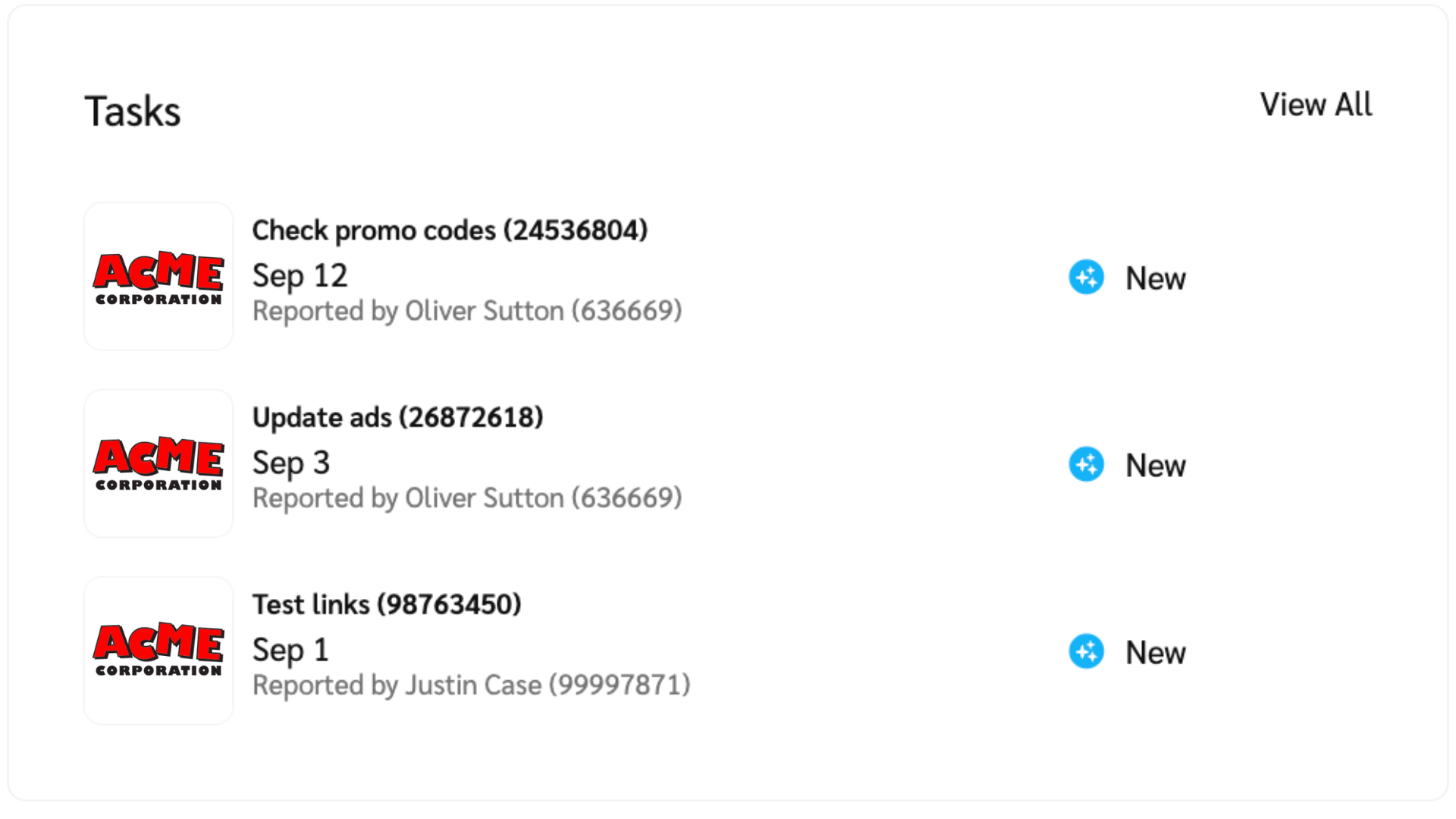
タスク
impact.comで提携している特定のブランドは、Task Managementシステムを使ってあなたにタスクを割り当てる場合があります。割り当てられたタスクは、ダッシュボードと *タスク* 画面で確認できます。
について詳しく見る [タスクの管理](/partner/ja/nitsuitebitaidesuka/account-management/account-settings/manage-tasks-as-a-partner.md) クリエイターとして。
リンクを作成
その *リンクを作成* ウィジェットは、あなたが提携しているブランドを宣伝するための新しい短縮リンクやバニティリンクをすばやく作成する方法です。これらのリンクには追跡機能が最初から組み込まれています。
について詳しく見る [トラッキングリンクの作成](/partner/ja/nitsuitebitaidesuka/platform-features/tracking/tracking-links/create-and-manage-links/create-tracking-links.md).
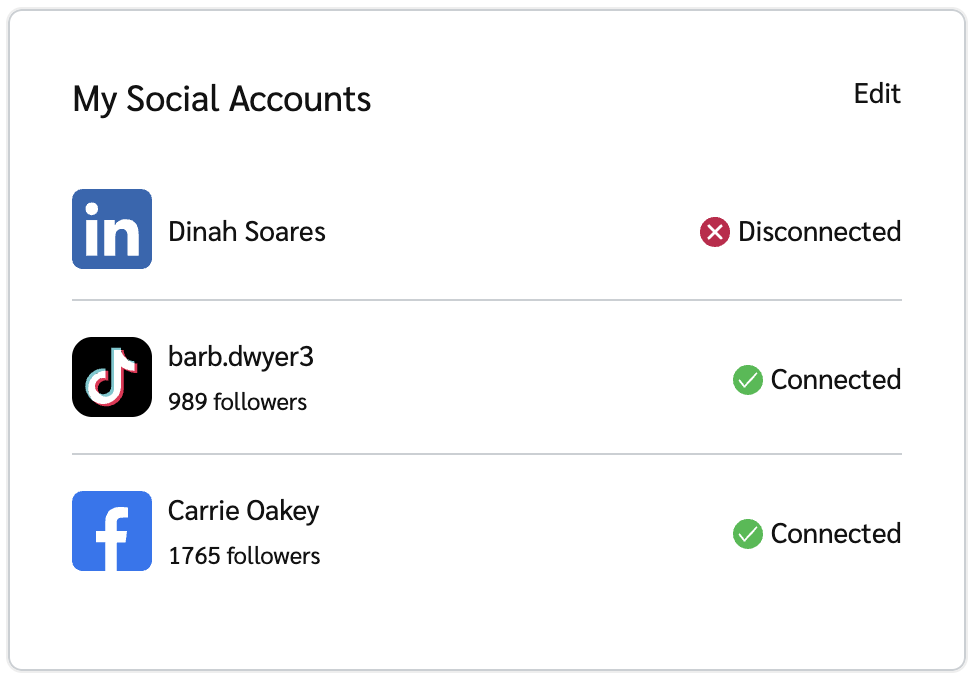
自分のソーシャルアカウント
このウィジェットには、impact.comに接続したソーシャルアカウントが表示されます。
リードを送信
impact.com上のB2Bブランドは、条件を満たしたリードに報酬を提供する場合があります。これらは *リードを送信* ウィジェットから送信できます。これらのブランドのいずれかと連携しているB2Bパートナーの場合、このウィジェットはimpact.comダッシュボードに表示されます。
方法を学ぶ [リードを送信する](/partner/ja/nitsuitebitaidesuka/platform-features/dashboard/submit-leads-as-a-partner.md).
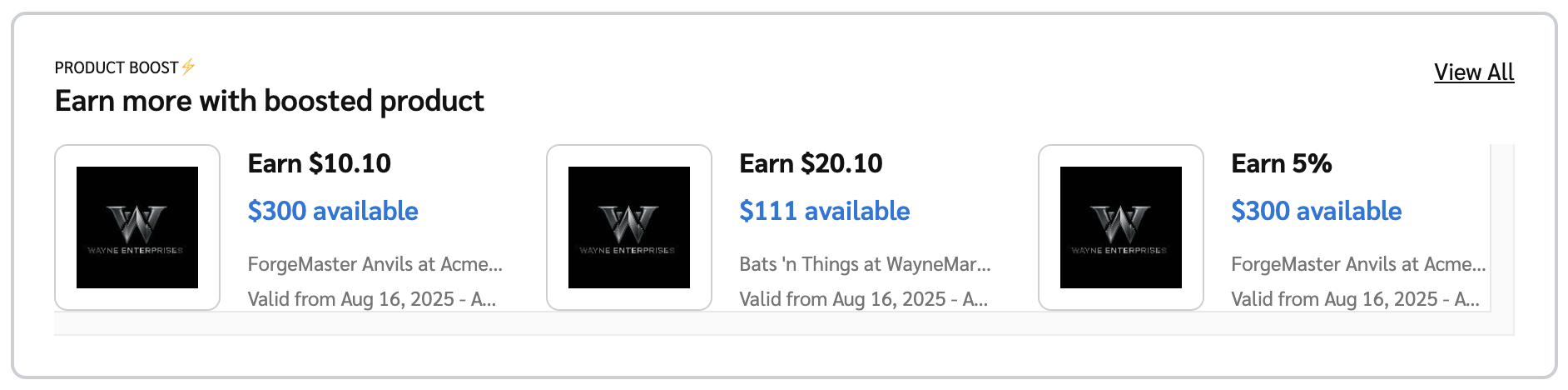
商品ブーストウィジェット
このウィジェットでは、有効な [商品ブーストキャンペーン](/partner/ja/nitsuitebitaidesuka/platform-features/working-with-brands/contracts/boosted-product-payouts-explained.md) 提携ブランドの中で参加できるキャンペーンが表示されます。これらの商品を宣伝すると、通常より高いコミッションを獲得できます。有効な商品ブーストキャンペーンに登録していない場合、このウィジェットは表示されません。
選択 *規約を表示* 報酬が増額された商品の詳細を確認するには、または *すべて表示* 登録済みの掲載キャンペーンをすべて表示します。
金融ウィジェット
その *金融ウィジェット* には、日ごとの収益、支払い待ちの未払い報酬、現在の残高など、報酬の詳細が表示されます。
について詳しく見る [金融ウィジェット](/partner/ja/nitsuitebitaidesuka/platform-features/dashboard/partner-finance-widget-explained.md).
impact.com Marketplace
招待したブランド以外とも提携できる資格がある場合、見出し付きのバナーが表示されます。 *あなたはimpact.com Marketplaceの対象です* と表示されます。選択してください **探索を始める** あなたに開放されているブランドとプログラムを確認できます。
To Doリスト
その *To Doリスト* 保留中のタスク、たとえばキャンペーン招待の確認、アクションに関する問い合わせなどが一覧表示されます。各タスクの横にある該当ボタンを選択して対応できます。または、 **閉じる** タスクをスヌーズして一覧から削除します。7日以内に完了していない場合、タスクは再表示されます。について詳しく見る [To Doリスト](/partner/ja/nitsuitebitaidesuka/platform-features/dashboard/manage-your-to-do-list.md) ウィジェット。
開始したものの完了していない申請チェックリストもここに表示され、 **チェックリストに戻る** ボタンが表示されます。
スナップショット
その *スナップショット* ウィジェットでは、カスタマイズ可能な期間でアカウントのパフォーマンスを表示します。以下の権限がないユーザーは [金融権限](/partner/ja/nitsuitebitaidesuka/account-management/account-settings/user-management/partner-account-user-roles-and-permissions.md) このウィジェットを表示できません。
* パートナーアカウントにクリエイターとアフィリエイトのペルソナがある場合は、ウィジェット上部の切り替えを選択して、各ペルソナの指標を切り替えられます。
* 表示データの期間を変更するには、ウィジェット上部付近の日付範囲を選択してください。
* 指標のいずれかを選択してください(例: *クリック数、アクション、報酬など)* すると、その指標のデータがグラフに表示されます。
* グラフ上の任意の点にカーソルを合わせると、その日に記録された選択済み指標の合計値を確認できます。
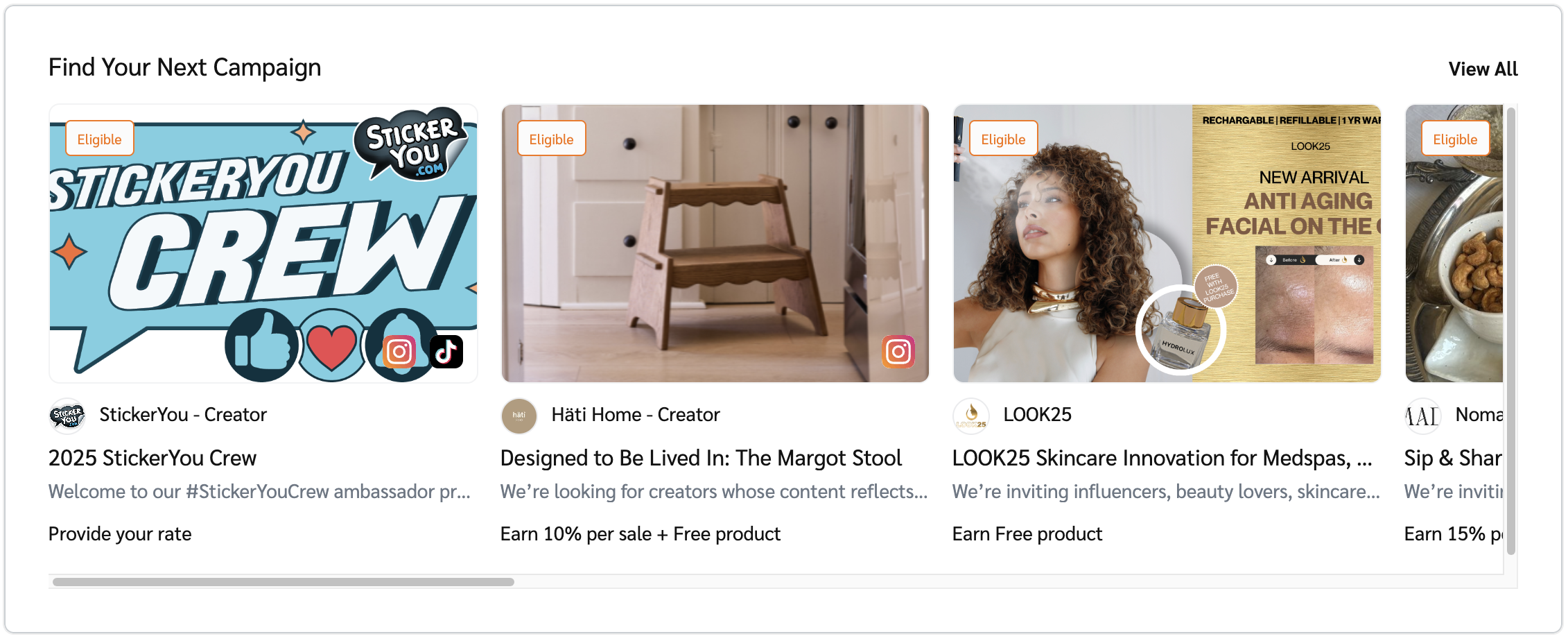
次のキャンペーンを見つける
参加資格のあるキャンペーンの便利な一覧です。選択すると **すべて表示** 完全な一覧を表示できます。
すぐに提携できるブランド
{% hint style="success" %}
**注:** このウィジェットは、Brands Marketplaceに参加している場合のみ表示されます。
{% endhint %}
このウィジェットには、すぐに参加できるブランドが表示されます。これらは事前承認済みで、申請は即時承認されます。ウィジェットには、ブランド名、ロゴ、関連する報酬が表示されます。選択すると **すべて表示** 参加が事前承認されているすべてのブランドを表示できます。
---
# Agent Instructions
This documentation is published with GitBook. GitBook is the documentation platform designed so that both humans and AI agents can read, navigate, and reason over technical content effectively. Learn more at gitbook.com.
## Querying This Documentation
If you need additional information that is not directly available in this page, you can query the documentation by asking a question.
Perform an HTTP GET request on the following URL with the `ask` and `goal` query parameters:
```
GET https://help.impact.com/partner/ja/nitsuitebitaidesuka/platform-features/dashboard/partner-dashboard-and-widgets-explained.md?ask=&goal=
```
`ask` is the immediate question: it should be specific, self-contained, and written in natural language.
`goal` is what the user is ultimately trying to achieve, the reason they need the answer. Sharing it helps GitBook give you a better, more relevant answer. A goal is most helpful when it describes the outcome the user wants rather than restating the question. For example, with `ask=how do I create an API token`, a goal like `automate deployments from our CI pipeline` lets GitBook tailor the answer to that use case.
The response will contain a direct answer to the question and relevant excerpts and sources from the documentation.
Use this mechanism when the answer is not explicitly present in the current page, you need clarification or additional context, or you want to retrieve related documentation sections.