# モバイルアプリでキャンペーントラッキングリンクを生成する

クリエイターキャンペーンに参加している場合、特定のタスクに関連するアセットのトラッキングリンクを取得できます。

1. 画面下のナビゲーションバーから、 ![](/files/fcaa7b40511e859c66d94a66fc5fbab3f01df169) **\[タスク]**.
2. の *キャンペーンタスク* 画面で、トラッキングリンクを生成したいタスクを見つけて選択します。
   * を選択します ![](/files/7f1589fe749a3b20b5978d42854c0a96d4179895) **\[フィルター]** 右上隅で、特定のカテゴリに応じてタスクをフィルタリングします。詳細は *フィルター参照* を参照してください。
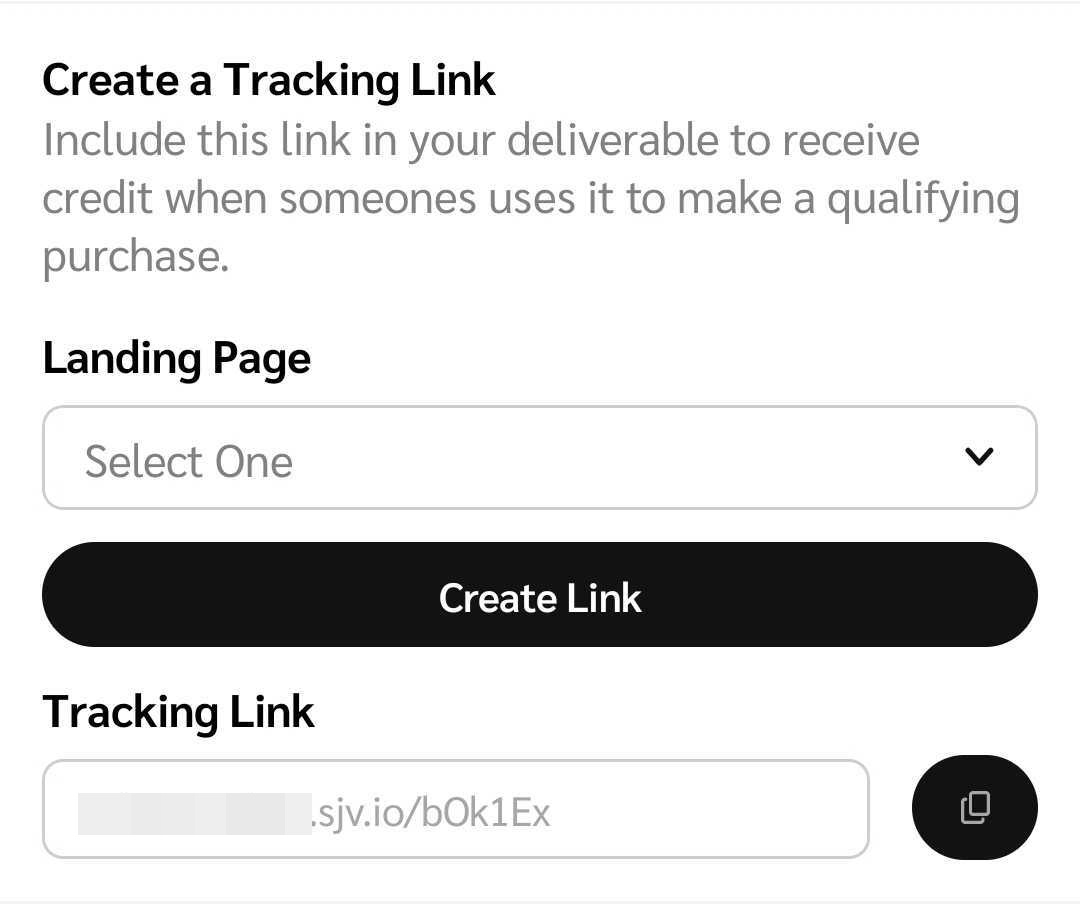
3. ブランドがキャンペーン設定時に選択したトラッキングリンクの設定に応じて、トラッキングリンクは以下の3つの設定のいずれかに基づいて異なります：
   * **あなたが選択したランディングページにトラフィックを誘導する場合：** ランディングページを手動で入力します。
   * **ブランドが選択した特定のランディングページにトラフィックを誘導する場合：** ドロップダウンメニューから保存したランディングページを選択します。
   * **ブランドのプログラムのデフォルトランディングページにトラフィックを誘導する場合：** デフォルトのランディングページが自動的に入力され、トラッキングリンクが自動的に生成されます。
4. トラッキングリンクの構成に基づいて、 **リンクを作成** し、 ![](/files/86c4817a73b60a644a102c6bb4b4a13646fb81da) **\[コピー]** を選択してリンクをコピーし、オーディエンスと共有します。

   <div data-with-frame="true"><figure><img src="/files/d46fd400dd3d4c9588620161921a09302ab3e08f" alt="" width="375"><figcaption></figcaption></figure></div>

<details>

<summary>フィルター参照</summary>

| フィルター  | 説明                                                                                                                                                                                                                     |
| ------ | ---------------------------------------------------------------------------------------------------------------------------------------------------------------------------------------------------------------------- |
| 並び替え基準 | タスクを次の順序で並び替えます *昇順* または *降順* で開始された日付順に表示します。                                                                                                                                                                         |
| ステータス  | <p>次の進行状況のいずれかのステータスでタスクをフィルタリングします：</p><p>• <em>完了</em> — ブランドによって承認された成果物。</p><p>• <em>進行中</em> — ブランドのレビューを待っている下書きや成果物。</p><p>• <em>成果物提出待ち</em> — あなたの成果物の提出を待っているタスク。</p><p>• <em>未開始</em> — あなたが開始していないタスク。</p> |
| ブランド   | ブランドを検索して該当する ![](/files/8c4d01ddfbc52ea2901b72adde709a31fcea02b2) **\[チェックボックス]**.                                                                                                                                    |
| キャンペーン | キャンペーンを検索して該当するものを選択し、特定のクリエイターキャンペーンに関連するタスクをフィルタリングします。 ![](/files/8c4d01ddfbc52ea2901b72adde709a31fcea02b2) **\[チェックボックス]**.                                                                                        |
| タスクタイプ | 該当するものを選択して特定の種類の投稿タスクをフィルタリングします ![](/files/8c4d01ddfbc52ea2901b72adde709a31fcea02b2) **\[チェックボックス]**.                                                                                                                |

</details>


---

# Agent Instructions: Querying This Documentation

If you need additional information that is not directly available in this page, you can query the documentation dynamically by asking a question.

Perform an HTTP GET request on the current page URL with the `ask` query parameter:

```
GET https://help.impact.com/partner/ja/nitsuitebitaidesuka/impactcom-mobile-app/mobile-app-creator-campaigns/generate-campaign-tracking-links-on-the-mobile-app.md?ask=<question>
```

The question should be specific, self-contained, and written in natural language.
The response will contain a direct answer to the question and relevant excerpts and sources from the documentation.

Use this mechanism when the answer is not explicitly present in the current page, you need clarification or additional context, or you want to retrieve related documentation sections.