# クリエイター向けキャンペーンの解説
impact.comの *キャンペーン* 機能は、クリエイターマーケットプレイスに参加しているすべてのパートナーまたはブランドのキャンペーンに適用されます。
**クリエイターとしてどのように資格を得てキャンペーンに参加できますか?**
* 次の正しいプロフィール情報があること:
1. あなたは選択しました *自分がどのタイプのクリエイターかを指定します(例:健康/美容)。* をビジネスモデルとして [サインアッププロセス中に](https://help.impact.com/partner/ja/nitsuitebitaidesuka/getting-started/sign-up-as-a-partner-on-impactcom) または [ビジネスモデルを更新しました](https://help.impact.com/partner/ja/nitsuitebitaidesuka/platform-features/working-with-brands/applying-to-brands/update-and-manage-your-public-profile) 既存のアカウントがある場合
2. あなたは [接続しました](https://help.impact.com/partner/ja/nitsuitebitaidesuka/account-management/account-settings/connect-media-properties/connect-a-social-media-profile) 少なくとも1,000人以上のフォロワーがいるソーシャルメディアプラットフォームを少なくとも1つ接続しました
3. あなたの [個人情報](https://help.impact.com/partner/ja/nitsuitebitaidesuka/platform-features/working-with-brands/applying-to-brands/update-and-manage-your-public-profile) 公開プロフィールにあなたが18歳以上であることが示されています。
* ブランドのキャンペーンに招待され、以下の手順を完了しました:
1. impact.comにサインアップし、メディアプロパティを接続しました。
2. キャンペーン招待を承諾しました。
{% hint style="info" %}
**注意:** 一度キャンペーンに招待されキャンペーン条件を承諾すると、自動的にブランドのプログラムに参加します。
{% endhint %}
#### キャンペーンにアクセス
{% tabs %}
{% tab title="ダッシュボード経由で" %}
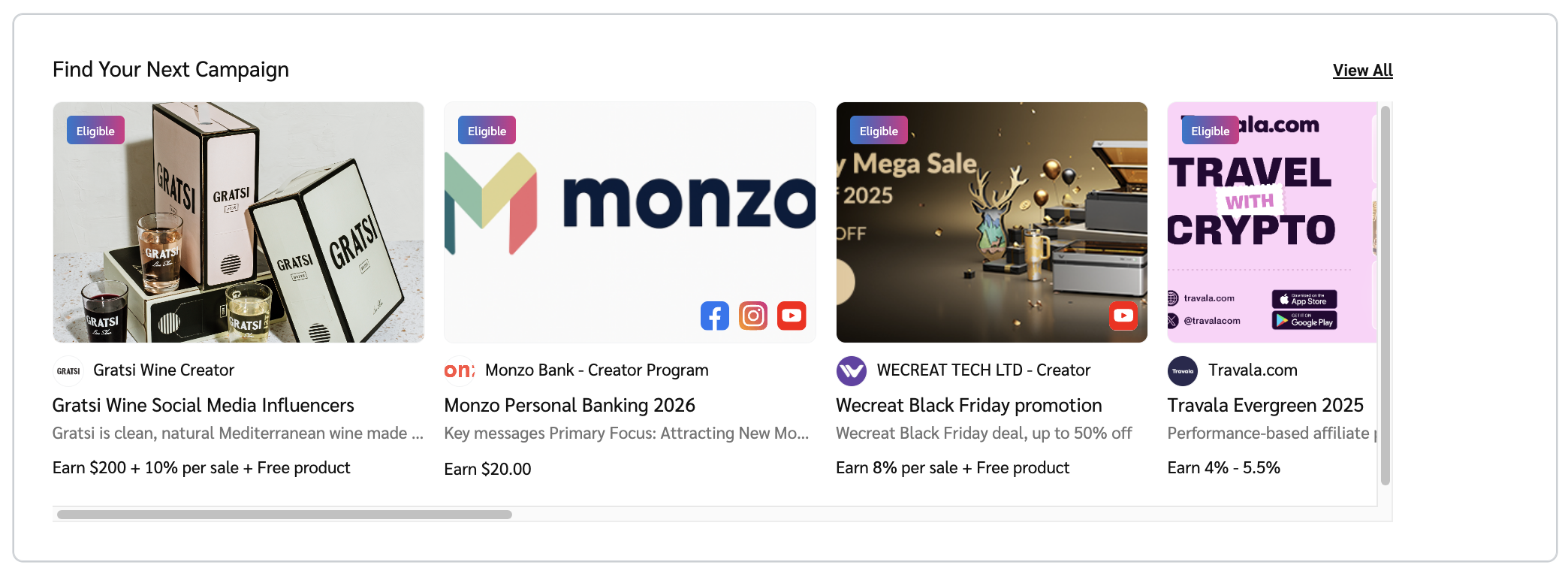
1. ダッシュボードで、に移動します *次のキャンペーンを見つける* ウィジェット。
2. 興味のあるキャンペーンのタイルを選択して、選択したキャンペーンの詳細を表示します。
* あるいは、次を選択します **すべて表示** マーケットプレイスのすべてのキャンペーンを表示するには。
{% endtab %}
{% tab title="キャンペーンマーケットプレイス経由で" %}
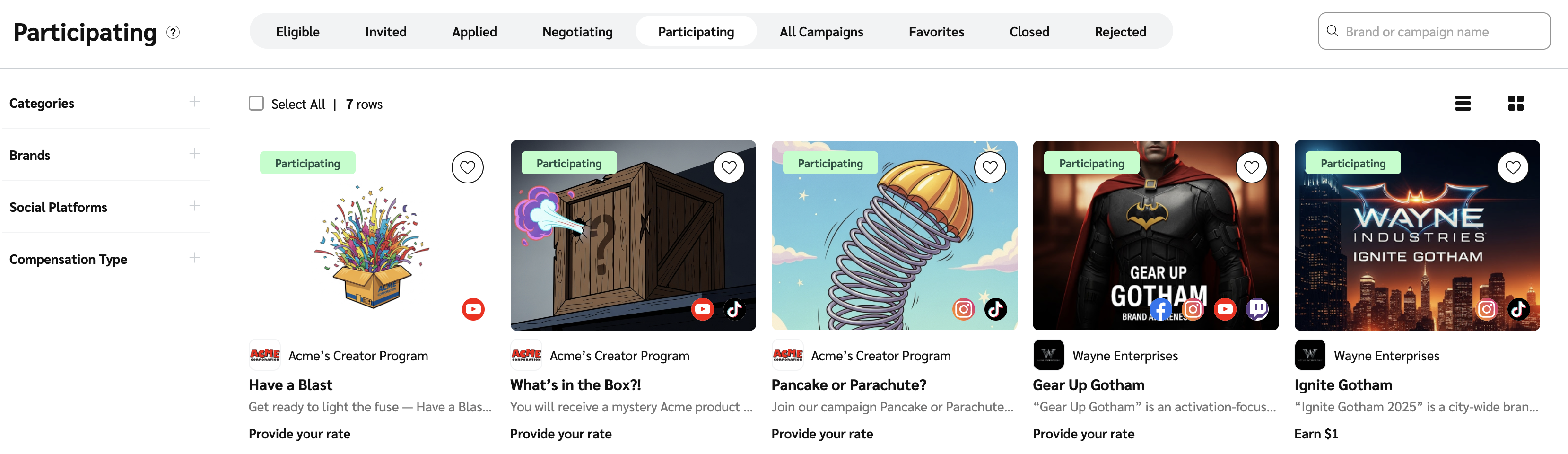
1. 上部ナビゲーションバーから、次を選択します **Discover**.
2. 選択 **キャンペーンを探す**.
3. で、 *キャンペーン* 画面では、次のことができます:
* [クリエイターキャンペーンを見つけて参加する](https://help.impact.com/partner/ja/nitsuitebitaidesuka/campaigns/creator-campaigns/join-creator-campaigns)
* [クリエイター向けのキャンペーンを追跡およびフィルターする](https://help.impact.com/en/support/solutions/articles/155000001185-track-and-filter-campaigns-for-creators)
* [キャンペーンタスクとソーシャルメトリクスをアップロードして提出する](https://help.impact.com/partner/ja/nitsuitebitaidesuka/campaigns/creator-campaigns/rename-and-submit-creator-campaign-tasks)
* [キャンペーンタスク用のトラッキングリンクを生成する](https://help.impact.com/partner/ja/nitsuitebitaidesuka/campaigns/creator-campaigns/generate-tracking-links-for-campaign-tasks-as-a-creator)
{% endtab %}
{% endtabs %}
#### キャンペーンレポートにアクセスする
1. 上部ナビゲーションバーから、次を選択します **レポート** → **その他のレポート**.
2. 希望するクリエイターレポートを選択:
* [クリエイター - ブランド別パフォーマンス](https://help.impact.com/partner/ja/nitsuitebitaidesuka/platform-features/reporting-for-partners/performance-reports-for-creators/campaign-performance-by-brand)
* [クリエイター - キャンペーン別パフォーマンス](https://help.impact.com/partner/ja/nitsuitebitaidesuka/platform-features/reporting-for-partners/performance-reports-for-creators/performance-by-campaign-report-for-creators)
* [クリエイター - ソーシャルプラットフォーム別パフォーマンス](https://help.impact.com/partner/ja/nitsuitebitaidesuka/platform-features/reporting-for-partners/performance-reports-for-creators/campaign-performance-by-social-platform)
---
# Agent Instructions: Querying This Documentation
If you need additional information that is not directly available in this page, you can query the documentation dynamically by asking a question.
Perform an HTTP GET request on the current page URL with the `ask` query parameter:
```
GET https://help.impact.com/partner/ja/nitsuitebitaidesuka/campaigns/creator-campaigns/campaigns-for-creators-explained.md?ask=
```
The question should be specific, self-contained, and written in natural language.
The response will contain a direct answer to the question and relevant excerpts and sources from the documentation.
Use this mechanism when the answer is not explicitly present in the current page, you need clarification or additional context, or you want to retrieve related documentation sections.