> For the complete documentation index, see [llms.txt](https://help.impact.com/llms.txt). Markdown versions of documentation pages are available by appending `.md` to page URLs; this page is available as [Markdown](https://help.impact.com/brand/zh/what-would-you-like-to-learn-about/seller-program/amazon-seller-program/amazon-seller-tracking/amazon-seller-tracking-explained.md).
# Amazon 卖家跟踪说明
impact.com 为 Amazon Seller 计划跟踪归因的方式与其他计划通常采用的跟踪方法不同。在 Amazon Seller 计划中,我们依靠 Amazon Attribution API 处理归因跟踪,因此需要注意一些事项。了解这些跟踪差异,有助于您向合作伙伴设定合理预期,并理解报告内容。
## 跨国家/地区跟踪
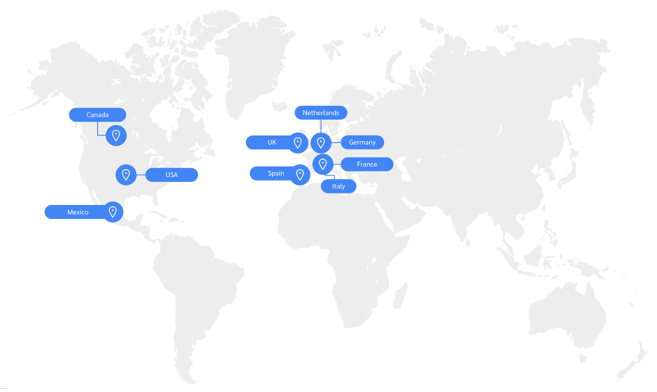
Amazon 的归因跟踪不支持跨国家/地区跟踪。这意味着,只有当您的 Amazon 网站和合作伙伴的受众位于同一国家/地区时,Amazon 才会跟踪指向您 Amazon 网站的流量,并将其归因于相应的合作伙伴。
## 跟踪链接参数
在 Amazon Seller 计划中,合作伙伴可以在跟踪链接中添加 `sharedId` [参数](https://help.impact.com/brand/zh/what-would-you-like-to-learn-about/platform-features/tracking/tracking-explained/tracking-link-parameters-explained.md) ,以便在转化时向您传递额外数据。Amazon Attribution 会忽略 `subId` 参数,因此希望查看其子联盟流量的合作伙伴应改用 `sharedId` 。
此外,如果您的合作伙伴参与了 [Amazon Associates](https://affiliate-program.amazon.com/),他们就不能将 impact.com 和 Amazon Associates 跟踪链接相互叠加,以便在同一笔转化中赚取多笔佣金。
{% hint style="success" %}
**注意:** 请告知合作伙伴,SharedID 只能包含字母和数字,且长度不得超过 255 个字符。不得使用空格或特殊字符(`/`, `&`, `=`, `#`, `?`, `+`, `'`, `"`, `%`, `$`, `[`, `]`),否则会导致跟踪失效,合作伙伴也无法获得转化归因。
{% endhint %}
## 自动处理商品退货
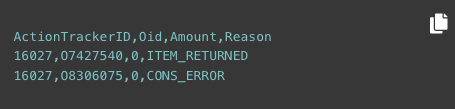
对于商品退货,您无需向 impact.com 提交数据文件来处理操作 [撤销或修改](https://help.impact.com/brand/zh/what-would-you-like-to-learn-about/platform-features/submit-and-modify-conversion-data/batch-modify-conversion-data/submit-batch-modifications-and-reversals.md)。Amazon 会照常处理退货,您的转化数据将在 impact.com 上的滚动 28 天窗口内更新。
## 订单 ID 差异
impact.com 根据我们从 Amazon 收到的每日数据馈送,为您的 Amazon Seller 计划生成内部订单 ID。这些 ID 仅用作内部标识,格式为 `EventDate-PartnerID-ProgramID-SKU`.
如果您尝试交叉核对,这些订单 ID 将与 Amazon 订单号不匹配,因为 Amazon 会向我们提供汇总数据,以保护消费者隐私并遵守 GDPR。
## 点击路径可见性限制
impact.com 无法向您展示用户在购买前的点击路径或浏览历程。对于 Amazon Seller 计划,您无法像在 Performance 计划中查看 [Top Paths](https://help.impact.com/brand/zh/what-would-you-like-to-learn-about/platform-features/cross-channel-performance-insights/optimize-reports/top-paths-explained.md) 报告那样,查看这些详细信息。
## 更多资源
* 要进一步了解 Amazon Seller 计划、其运作方式以及能为您带来的价值,请参阅 [Amazon Seller 计划说明](https://help.impact.com/brand/zh/what-would-you-like-to-learn-about/seller-program/amazon-seller-program/amazon-seller-program-explained.md).
* 要进一步了解 Amazon Seller 报告,请参阅 [面向品牌的 Amazon Seller 报告说明](https://help.impact.com/brand/zh/what-would-you-like-to-learn-about/seller-program/amazon-seller-program/amazon-seller-reporting-for-brands/amazon-seller-reporting-explained-for-brands.md).
---
# Agent Instructions
This documentation is published with GitBook. GitBook is the documentation platform designed so that both humans and AI agents can read, navigate, and reason over technical content effectively. Learn more at gitbook.com.
## Querying This Documentation
If you need additional information that is not directly available in this page, you can query the documentation by asking a question.
Perform an HTTP GET request on the following URL with the `ask` and `goal` query parameters:
```
GET https://help.impact.com/brand/zh/what-would-you-like-to-learn-about/seller-program/amazon-seller-program/amazon-seller-tracking/amazon-seller-tracking-explained.md?ask=&goal=
```
`ask` is the immediate question: it should be specific, self-contained, and written in natural language.
`goal` is what the user is ultimately trying to achieve, the reason they need the answer. Sharing it helps GitBook give you a better, more relevant answer. A goal is most helpful when it describes the outcome the user wants rather than restating the question. For example, with `ask=how do I create an API token`, a goal like `automate deployments from our CI pipeline` lets GitBook tailor the answer to that use case.
The response will contain a direct answer to the question and relevant excerpts and sources from the documentation.
Use this mechanism when the answer is not explicitly present in the current page, you need clarification or additional context, or you want to retrieve related documentation sections.