> For the complete documentation index, see [llms.txt](https://help.impact.com/llms.txt). Markdown versions of documentation pages are available by appending `.md` to page URLs; this page is available as [Markdown](https://help.impact.com/brand/zh/what-would-you-like-to-learn-about/advocate-program/advocate-rewards/reward-exchange-explained.md).
# 奖励兑换说明
**受限**:奖励兑换仅适用于某些计划版本。 [联系支持](https://app.impact.com/support/portal.ihtml?createTicket=true&) 以升级您的倡导者计划并获得访问权限。
奖励兑换是一项功能,使参与者可以将他们赚取的奖励单位兑换为不同的奖励或其他奖励单位,例如将积分兑换成礼品卡。将更多选择整合到您的奖励计划中,正是提升参与度和建立客户忠诚度所需要的。
要在您的计划中使用奖励兑换,您可以设置一个或多个奖励兑换选项,并选择以下规则:
* 参与者可以兑换哪些奖励单位
* 他们可以获得什么作为回报
* 谁可以查看和使用该兑换选项
完全访问和计划经理团队成员可以创建奖励兑换选项并设置其规则。请参阅我们的文章,了解如何 [设置奖励兑换选项](/brand/zh/what-would-you-like-to-learn-about/advocate-program/advocate-rewards/set-up-reward-exchange-options.md).
#### 奖励兑换选项
您可以设置四种类型的奖励兑换选项。
| 兑换 | 对于 | 示例 |
| ------ | ------------ | ----------------------------------------------- |
| 一种奖励单位 | 另一种奖励单位 | 将积分兑换为美元 |
| | 奖励目录中的固定价值奖励 | 将 2000 积分兑换为未来一次购买的 25% 折扣 |
| | 奖励目录中的可变价值奖励 | 通过您的 Tango Card 集成将积分兑换成礼品卡。礼品卡的价值取决于参与者兑换了多少积分 |
| | 一组中的多个奖励之一 | 将积分兑换为不同颜色的周边礼品 |
#### 可用性选项
在设置奖励兑换选项时,您可以针对哪些参与者可以查看和使用它设置规则。
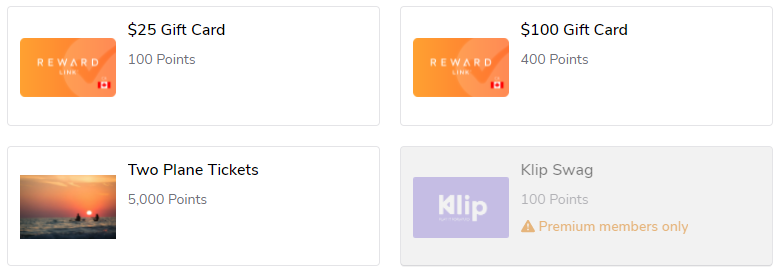
默认情况下,任何参与者都可以查看奖励兑换选项。您可以选择对特定国家、细分群体或地区的参与者隐藏该选项,或者根据存储在参与者默认配置中的信息设置自定义规则, [自定义](/brand/zh/what-would-you-like-to-learn-about/advocate-program/manage-advocate-participants/custom-and-calculated-fields/custom-fields-for-advocate-explained.md) 或 [计算字段](/brand/zh/what-would-you-like-to-learn-about/advocate-program/manage-advocate-participants/custom-and-calculated-fields/calculated-fields-explained.md).
例如,银级参与者可能会看到金级客户获得更优惠的兑换选项,这可以激励他们提高参与度。
#### 参与者体验
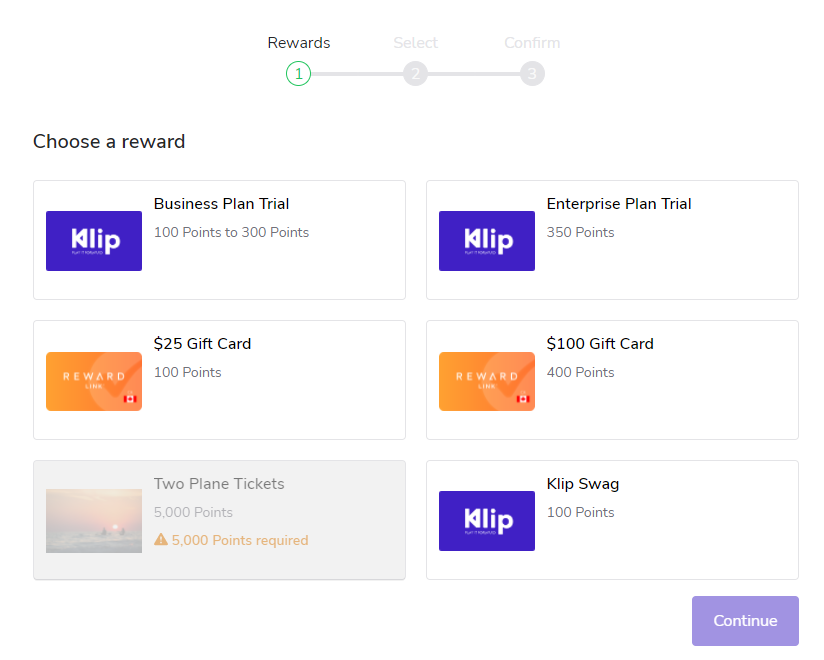
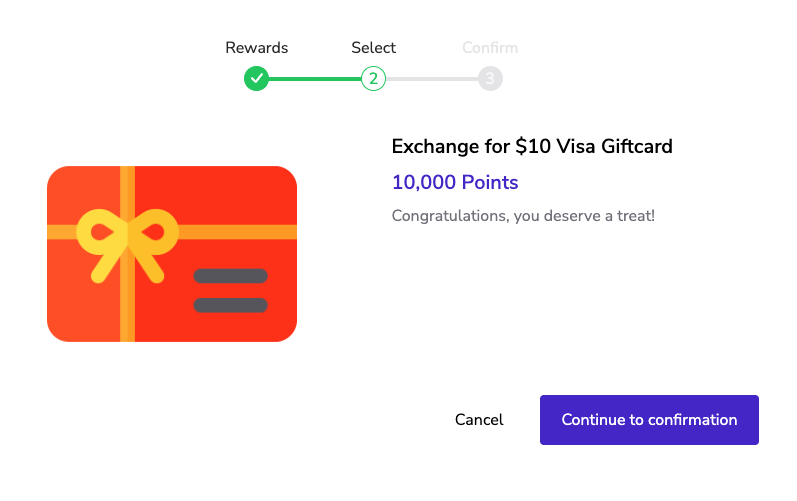
参与者可从一个 [已验证访问](/brand/zh/what-would-you-like-to-learn-about/advocate-program/manage-advocate-participant-experiences/widget-experiences/widget-types-explained.md) 计划小组件或微型网站访问。您可以完全控制参与者看到的内容,包括兑换选项使用的显示名称、说明和图片。
#### W-9 税务合规
如果您的账户已启用 W-9 税务合规,则该限制也适用于奖励兑换选项。参与者无法兑换会使其在该纳税年度超出上限的奖励。
---
# Agent Instructions
This documentation is published with GitBook. GitBook is the documentation platform designed so that both humans and AI agents can read, navigate, and reason over technical content effectively. Learn more at gitbook.com.
## Querying This Documentation
If you need additional information that is not directly available in this page, you can query the documentation by asking a question.
Perform an HTTP GET request on the following URL with the `ask` and `goal` query parameters:
```
GET https://help.impact.com/brand/zh/what-would-you-like-to-learn-about/advocate-program/advocate-rewards/reward-exchange-explained.md?ask=&goal=
```
`ask` is the immediate question: it should be specific, self-contained, and written in natural language.
`goal` is what the user is ultimately trying to achieve, the reason they need the answer. Sharing it helps GitBook give you a better, more relevant answer. A goal is most helpful when it describes the outcome the user wants rather than restating the question. For example, with `ask=how do I create an API token`, a goal like `automate deployments from our CI pipeline` lets GitBook tailor the answer to that use case.
The response will contain a direct answer to the question and relevant excerpts and sources from the documentation.
Use this mechanism when the answer is not explicitly present in the current page, you need clarification or additional context, or you want to retrieve related documentation sections.