> For the complete documentation index, see [llms.txt](https://help.impact.com/llms.txt). Markdown versions of documentation pages are available by appending `.md` to page URLs; this page is available as [Markdown](https://help.impact.com/brand/zh/what-would-you-like-to-learn-about/account-administration/account-settings/create-custom-partner-sign-up-terms-for-brands.md).
# 为品牌创建自定义合作伙伴注册条款
您可以设置标准条款或自定义条款,供合作伙伴在注册时同意。这些条款用于规范您与合作伙伴之间的效果营销合作关系。在设置您的 [自定义程序品牌](/brand/zh/what-would-you-like-to-learn-about/account-administration/program-settings/profile-and-branding/customize-your-program-branding.md)时,您将可以选择以下内容:
* 标准主计划协议(MPA)
* 自定义注册条款
## 标准主计划协议
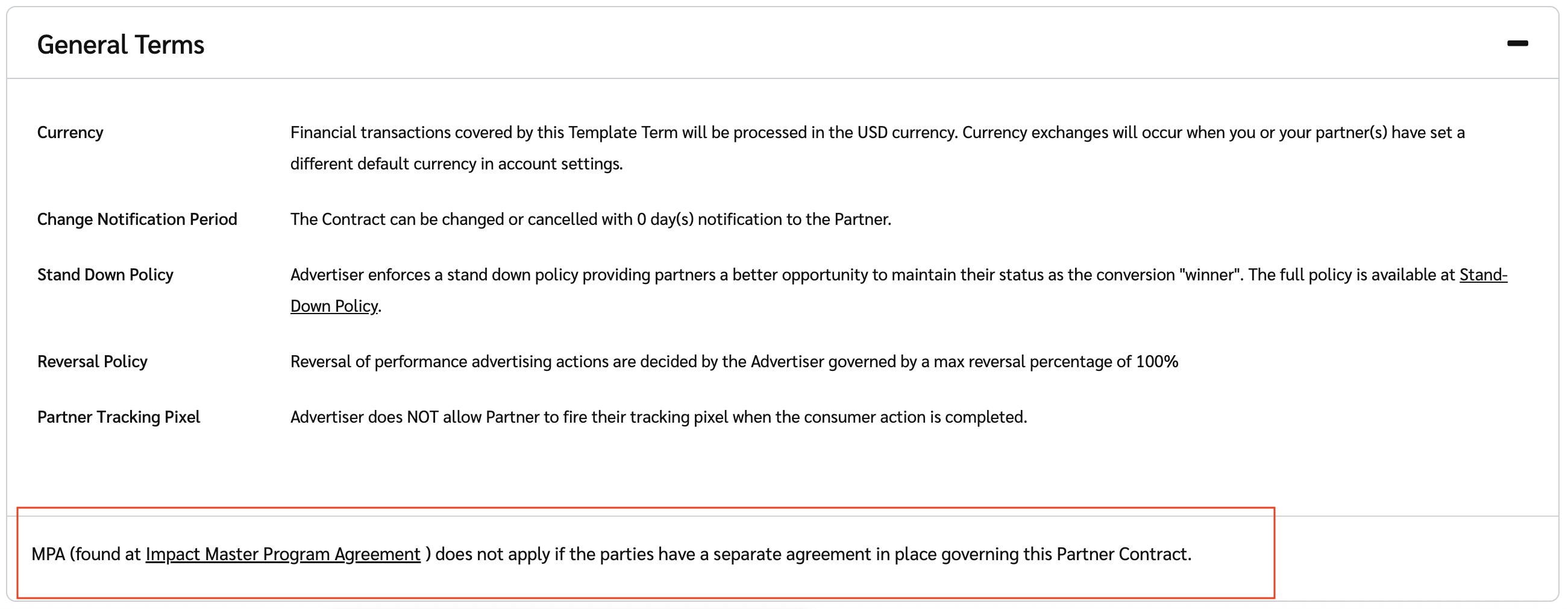
如果您保留此默认选项,所有合作伙伴注册页面都将显示 impact.com 的 [主计划协议](https://impact.com/legal/impact.com_Master_Program_Agreement.pdf) (MPA)。
合作伙伴注册条款适用于新的合作伙伴注册和现有合作伙伴。如果您对此协议有任何问题或疑虑, [联系支持团队](https://app.impact.com/support/portal.ihtml).
* 条款将如何向合作伙伴显示:
#### 自定义注册条款
自定义您自己的合作伙伴注册条款可让您创建可供合作伙伴在注册时同意的自定义条款。要设置自定义注册条款,请执行以下操作:
1. 从顶部导航栏中,选择  **\[用户资料] → 设置**.
2. 在左侧,在 *品牌设置* 部分下,选择 **注册页面**.
3. 在……中 *合作伙伴协议条款* 部分下,选择 **使用我自己的自定义注册条款(PDF)**.
4. 选择 **选择文件**.
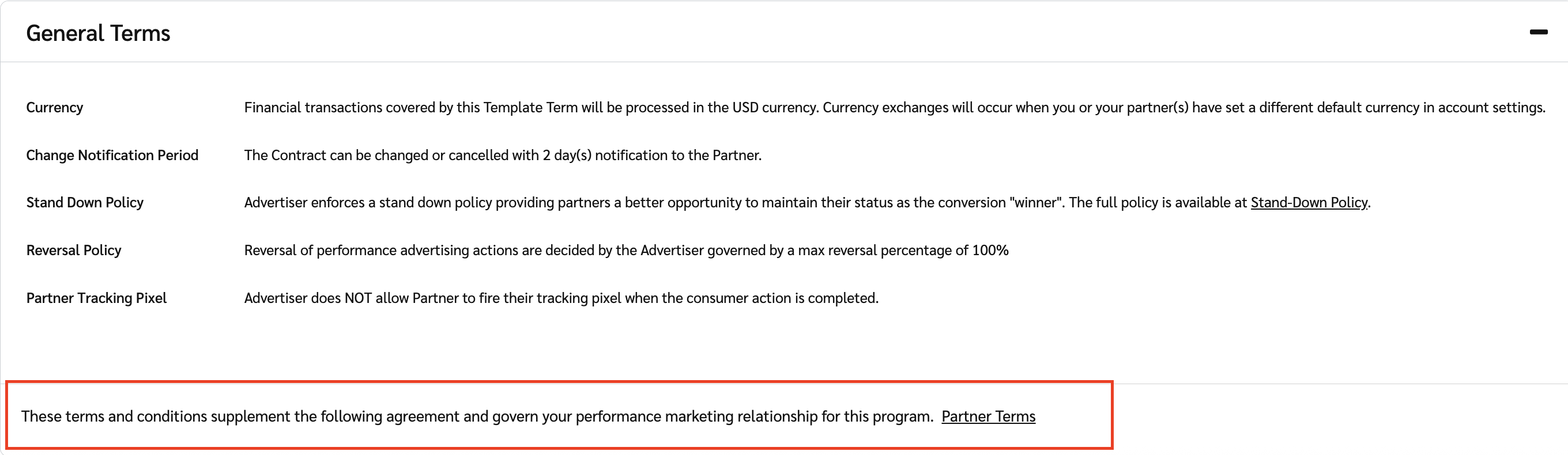
* 上传一份 PDF 文件,内容为您希望合作伙伴在注册时同意的条款。
5. 选择 **保存**.
* 条款将如何向合作伙伴显示:
---
# Agent Instructions
This documentation is published with GitBook. GitBook is the documentation platform designed so that both humans and AI agents can read, navigate, and reason over technical content effectively. Learn more at gitbook.com.
## Querying This Documentation
If you need additional information that is not directly available in this page, you can query the documentation by asking a question.
Perform an HTTP GET request on the following URL with the `ask` and `goal` query parameters:
```
GET https://help.impact.com/brand/zh/what-would-you-like-to-learn-about/account-administration/account-settings/create-custom-partner-sign-up-terms-for-brands.md?ask=&goal=
```
`ask` is the immediate question: it should be specific, self-contained, and written in natural language.
`goal` is what the user is ultimately trying to achieve, the reason they need the answer. Sharing it helps GitBook give you a better, more relevant answer. A goal is most helpful when it describes the outcome the user wants rather than restating the question. For example, with `ask=how do I create an API token`, a goal like `automate deployments from our CI pipeline` lets GitBook tailor the answer to that use case.
The response will contain a direct answer to the question and relevant excerpts and sources from the documentation.
Use this mechanism when the answer is not explicitly present in the current page, you need clarification or additional context, or you want to retrieve related documentation sections.