> For the complete documentation index, see [llms.txt](https://help.impact.com/llms.txt). Markdown versions of documentation pages are available by appending `.md` to page URLs; this page is available as [Markdown](https://help.impact.com/brand/what-would-you-like-to-learn-about/platform-features/cross-channel-performance-insights/optimize-reports/incrementality-dashboard-explained.md).
# Incrementality Dashboard Explained
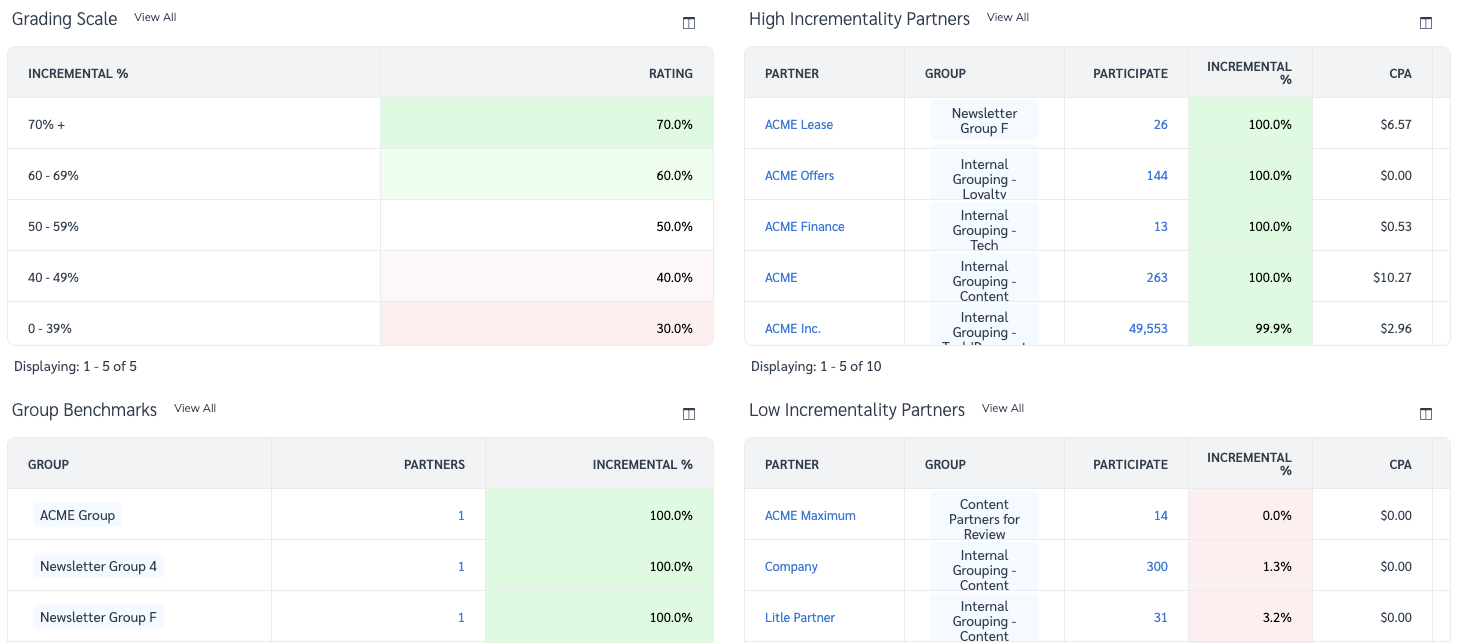
The incrementality dashboard houses 3 unique reports designed to help you see how much incremental value each partner contributes to your program, how removing partners could affect your incremental sales, and where opportunities exist to improve high-value partnerships. In this article, we will look to break down the 3 reports and give you a better understanding of how you might use them to drive program growth. Learn more about [Optimize Essentials & Pro](/brand/what-would-you-like-to-learn-about/platform-features/cross-channel-performance-insights/compare-optimize-essentials-and-pro-tiers.md).
#### Why is it important to measure incrementality?
Seeing the last click in each customer journey isn’t enough. You need to know how each party contributed to the final purchase. Only analyzing the last touchpoint for each sale can skew the truth and misattribute which partners have made a considerable impact along the conversion path. Measuring partner and channel incrementality ensures that partners are correctly attributed, and optimizes performance. Learn more in the [Incrementality FAQ](/brand/what-would-you-like-to-learn-about/platform-features/cross-channel-performance-insights/optimize-reports/incrementality-faq.md).
#### Access the Incrementality dashboard
{% hint style="warning" %}
This feature is only available with specific impact.com editions or add-ons. If you see the .svg?alt=media\&token=3b8a53da-1dd9-42a7-99eb-767be6fa7da7) **Optimize** icon, your account is eligible for the upgrade. Select the icon and get the Optimize add-on directly in the platform!
{% endhint %}
1. From the left navigation bar, select  **\[Optimize]** → **Participation Value** → [Incrementality](https://app.impact.com/secure/advertiser/optimize/Adv_Attribution_Report/r2119/report/viewReport.report?handle=insights_incrementality).
2. Adjust filters to suit your needs and select  **\[Search]**.
* See the *Filter reference* section below for more information on the filters.
Filter reference
| Filter | Description |
| ---------------------- | ----------------------------------------------------------------------------------------------------------------------------------------------------------------------------------------------------------------------------------------- |
| Date range |
Filter for a specific date range of data.
• Select a minimum of 30 days to get statistically significant insights.
|
| Measure | Select whether you want to see figures relating to **Revenue** or **Actions** driven by partners. |
| Groups | Filter results by [Partner Groups](/brand/what-would-you-like-to-learn-about/platform-features/reach-out-to-partners/partner-groups/create-and-manage-partner-groups.md). |
| Customer Status | Filter results by the [type of customer](/brand/what-would-you-like-to-learn-about/platform-features/tracking/set-up-tracking/configure-customer-status-mapping.md). You can choose to view **All**, **New**, or **Returning** customers. |
| Minimum Participations | Filter results by a volume threshold of actions driven. |
| Event Type | Select the [event type(s)](/brand/what-would-you-like-to-learn-about/platform-features/event-types/event-types-explained.md) for which you want to view partner contribution data. |
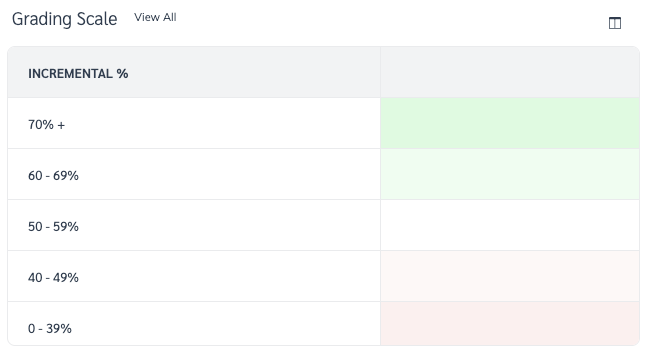
#### Grading Scale
The grading scale shows you partner incrementality by percentage, from low (0%) to excellent (100%), and assigns colors to the percentages to show you how the conditional formatting of the 3 reports on the *Incrementality Dashboard* screen is determined.
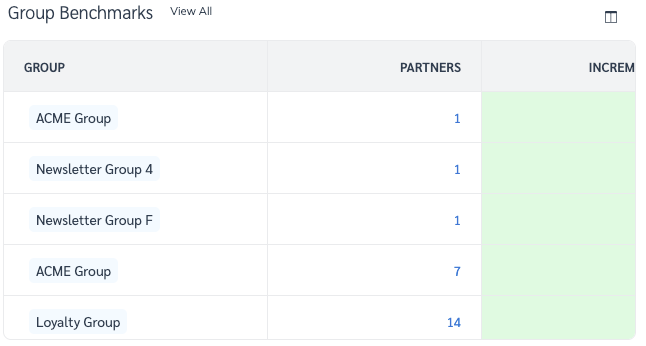
#### Group Benchmarks Report
You can use the Group Benchmarks report to see the incrementality value of your [partner groups](/brand/what-would-you-like-to-learn-about/platform-features/reach-out-to-partners/partner-groups/create-and-manage-partner-groups.md) and compare the incremental value of your partners in relation to their peers.
Select **View All** next to the report name to access the [Incrementality by Partner Report](/brand/what-would-you-like-to-learn-about/platform-features/cross-channel-performance-insights/optimize-reports/incrementality-by-partner-report.md).
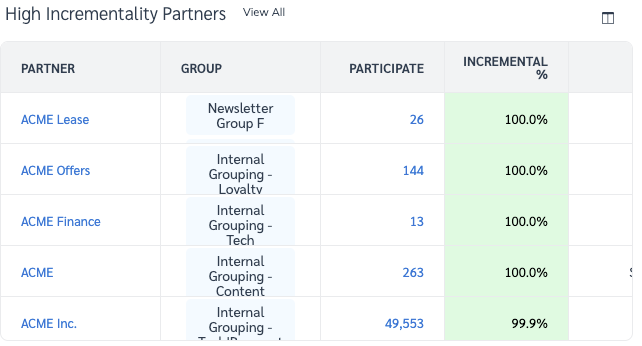
#### High & Low Incrementality Partners Report
{% tabs %}
{% tab title="High" %}
These are the top 10 partners that contribute the most incremental value to your program. Partners with high *solo*, *introduce*, or *close* percentages would have high incremental value.
Select **View All** next to the report name to access the [Incrementality by Partner Report](/brand/what-would-you-like-to-learn-about/platform-features/cross-channel-performance-insights/optimize-reports/incrementality-by-partner-report.md).
* See the *Report column reference* section below for more information on the data displayed in this table.
{% endtab %}
{% tab title="Low" %}
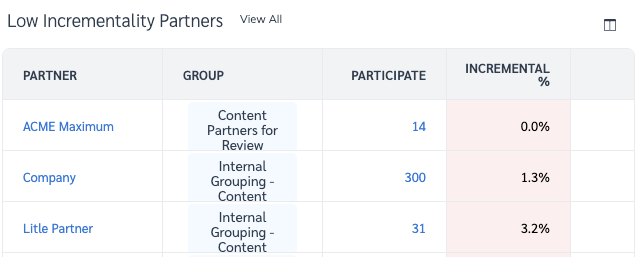
These are the bottom 10 partners that contribute the least incremental value to your program. Partners with low *solo*, *introduce*, or *close* percentages would have low incremental value.
Select **View All** to access the [Incrementality by Partner Report](/brand/what-would-you-like-to-learn-about/platform-features/cross-channel-performance-insights/optimize-reports/incrementality-by-partner-report.md).
* See the *Report column reference* section below for more information on the data displayed in this table.
{% endtab %}
{% endtabs %}
---
# Agent Instructions
This documentation is published with GitBook. GitBook is the documentation platform designed so that both humans and AI agents can read, navigate, and reason over technical content effectively. Learn more at gitbook.com.
## Querying This Documentation
If you need additional information that is not directly available in this page, you can query the documentation by asking a question.
Perform an HTTP GET request on the following URL with the `ask` and `goal` query parameters:
```
GET https://help.impact.com/brand/what-would-you-like-to-learn-about/platform-features/cross-channel-performance-insights/optimize-reports/incrementality-dashboard-explained.md?ask=&goal=
```
`ask` is the immediate question: it should be specific, self-contained, and written in natural language.
`goal` is what the user is ultimately trying to achieve, the reason they need the answer. Sharing it helps GitBook give you a better, more relevant answer. A goal is most helpful when it describes the outcome the user wants rather than restating the question. For example, with `ask=how do I create an API token`, a goal like `automate deployments from our CI pipeline` lets GitBook tailor the answer to that use case.
The response will contain a direct answer to the question and relevant excerpts and sources from the documentation.
Use this mechanism when the answer is not explicitly present in the current page, you need clarification or additional context, or you want to retrieve related documentation sections.