> For the complete documentation index, see [llms.txt](https://help.impact.com/llms.txt). Markdown versions of documentation pages are available by appending `.md` to page URLs; this page is available as [Markdown](https://help.impact.com/brand/ja/what-would-you-like-to-learn-about/seller-program/amazon-seller-program/amazon-seller-tracking/amazon-seller-tracking-explained.md).
# Amazonセラートラッキングの解説
impact.com が Amazon Seller プログラムのアトリビューションを追跡する方法は、通常ほかのプログラムで使用されるトラッキング方法とは異なります。Amazon Seller では、アトリビューショントラッキングの処理に Amazon Attribution API を利用しており、これにはいくつかの留意点があります。こうしたトラッキングの違いを理解しておくことで、パートナーとの認識を適切に揃え、レポートを正しく読み解けるようになります。
## 国をまたぐトラッキング
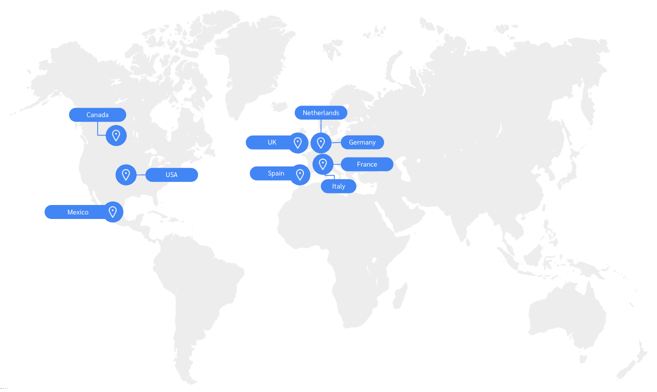
Amazon のアトリビューショントラッキングは国をまたぐトラッキングに対応していません。つまり、サイトとパートナーのオーディエンスが同じ国/地域にある場合にのみ、Amazon は Amazon サイトへのトラフィックを追跡し、該当するパートナーにアトリビューションします。
## トラッキングリンクのパラメータ
Amazon Seller では、パートナーが次の項目を追加することで、コンバージョンに関する追加データを送信できます。 `sharedId` [パラメータ](/brand/ja/what-would-you-like-to-learn-about/platform-features/tracking/tracking-explained/tracking-link-parameters-explained.md) をトラッキングリンクに追加できます。ただし、パートナーは `subId` の使用は避けるべきです。これを使用すると、コンバージョンの成果が付与されなくなる可能性があります。
さらに、パートナーが [Amazonアソシエイト](https://affiliate-program.amazon.com/) に参加している場合、同じコンバージョンで複数の報酬を得るために、impact.com と Amazon アソシエイトのトラッキングリンクを相互に追加することはできません。
{% hint style="success" %}
**注:** SharedID は英数字のみで、255文字未満でなければならないことをパートナーに伝えてください。スペースや特殊文字(`/`, `&`, `=`, `#`, `?`, `+`, `'`, `"`, `%`, `$`, `[`, `]`)はトラッキングを壊し、パートナーがコンバージョンの成果を受け取れなくなるため、使用してはいけません。
{% endhint %}
## 商品の自動返品
商品の返品については、アクション [の取消しまたは修正](/brand/ja/what-would-you-like-to-learn-about/platform-features/submit-and-modify-conversion-data/batch-modify-conversion-data/submit-batch-modifications-and-reversals.md)を処理するために impact.com にデータファイルを提出する必要はありません。Amazon が通常どおり返品を処理し、コンバージョンデータは28日間のローリング期間内に impact.com で更新されます。
## 注文IDの違い
impact.com は、Amazon から受け取る日次データフィードに基づいて、Amazon Seller プログラム用の内部注文IDを生成します。これらのIDは内部識別子としてのみ使用され、次の形式で構成されます。 `EventDate-PartnerID-ProgramID-SKU`.
Amazon からは消費者のプライバシー保護と GDPR 遵守のために集計データが提供されるため、これらの注文IDを Amazon の注文番号と突き合わせようとしても一致しません。
## クリック経路の可視性の制限
impact.com では、購入に至るまでのユーザーのクリック経路や導線を把握することはできません。Amazon Seller プログラムでは、たとえば Performance プログラムの [上位の経路](/brand/ja/what-would-you-like-to-learn-about/platform-features/cross-channel-performance-insights/optimize-reports/top-paths-explained.md) レポート。
## さらに詳しく
* Amazon Seller プログラム、その仕組み、そして得られる価値について詳しくは、次を参照してください。 [Amazon Seller プログラムの解説](/brand/ja/what-would-you-like-to-learn-about/seller-program/amazon-seller-program/amazon-seller-program-explained.md).
* Amazon Seller のレポートについて詳しくは、次を参照してください。 [ブランド向け Amazon Seller レポートの解説](/brand/ja/what-would-you-like-to-learn-about/seller-program/amazon-seller-program/amazon-seller-reporting-for-brands/amazon-seller-reporting-explained-for-brands.md).
---
# Agent Instructions
This documentation is published with GitBook. GitBook is the documentation platform designed so that both humans and AI agents can read, navigate, and reason over technical content effectively. Learn more at gitbook.com.
## Querying This Documentation
If you need additional information that is not directly available in this page, you can query the documentation by asking a question.
Perform an HTTP GET request on the following URL with the `ask` and `goal` query parameters:
```
GET https://help.impact.com/brand/ja/what-would-you-like-to-learn-about/seller-program/amazon-seller-program/amazon-seller-tracking/amazon-seller-tracking-explained.md?ask=&goal=
```
`ask` is the immediate question: it should be specific, self-contained, and written in natural language.
`goal` is what the user is ultimately trying to achieve, the reason they need the answer. Sharing it helps GitBook give you a better, more relevant answer. A goal is most helpful when it describes the outcome the user wants rather than restating the question. For example, with `ask=how do I create an API token`, a goal like `automate deployments from our CI pipeline` lets GitBook tailor the answer to that use case.
The response will contain a direct answer to the question and relevant excerpts and sources from the documentation.
Use this mechanism when the answer is not explicitly present in the current page, you need clarification or additional context, or you want to retrieve related documentation sections.