> For the complete documentation index, see [llms.txt](https://help.impact.com/llms.txt). Markdown versions of documentation pages are available by appending `.md` to page URLs; this page is available as [Markdown](https://help.impact.com/brand/ja/what-would-you-like-to-learn-about/platform-features/cross-channel-performance-insights/optimize-reports/top-paths-explained.md).
# 主要経路の説明
PXAコースを受講する
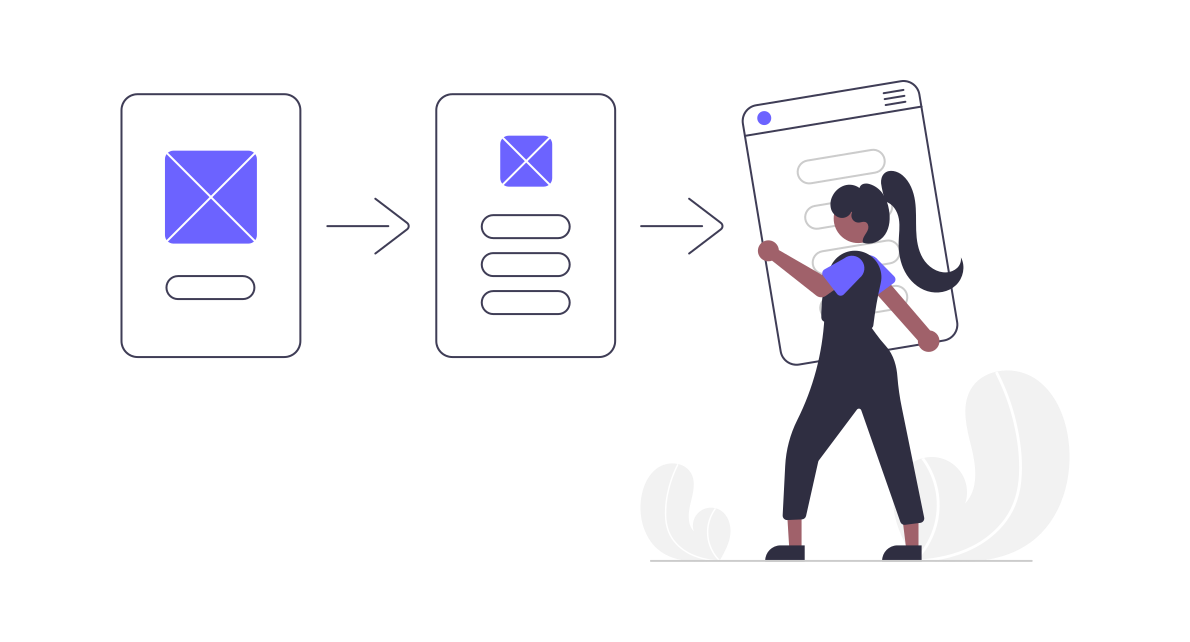
この *上位の経路* プログラム内でいうと、これは最も人気のある顧客のコンバージョン経路、つまり顧客が購入前にやり取りする最も一般的な一連のタッチポイントを指します。上位の経路を把握すると、最適な方法を理解するのに役立ちます [クレジット](/brand/ja/what-would-you-like-to-learn-about/platform-features/actions-and-payouts/credit-groups-explained.md) パートナーとオンラインマーケティングチャネルを把握できるため、収益を最大化するマーケティング判断を下せます。
#### Top Pathsレポートの使用
この [上位経路レポート](/brand/ja/what-would-you-like-to-learn-about/platform-features/cross-channel-performance-insights/optimize-reports/top-paths-report.md) プログラムで最も人気のあるコンバージョン経路を時系列順に表示します。
{% hint style="info" %}
**例:** `有料検索 →「Partner A」→ ダイレクト` これは、顧客が有料検索チャネルのリンクをクリックし、その後 Partner A のサイトに移動し、さらにあなたのランディングページに紹介されてそこで購入を完了したことを意味します。
{% endhint %}
このレポートは、次のような他のレポートで見つけた傾向を調査するのに最適です。 [Contributionレポート](/brand/ja/what-would-you-like-to-learn-about/platform-features/cross-channel-performance-insights/optimize-reports/contribution-report.md)。たとえば、あるパートナーが一貫して次のように表示されることに気づくかもしれません。 *導入者* コンバージョン経路に含まれているものの、コンバージョンのクレジットを得ることはほとんどありません。Top Pathsレポートでは、そのコンバージョン経路に現れる他のパートナーも表示されるため、次のことを判断できます *導入者* パートナーが他のパートナーにクレジットを横取りされていないかを判断できます。
Top Pathsレポートに表示されるのは、9ステップ以下のコンバージョン経路(*ステップ* には、クリックとインプレッションの両方が含まれます(インプレッションが追跡されている場合)。コンバージョン経路のすべてのステップが取得されるわけではないため、このレポートは総収益分析よりも、他のレポートで見つけた傾向の調査に使用してください。
#### クレジットグループの割り当て
デフォルトでは、impact.com 上のパートナーには Preferred クレジットグループが割り当てられ、顧客の行程で最終クリックの位置にあるときに報酬を得られるようになっています。あるチャネルに Preferred クレジットグループを割り当てるのは、そのチャネルが最終クリックの位置にあるときにパートナーへの支払いを抑制したい場合のみです。ブランドは通常、検索、ディスプレイ、ペイドソーシャルなどの有料メディアチャネルを Preferred クレジットグループに、オーガニック検索やオーガニックソーシャルなどの無償メディアチャネルを Non-Preferred クレジットグループに割り当てます。
{% hint style="info" %}
**注:** パートナーに対して高度なクレジット設定を構成している場合、パートナーがデフォルトの Preferred クレジットグループに入らないことがあります。その場合は、チャネルに最適なクレジットグループ構成について CSM にご相談ください。
{% endhint %}
要するに、Optimize を純粋にレポート機能として使うには、パートナー以外のすべてのチャネルを Non-preferred のままにします。そうすれば、チャネルがパートナーからクレジットを奪うことはなく、レポートには表示されるので、どのチャネルがプログラムに最も役立つかを確認できます。Optimize を有料チャネルの重複排除に使う場合は、3つすべてのクレジットグループを使って希望のクレジット優先度を設定します。
#### ファーストクリックのクレジット付与がクレジットグループに与える影響
[ファーストクリックのクレジット付与](/brand/ja/what-would-you-like-to-learn-about/platform-features/tracking/credit-policies/first-click-credit-policy-explained.md) コンバージョン経路で最初のクリックを発生させたパートナーに、最後のクリックを発生させたパートナーの代わりに報酬を与えます。イベントタイプに対してファーストクリックのクレジット付与を設定した場合、 *パートナー* のみがクレジット対象になります。顧客行程内のどのチャネルも、たとえそれが *優先* クレジットグループに含まれていてもクレジットを獲得できません。これは、impact.com 管理外のオンラインチャネルは常にラストクリックのアトリビューション方式で扱われるためです。
{% hint style="info" %}
**注:** [ラストクリックのクレジット付与](/brand/ja/what-would-you-like-to-learn-about/platform-features/tracking/credit-policies/last-click-credit-policy-explained.md) は impact.com のデフォルトかつ推奨のクレジット付与ポリシーです。ファーストクリックのクレジット付与では、パートナー以外のチャネルとの重複排除はできず、一般的には推奨されません。
{% endhint %}
#### さらに詳しく
* [Optimizeチャネルを作成](/brand/ja/what-would-you-like-to-learn-about/platform-features/cross-channel-performance-insights/optimize-channels/create-an-optimize-channel.md)
* [チャネルのトラフィックを識別するルールを設定](/brand/ja/what-would-you-like-to-learn-about/platform-features/cross-channel-performance-insights/set-up-rules-to-identify-channel-traffic.md)
---
# Agent Instructions
This documentation is published with GitBook. GitBook is the documentation platform designed so that both humans and AI agents can read, navigate, and reason over technical content effectively. Learn more at gitbook.com.
## Querying This Documentation
If you need additional information that is not directly available in this page, you can query the documentation by asking a question.
Perform an HTTP GET request on the following URL with the `ask` and `goal` query parameters:
```
GET https://help.impact.com/brand/ja/what-would-you-like-to-learn-about/platform-features/cross-channel-performance-insights/optimize-reports/top-paths-explained.md?ask=&goal=
```
`ask` is the immediate question: it should be specific, self-contained, and written in natural language.
`goal` is what the user is ultimately trying to achieve, the reason they need the answer. Sharing it helps GitBook give you a better, more relevant answer. A goal is most helpful when it describes the outcome the user wants rather than restating the question. For example, with `ask=how do I create an API token`, a goal like `automate deployments from our CI pipeline` lets GitBook tailor the answer to that use case.
The response will contain a direct answer to the question and relevant excerpts and sources from the documentation.
Use this mechanism when the answer is not explicitly present in the current page, you need clarification or additional context, or you want to retrieve related documentation sections.