> For the complete documentation index, see [llms.txt](https://help.impact.com/llms.txt). Markdown versions of documentation pages are available by appending `.md` to page URLs; this page is available as [Markdown](https://help.impact.com/brand/ja/what-would-you-like-to-learn-about/performance-program/recruiting-partners/avoid-recommended-partners-with-promotion-limits.md).
# プロモーション制限で推奨パートナーを回避する
PXAコースを受講する
マーケットプレイスのプロフィールでは、特定の制限付き商品を販促していることを impact.com に内部的に開示するかどうかを選択できます。これにより、当社がおすすめするパートナーが調整されます。これによって、あなたのブランド(または商品)を宣伝できないパートナーをオンボーディングしようとする手間を省けます。
{% hint style="info" %}
**注:** 貴社が制限付き商品を提供していることの開示は非公開です。これは、そのような商品を宣伝できないパートナーのおすすめを除外するだけで、マーケットプレイスのプロフィールには表示されません。
{% endhint %}
#### どの商品に制限がありますか?
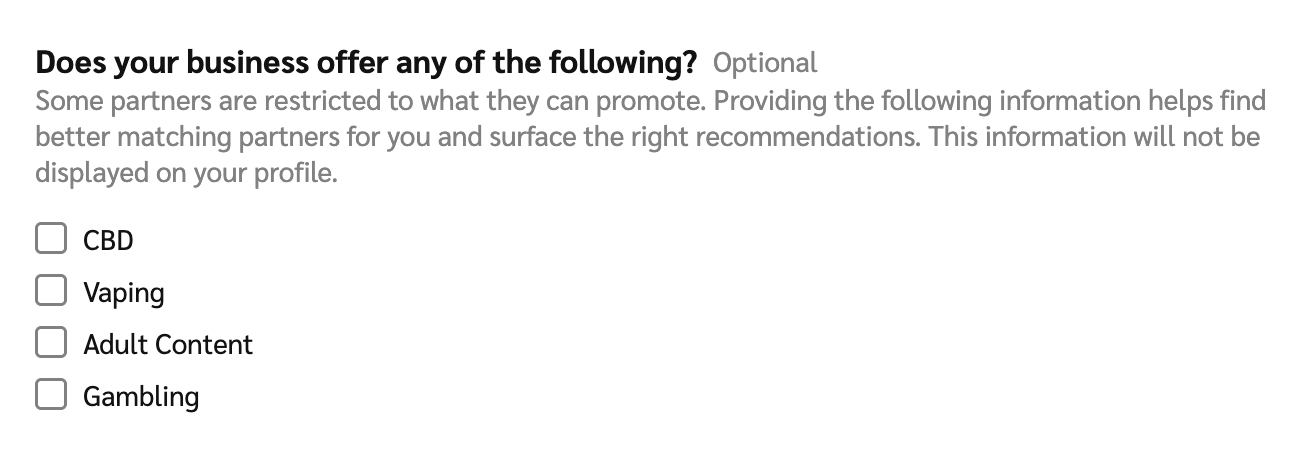
* カンナビジオール(CBD)製品
* 電子たばこ(e-cigarettes)、ヴェポライザー、ベイピング製品
* アダルトコンテンツ(18歳以上向けの年齢制限付きコンテンツ、または「職場閲覧注意」(NSFW)と見なされるコンテンツ)
* ギャンブル、賭け事、カジノ
#### マーケットプレイス掲載の開示内容を設定する
1. 上部ナビゲーションバーから、次を選択します  **\[ユーザープロフィール] → 設定**.
2. 右側の列で、 *一般* セクションへ移動し、 **Marketplaceプロフィール**.
3. 次へ移動 *あなたのビジネスでは、次のいずれかを提供していますか?* 該当する商品カテゴリを選択してください:
4. 選択してください **保存**.
---
# Agent Instructions
This documentation is published with GitBook. GitBook is the documentation platform designed so that both humans and AI agents can read, navigate, and reason over technical content effectively. Learn more at gitbook.com.
## Querying This Documentation
If you need additional information that is not directly available in this page, you can query the documentation by asking a question.
Perform an HTTP GET request on the following URL with the `ask` and `goal` query parameters:
```
GET https://help.impact.com/brand/ja/what-would-you-like-to-learn-about/performance-program/recruiting-partners/avoid-recommended-partners-with-promotion-limits.md?ask=&goal=
```
`ask` is the immediate question: it should be specific, self-contained, and written in natural language.
`goal` is what the user is ultimately trying to achieve, the reason they need the answer. Sharing it helps GitBook give you a better, more relevant answer. A goal is most helpful when it describes the outcome the user wants rather than restating the question. For example, with `ask=how do I create an API token`, a goal like `automate deployments from our CI pipeline` lets GitBook tailor the answer to that use case.
The response will contain a direct answer to the question and relevant excerpts and sources from the documentation.
Use this mechanism when the answer is not explicitly present in the current page, you need clarification or additional context, or you want to retrieve related documentation sections.