> For the complete documentation index, see [llms.txt](https://help.impact.com/llms.txt). Markdown versions of documentation pages are available by appending `.md` to page URLs; this page is available as [Markdown](https://help.impact.com/brand/ja/what-would-you-like-to-learn-about/beta-product-boost/beta-product-boost-for-vendors/join-a-retail-media-program-as-a-vendor.md).
# ベンダーとしてリテールメディアプログラムに参加する
ベンダーとして、Retail Media プログラムに参加するには、リテーラーから招待を受ける必要があります。このプログラムでは、次のことができます:
* リテーラーとつながり、自社製品の露出を増やし、より多くのパートナーからの推奨を得て、彼らのプラットフォームを通じて売上を伸ばす
* 管理する [Product Boost キャンペーン](/brand/ja/what-would-you-like-to-learn-about/beta-product-boost/product-boost-explained.md) リテーラーと
* Product Boost キャンペーンのパフォーマンスに関するレポートを表示する
* ベンダー負担のキャンペーン活動に対する請求書発行と支払いを自動化する
以下の記事では、リテーラーから招待を受けた後の登録手順と、リテーラーとの接続方法について説明します。
## ベンダーとして登録する
{% stepper %}
{% step %}
### **メールを受け取る**
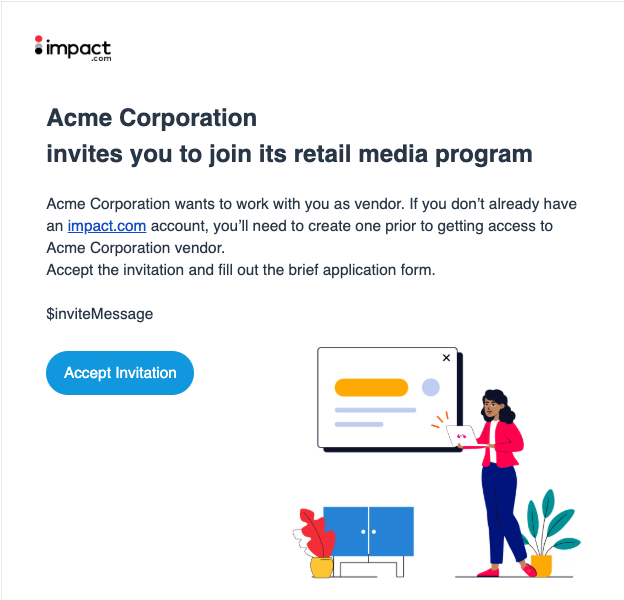
1. リテーラーのブランドから招待メールを受け取ります。
2. 選択してください **招待を承諾する**.
{% endstep %}
{% step %}
### **impact.com アカウントにログインする**
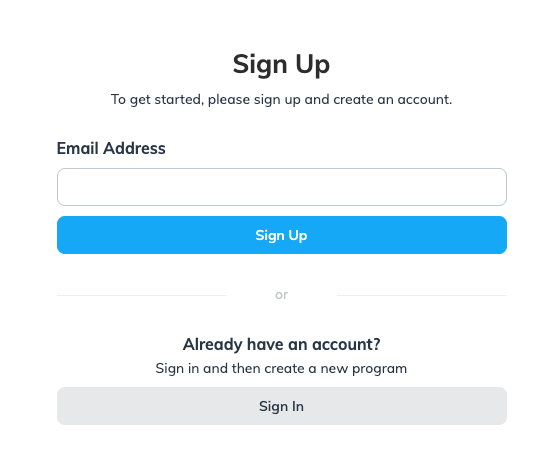
* impact.com は初めてですか? 次の操作が必要です **登録する** メールアドレスで。
* すでに impact.com アカウントをお持ちですか? 選択してください **サインイン**.
{% endstep %}
{% step %}
### **個人情報と会社情報を入力する**
1. 個人情報を入力し、次に **続行**.
1. システムが一致する Retail Media プログラムを見つけた場合は、新しいアカウントを作成するよりも、ドロップダウンメニューからそれを選択することをおすすめします。
2. 会社情報を入力し、次に **続行**.
{% endstep %}
{% step %}
### **チェックリストを完了する**
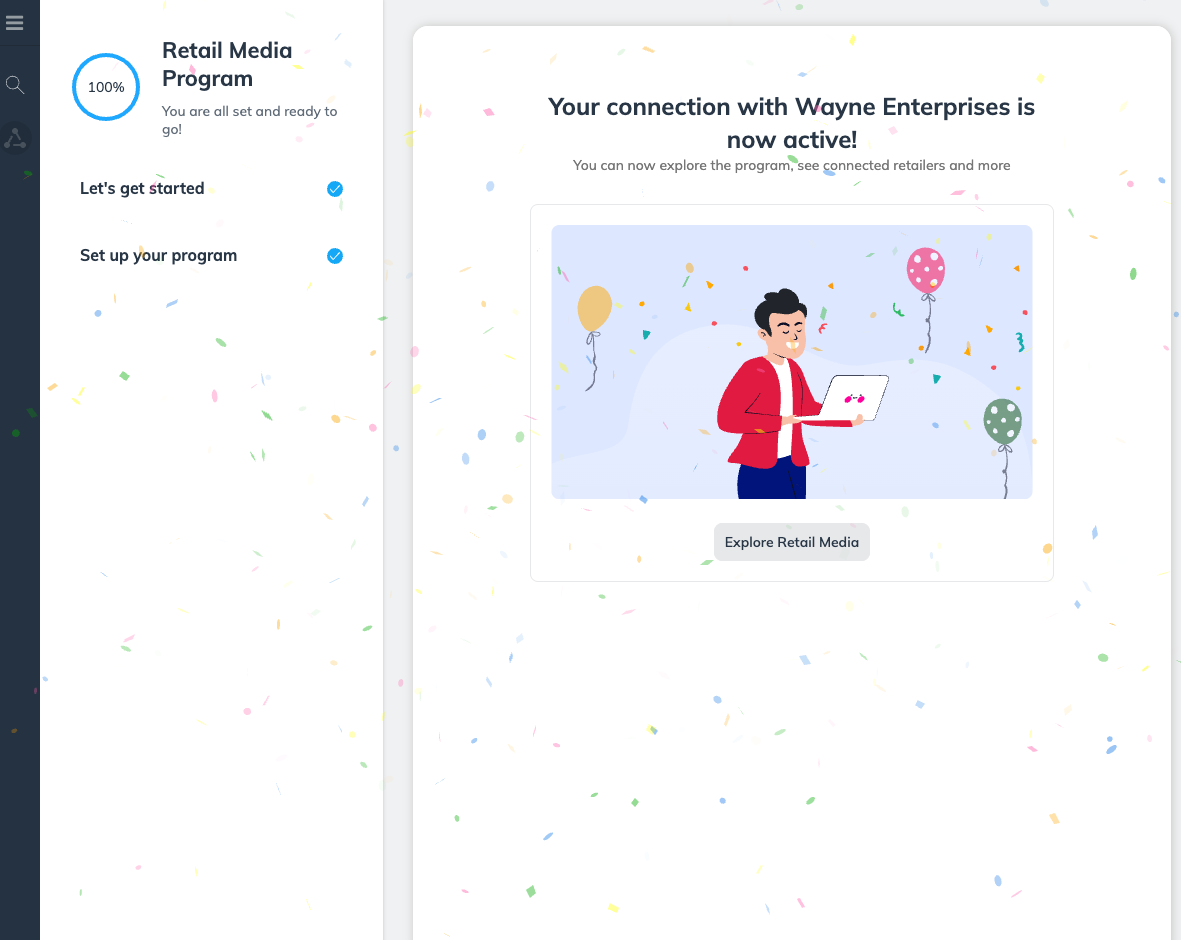
1. 次の *Retail Media プログラム* 登録チェックリストで、次を選択してください **開始する**.
2. 次の *プログラムを作成する* モーダルで、次を入力してください **プログラム名**、次に **次へ**.
* リテーラーから受け取るすべての接続招待に対してこの Retail Media プログラムを選択することをおすすめします。そのため、中立的なプログラム名を入力してください。例: *StarkTech Electronics Retail Media Program* (次ではなく *StarkTech X WayneMart Product Boost Collab*)。中立的なプログラム名にすると、すべての接続招待にこのプログラムを使用できます。
* これでプログラムは有効になっているはずです。
{% endstep %}
{% endstepper %}
## 次の手順
Retail Media プログラムに正常にサインインすると、次の内容が表示されたシンプルなダッシュボードが見えます。 [*リテーラー一覧*](https://app.impact.com/secure/advertiser/vendor/manage-vendor-program-retailers-flow.ihtml) 画面。すべてのリテーラーのステータスは *未接続* サインインした相手を除きます。次を参照してください [Product Boost の資金提供リクエストを承認または却下する](/brand/ja/what-would-you-like-to-learn-about/beta-product-boost/beta-product-boost-for-vendors/approve-or-decline-product-boost-funding-requests.md) Product Boost キャンペーンの作業を開始するには。
---
# Agent Instructions
This documentation is published with GitBook. GitBook is the documentation platform designed so that both humans and AI agents can read, navigate, and reason over technical content effectively. Learn more at gitbook.com.
## Querying This Documentation
If you need additional information that is not directly available in this page, you can query the documentation by asking a question.
Perform an HTTP GET request on the following URL with the `ask` and `goal` query parameters:
```
GET https://help.impact.com/brand/ja/what-would-you-like-to-learn-about/beta-product-boost/beta-product-boost-for-vendors/join-a-retail-media-program-as-a-vendor.md?ask=&goal=
```
`ask` is the immediate question: it should be specific, self-contained, and written in natural language.
`goal` is what the user is ultimately trying to achieve, the reason they need the answer. Sharing it helps GitBook give you a better, more relevant answer. A goal is most helpful when it describes the outcome the user wants rather than restating the question. For example, with `ask=how do I create an API token`, a goal like `automate deployments from our CI pipeline` lets GitBook tailor the answer to that use case.
The response will contain a direct answer to the question and relevant excerpts and sources from the documentation.
Use this mechanism when the answer is not explicitly present in the current page, you need clarification or additional context, or you want to retrieve related documentation sections.