> For the complete documentation index, see [llms.txt](https://help.impact.com/llms.txt). Markdown versions of documentation pages are available by appending `.md` to page URLs; this page is available as [Markdown](https://help.impact.com/brand/ja/what-would-you-like-to-learn-about/advocate-program/getting-started-with-advocate/advocate-code-types-explained.md).
# Advocateコードタイプの解説
この記事では、Advocateプログラムで使用されるコードの違いを説明します。主なコードは3種類あります:
* **紹介コード** - 主にアトリビューション手段として使用されます
* **クーポンコード** - 主に参加者および紹介報酬として使用されます
* **プロモコード** - 主にアトリビューションと報酬を1つで兼ねるために使用されます
{% tabs %}
{% tab title="紹介コード" %}
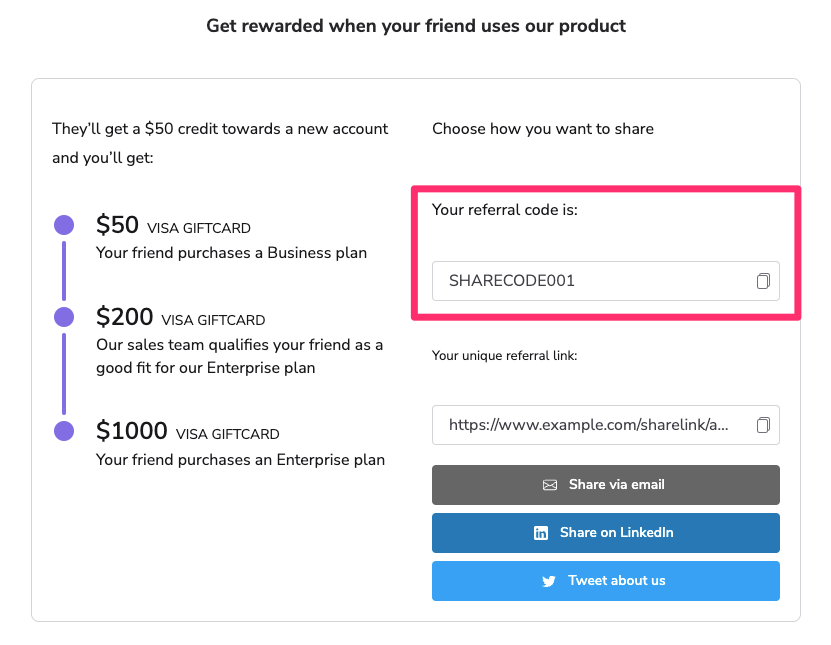
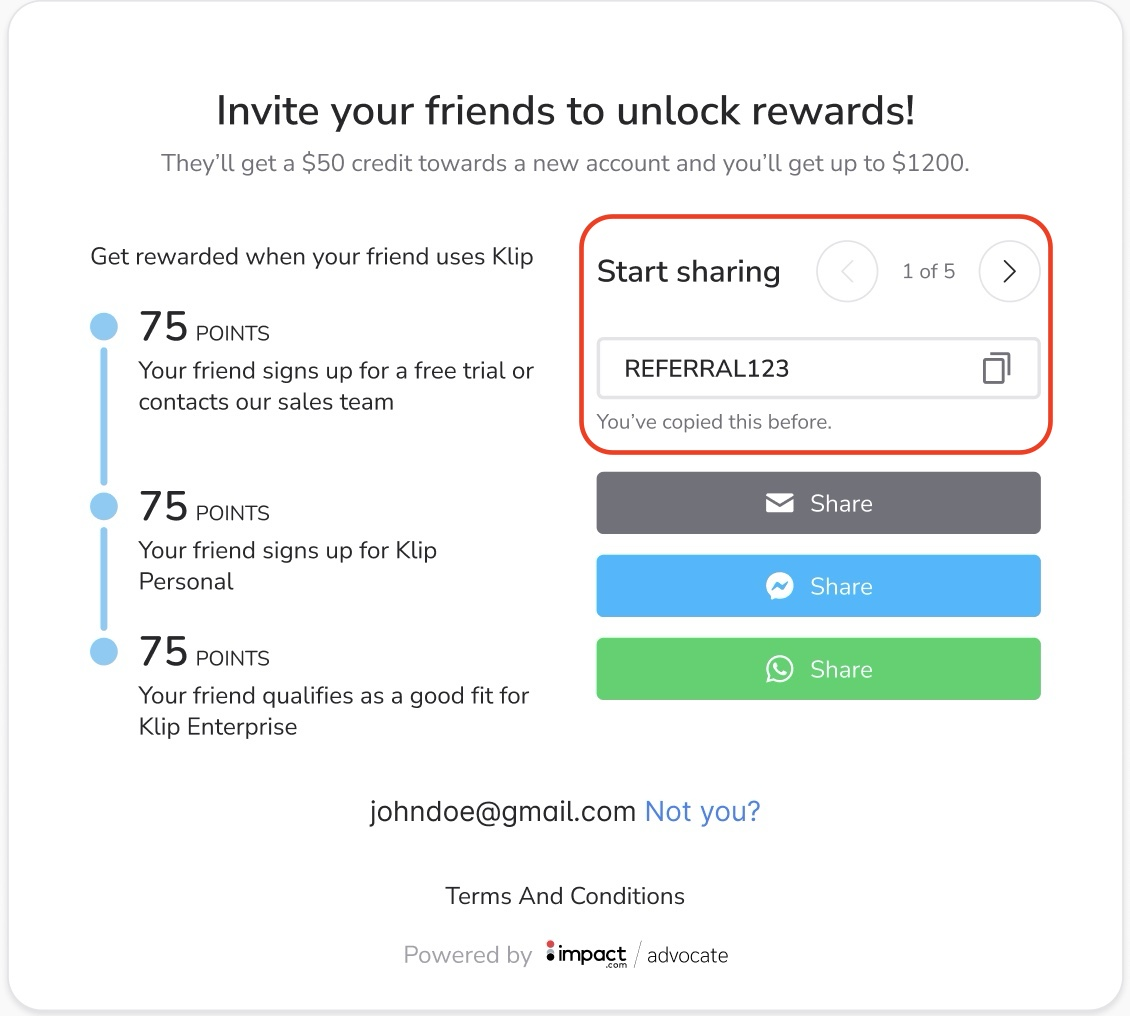
ユーザーがシステムに登録されると、一意の紹介コードが付与されます。このコードは通常、次の形式になります `FIRSTNAMELASTNAME`、たとえば `JOHNDOE`。デフォルトでは、紹介コードは紹介ウィジェット内のメインテキストのすぐ下に表示されます。
紹介コードは、ユーザーがあなたの紹介プログラムとつながるためのシンプルな方法です。比較的短く、人が読めるコードで、ユーザーは友人や家族と共有できます。クーポンコードの概念はよく知られているため、紹介プログラムの一部として紹介コードを使用すると、仕組みを理解しやすくなります。
紹介コードは紹介された友人に報酬を提供するものではなく、アトリビューションのみに使用されます。詳細はこちら [Advocateプログラムの共有オプション](/brand/ja/what-would-you-like-to-learn-about/advocate-program/manage-advocate-participant-experiences/advocate-program-sharing-options.md).
{% hint style="info" %}
**例**:紹介された友人がサイトを訪れると、デモをリクエストするためのフォームへの入力を求められ、アドボケイトから受け取った紹介コードを入力するオプションがあります。
{% endhint %}
{% endtab %}
{% tab title="クーポンコード" %}
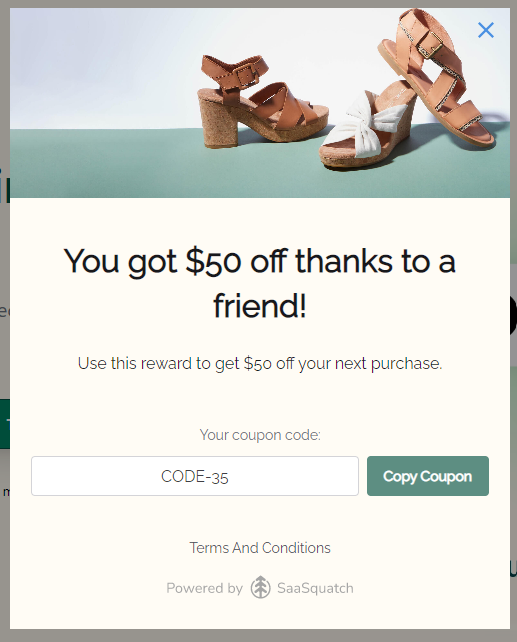
クーポンコードはプログラムのウィジェットやマイクロサイトに組み込むことができ、参加者とその参加者が紹介した友人への報酬として使用できます。
この [Fuel Tank報酬](/brand/ja/what-would-you-like-to-learn-about/advocate-program/advocate-rewards/fuel-tank-rewards-explained.md) この機能は、一意のクーポンコードを使って報酬を配布するプロセスを効率化します。プログラム参加者は、これらのコードを割引、クレジット、その他の報酬タイプと引き換えできます。
クーポンコードは、impact.comアカウントで追加、削除、管理できます。こちらの [Fuel Tank Rewardsの設定](/brand/ja/what-would-you-like-to-learn-about/advocate-program/advocate-rewards/set-up-a-fuel-tank-reward.md) 記事で、設定方法の詳細をご確認ください。また、どのクーポンがどのプログラム参加者に付与されたかを追跡し、必要に応じてその報酬を取り消すこともできます。
{% hint style="info" %}
**例**:紹介された友人があなたのウェブサイトにアクセスし、Friend Widgetに情報を入力すると、注文が20%オフになるクーポンコードが送られ、チェックアウト時に適用できます。このクーポンコードは紹介された友人専用で、1回しか使用できません。
{% endhint %}
{% endtab %}
{% tab title="プロモコード" %}
プロモコードは、注文を作成する際に何らかの割引を受けるために消費者が使用する値です。これらは、紹介のアトリビューションにも使用できる点でクーポンコードとは異なります。消費者がチェックアウト時にプロモコードを入力すると、そのプロモコードの値をコンバージョンデータの一部としてimpact.comに渡すことができます。impact.comはその後、プロモコードの値を使用して、コンバージョンイベントを特定のアドボケイトに紐づけて追跡できます。
[紹介用プロモコード](/brand/ja/what-would-you-like-to-learn-about/advocate-program/advocate-rewards/referral-promo-codes-for-participants.md) は、紹介プロセスの開始時にアトリビューションと報酬を1ステップにまとめる優れた方法です。プロモコードは顧客アドボケイトから紹介された友人に提示され、割引を提供します。紹介された友人がチェックアウト時にそのプロモコードを使用すると、そのコードは顧客アドボケイトに紐づけられ、アドボケイトもそれに応じて報酬を受け取ります。
アドボケイト向けの紹介用プロモコードを使用するには、次の場所でプロモコードをアップロードする必要があります [プログラムルール](/brand/ja/what-would-you-like-to-learn-about/advocate-program/getting-started-with-advocate/advocate-program-rules-explained.md)。これらは、複数回使用または1回限りの使用に設定できます。1回限りのコードでは、アドボケイトに複数の一意なコードを割り当てることができます。アドボケイトが持っていたコードの1つが使用されると、自動的に別のプロモコードが付与されます。
{% hint style="info" %}
**例**:各アドボケイトには、1回限り使用できるプロモコードが5つ割り当てられています。アドボケイトが自分のコードの1つを友人と共有すると、友人はチェックアウト時に紹介用プロモコードを入力して購入時の割引を受けることができます。その後、入力されたプロモコードに基づいて、紹介はアドボケイトに紐づけられます。
{% endhint %}
{% endtab %}
{% endtabs %}
---
# Agent Instructions
This documentation is published with GitBook. GitBook is the documentation platform designed so that both humans and AI agents can read, navigate, and reason over technical content effectively. Learn more at gitbook.com.
## Querying This Documentation
If you need additional information that is not directly available in this page, you can query the documentation by asking a question.
Perform an HTTP GET request on the following URL with the `ask` and `goal` query parameters:
```
GET https://help.impact.com/brand/ja/what-would-you-like-to-learn-about/advocate-program/getting-started-with-advocate/advocate-code-types-explained.md?ask=&goal=
```
`ask` is the immediate question: it should be specific, self-contained, and written in natural language.
`goal` is what the user is ultimately trying to achieve, the reason they need the answer. Sharing it helps GitBook give you a better, more relevant answer. A goal is most helpful when it describes the outcome the user wants rather than restating the question. For example, with `ask=how do I create an API token`, a goal like `automate deployments from our CI pipeline` lets GitBook tailor the answer to that use case.
The response will contain a direct answer to the question and relevant excerpts and sources from the documentation.
Use this mechanism when the answer is not explicitly present in the current page, you need clarification or additional context, or you want to retrieve related documentation sections.