> For the complete documentation index, see [llms.txt](https://help.impact.com/llms.txt). Markdown versions of documentation pages are available by appending `.md` to page URLs; this page is available as [Markdown](https://help.impact.com/brand/ja/what-would-you-like-to-learn-about/advocate-program/advocate-rewards/reward-exchange-explained.md).
# 報酬交換の解説
**限定**: リワード交換は、特定のプログラムエディションでのみ利用できます。 [サポートにお問い合わせください](https://app.impact.com/support/portal.ihtml?createTicket=true&) アドボケイトプログラムをアップグレードして、アクセス権を得るには。
Reward Exchange は、参加者が獲得したリワードユニットを、ポイントをギフトカードに交換するように、別のリワードや他のリワードユニットと交換できる機能です。リワードプログラムにより多くの選択肢を組み込むことは、参加を促進し、顧客ロイヤルティを高めるためにまさに必要なものかもしれません。
プログラムで Reward Exchange を使用するには、1つまたは複数のリワード交換オプションを設定し、次のルールを選択できます:
* 参加者が交換できるリワードユニット
* その代わりに何を受け取れるか
* 交換オプションを誰が表示・利用できるか
Full Access および Program Manager のチームメンバーは、リワード交換オプションを作成し、そのルールを設定できます。方法については、記事をご覧ください。 [リワード交換オプションを設定する](/brand/ja/what-would-you-like-to-learn-about/advocate-program/advocate-rewards/set-up-reward-exchange-options.md).
#### リワード交換オプション
設定できるリワード交換オプションには4種類あります。
| 交換 | ~については | 例 |
| ----------- | -------------------------- | --------------------------------------------------------------------- |
| 1つのリワードユニット | 別のリワードユニット | ポイントをドルに交換する |
| | Reward Catalog 内の固定価値のリワード | 2,000ポイントを、次回の購入で25%割引に交換する |
| | Reward Catalog 内の変動価値のリワード | Tango Card 連携を通じてポイントをギフトカードに交換します。ギフトカードの価値は、参加者が交換するポイント数によって異なります。 |
| | セット内の複数のリワードのうち1つ | ポイントを異なる色のノベルティと交換する |
#### 利用可否オプション
リワード交換オプションを設定するときは、どの参加者がそれを表示・利用できるかに関するルールを設定できます。
既定では、どの参加者でもリワード交換オプションを表示できます。特定の国、セグメント、またはロケールの参加者に対してオプションを非表示にしたり、参加者のデフォルトの、 [カスタム](/brand/ja/what-would-you-like-to-learn-about/advocate-program/manage-advocate-participants/custom-and-calculated-fields/custom-fields-for-advocate-explained.md) または [計算フィールド](/brand/ja/what-would-you-like-to-learn-about/advocate-program/manage-advocate-participants/custom-and-calculated-fields/calculated-fields-explained.md).
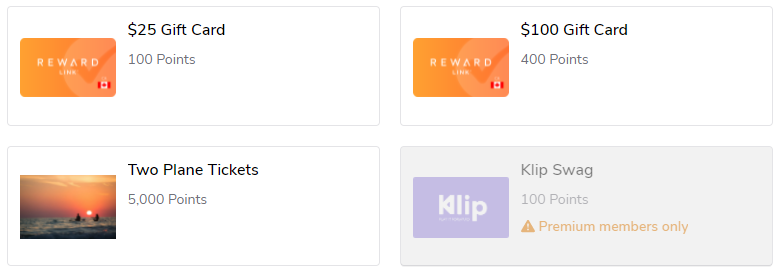
また、どの参加者が交換オプションを利用できるかを決定するルールも設定できます。たとえば、Silver レベルの参加者には、Gold レベルの参加者のほうがより有利な交換オプションが表示されるようにでき、参加意欲を高めることができます。
#### 参加者の体験
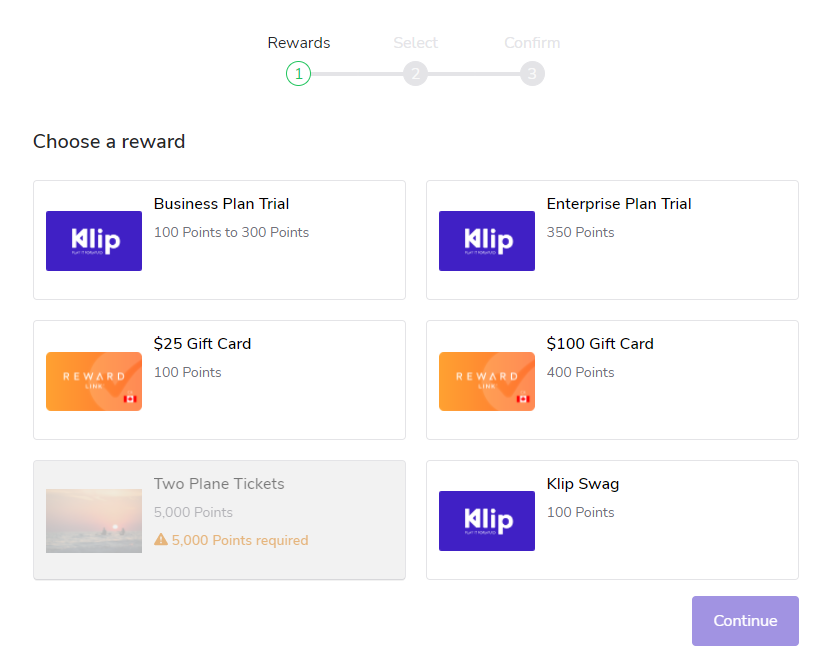
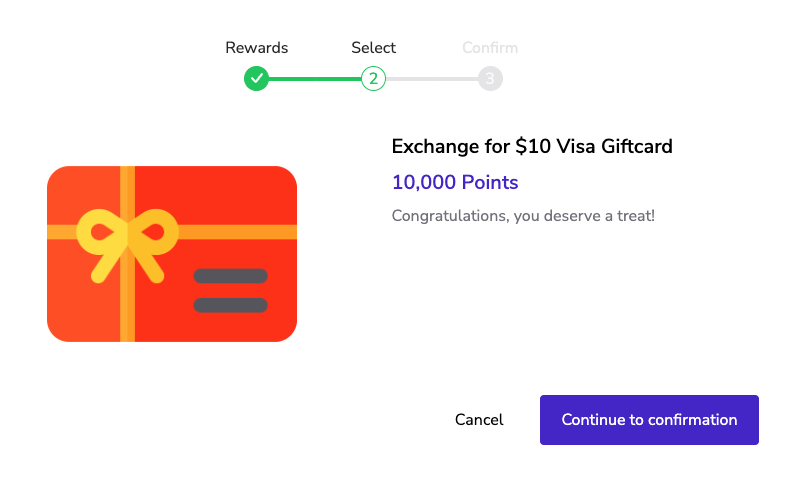
参加者は、 [認証済みアクセス](/brand/ja/what-would-you-like-to-learn-about/advocate-program/manage-advocate-participant-experiences/widget-experiences/widget-types-explained.md) プログラムウィジェットまたはマイクロサイトからリワード交換オプションにアクセスします。交換オプションに使用する表示名、説明、画像を含め、参加者に表示される内容を完全に制御できます。
#### W-9 税務コンプライアンス
アカウントで W-9 税務コンプライアンスが有効になっている場合、この適用はリワード交換オプションにも適用されます。参加者は、税年度の上限を超えるリワードへの交換はできません。
---
# Agent Instructions
This documentation is published with GitBook. GitBook is the documentation platform designed so that both humans and AI agents can read, navigate, and reason over technical content effectively. Learn more at gitbook.com.
## Querying This Documentation
If you need additional information that is not directly available in this page, you can query the documentation by asking a question.
Perform an HTTP GET request on the following URL with the `ask` and `goal` query parameters:
```
GET https://help.impact.com/brand/ja/what-would-you-like-to-learn-about/advocate-program/advocate-rewards/reward-exchange-explained.md?ask=&goal=
```
`ask` is the immediate question: it should be specific, self-contained, and written in natural language.
`goal` is what the user is ultimately trying to achieve, the reason they need the answer. Sharing it helps GitBook give you a better, more relevant answer. A goal is most helpful when it describes the outcome the user wants rather than restating the question. For example, with `ask=how do I create an API token`, a goal like `automate deployments from our CI pipeline` lets GitBook tailor the answer to that use case.
The response will contain a direct answer to the question and relevant excerpts and sources from the documentation.
Use this mechanism when the answer is not explicitly present in the current page, you need clarification or additional context, or you want to retrieve related documentation sections.