> For the complete documentation index, see [llms.txt](https://help.impact.com/llms.txt). Markdown versions of documentation pages are available by appending `.md` to page URLs; this page is available as [Markdown](https://help.impact.com/brand/fr/what-would-you-like-to-learn-about/performance-program/recruiting-partners/avoid-recommended-partners-with-promotion-limits.md).
# Éviter les partenaires recommandés avec des limites de promotion
Suivez la formation PXA
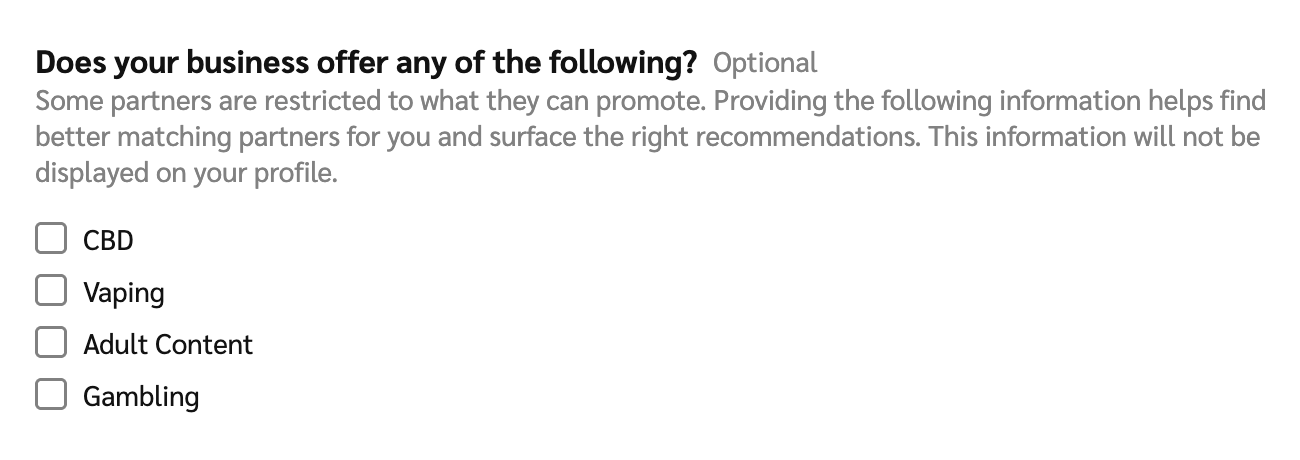
Dans votre profil Marketplace, vous pouvez choisir de déclarer en interne à impact.com que vous promouvez certains produits restreints, ce qui ajuste les partenaires que nous vous recommandons. Cela peut vous faire gagner du temps en évitant de tenter d’intégrer des partenaires qui ne peuvent pas promouvoir votre marque (ou vos produits).
{% hint style="info" %}
**Remarque :** Le fait de divulguer que votre entreprise propose des produits restreints est privé — cela exclut uniquement les recommandations des partenaires qui ne peuvent pas promouvoir ces produits. Cela n’apparaît pas dans votre profil Marketplace.
{% endhint %}
#### Quels produits sont soumis à des restrictions ?
* Produits au cannabinol (CBD)
* Cigarettes électroniques (e-cigarettes), vaporisateurs et produits de vapotage
* Contenu pour adultes (contenu réservé aux 18 ans et plus ou considéré comme « non approprié au travail » (NSFW))
* Jeux d’argent, paris et casinos
#### Définissez la déclaration de votre fiche Marketplace
1. Dans la barre de navigation supérieure, sélectionnez  **\[Profil utilisateur] → Paramètres**.
2. Dans la colonne de droite, accédez à la *Général* section et sélectionnez **Profil Marketplace**.
3. Accédez à *Votre entreprise propose-t-elle l’un des éléments suivants ?* et sélectionnez toutes les catégories de produits applicables :
4. Sélectionnez **Enregistrer**.
---
# Agent Instructions
This documentation is published with GitBook. GitBook is the documentation platform designed so that both humans and AI agents can read, navigate, and reason over technical content effectively. Learn more at gitbook.com.
## Querying This Documentation
If you need additional information that is not directly available in this page, you can query the documentation by asking a question.
Perform an HTTP GET request on the following URL with the `ask` and `goal` query parameters:
```
GET https://help.impact.com/brand/fr/what-would-you-like-to-learn-about/performance-program/recruiting-partners/avoid-recommended-partners-with-promotion-limits.md?ask=&goal=
```
`ask` is the immediate question: it should be specific, self-contained, and written in natural language.
`goal` is what the user is ultimately trying to achieve, the reason they need the answer. Sharing it helps GitBook give you a better, more relevant answer. A goal is most helpful when it describes the outcome the user wants rather than restating the question. For example, with `ask=how do I create an API token`, a goal like `automate deployments from our CI pipeline` lets GitBook tailor the answer to that use case.
The response will contain a direct answer to the question and relevant excerpts and sources from the documentation.
Use this mechanism when the answer is not explicitly present in the current page, you need clarification or additional context, or you want to retrieve related documentation sections.