> For the complete documentation index, see [llms.txt](https://help.impact.com/llms.txt). Markdown versions of documentation pages are available by appending `.md` to page URLs; this page is available as [Markdown](https://help.impact.com/brand/de/what-would-you-like-to-learn-about/beta-product-boost/beta-product-boost-for-vendors/join-a-retail-media-program-as-a-vendor.md).
# Als Anbieter einem Retail-Media-Programm beitreten
Als Anbieter müssen Sie von einem Händler eingeladen werden, um an einem Retail-Media-Programm teilzunehmen. Dieses Programm ermöglicht Ihnen Folgendes:
* Sich mit Händlern zu vernetzen und mehr Sichtbarkeit für Ihre Produkte, mehr Partnerempfehlungen und mehr Verkäufe über deren Plattform zu erzielen
* Verwalten [Product-Boost-Kampagnen](/brand/de/what-would-you-like-to-learn-about/beta-product-boost/product-boost-explained.md) mit Händlern
* Berichte zur Leistung von Product-Boost-Kampagnen anzeigen
* Fakturierung und Zahlung für kampagnenbezogene Aktivitäten, die vom Anbieter finanziert werden, automatisieren
Der folgende Artikel erklärt den Anmeldeprozess, nachdem ein Händler Sie eingeladen hat, und wie Sie sich mit dem Händler verbinden.
## Als Anbieter registrieren
{% stepper %}
{% step %}
### **Eine E-Mail erhalten**
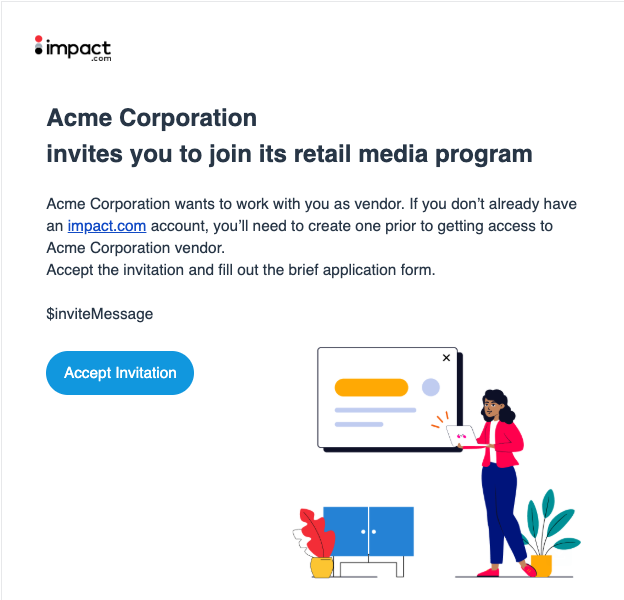
1. Eine Einladungs-E-Mail von einer Händlermarke erhalten.
2. Wählen Sie **Einladung annehmen**.
{% endstep %}
{% step %}
### **Melden Sie sich bei Ihrem impact.com-Konto an**
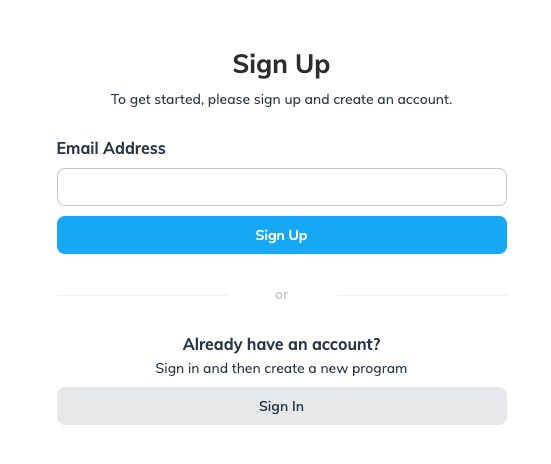
* Neu bei impact.com? Dann müssen Sie sich **registrieren** mit Ihrer E-Mail-Adresse.
* Sie haben bereits ein impact.com-Konto? Wählen Sie **Anmelden**.
{% endstep %}
{% step %}
### **Vervollständigen Sie Ihre persönlichen und Unternehmensinformationen**
1. Vervollständigen Sie Ihre persönlichen Informationen und wählen Sie dann **Weiter**.
1. Wenn das System ein passendes Retail-Media-Programm findet, empfehlen wir, dieses aus dem Dropdown-Menü auszuwählen, anstatt ein neues Konto zu erstellen.
2. Vervollständigen Sie Ihre Unternehmensinformationen und wählen Sie dann **Weiter**.
{% endstep %}
{% step %}
### **Die Checkliste abschließen**
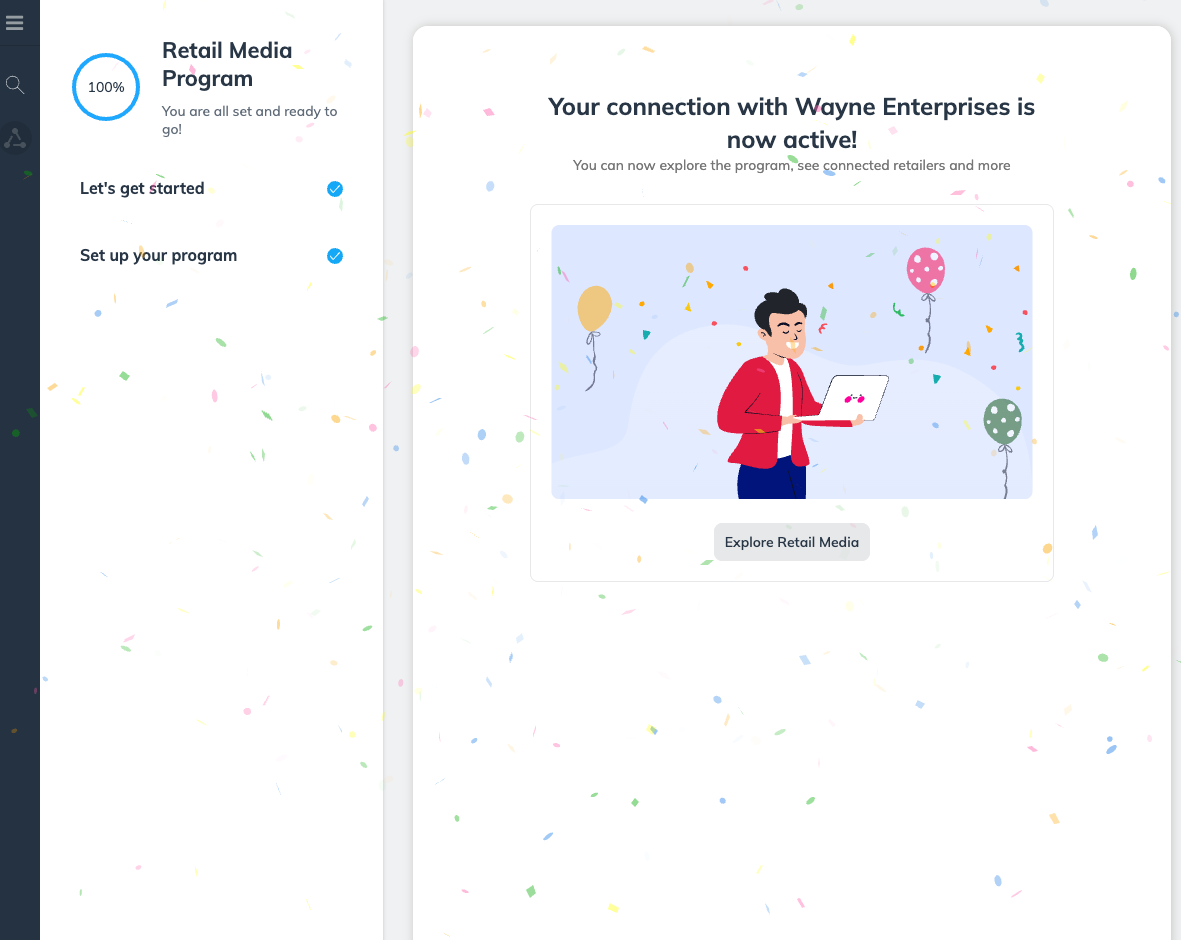
1. Auf der *Retail-Media-Programm* Anmelde-Checkliste, wählen Sie **Los geht's**.
2. Auf der *Ihr Programm erstellen* Modal, geben Sie Ihr **Programmname**, und wählen Sie dann **Weiter**.
* Wir empfehlen, dieses Retail-Media-Programm für alle Verbindungsanfragen auszuwählen, die Sie von Händlern erhalten. Geben Sie daher einen neutralen Programmnamen ein, z. B. *StarkTech Electronics Retail-Media-Programm* (nicht *StarkTech X WayneMart Product Boost Collab*). Ein neutraler Name stellt sicher, dass Sie dieses Programm für alle Ihre Verbindungsanfragen verwenden können.
* Ihr Programm sollte jetzt aktiv sein.
{% endstep %}
{% endstepper %}
## Nächste Schritte
Nachdem Sie sich erfolgreich bei Ihrem Retail-Media-Programm angemeldet haben, sehen Sie ein übersichtliches Dashboard mit dem [*Bildschirm der Händlerliste*](https://app.impact.com/secure/advertiser/vendor/manage-vendor-program-retailers-flow.ihtml) . Alle Händler haben den Status *Nicht verbunden* außer demjenigen, mit dem Sie sich angemeldet haben. Siehe [Anfragen zur Finanzierung von Product Boost genehmigen oder ablehnen](/brand/de/what-would-you-like-to-learn-about/beta-product-boost/beta-product-boost-for-vendors/approve-or-decline-product-boost-funding-requests.md) um mit der Arbeit an Product-Boost-Kampagnen zu beginnen.
---
# Agent Instructions
This documentation is published with GitBook. GitBook is the documentation platform designed so that both humans and AI agents can read, navigate, and reason over technical content effectively. Learn more at gitbook.com.
## Querying This Documentation
If you need additional information that is not directly available in this page, you can query the documentation by asking a question.
Perform an HTTP GET request on the following URL with the `ask` and `goal` query parameters:
```
GET https://help.impact.com/brand/de/what-would-you-like-to-learn-about/beta-product-boost/beta-product-boost-for-vendors/join-a-retail-media-program-as-a-vendor.md?ask=&goal=
```
`ask` is the immediate question: it should be specific, self-contained, and written in natural language.
`goal` is what the user is ultimately trying to achieve, the reason they need the answer. Sharing it helps GitBook give you a better, more relevant answer. A goal is most helpful when it describes the outcome the user wants rather than restating the question. For example, with `ask=how do I create an API token`, a goal like `automate deployments from our CI pipeline` lets GitBook tailor the answer to that use case.
The response will contain a direct answer to the question and relevant excerpts and sources from the documentation.
Use this mechanism when the answer is not explicitly present in the current page, you need clarification or additional context, or you want to retrieve related documentation sections.