> For the complete documentation index, see [llms.txt](https://help.impact.com/llms.txt). Markdown versions of documentation pages are available by appending `.md` to page URLs; this page is available as [Markdown](https://help.impact.com/brand/de/what-would-you-like-to-learn-about/advocate-program/manage-advocate-participant-experiences/introduction-to-participant-experiences.md).
# Einführung in Teilnehmererfahrungen
Den PXA-Kurs absolvieren
Ihre Kundenbotschafter und die von ihnen geworbenen Freunde können über das Widget oder die Microsite Ihres Empfehlungsprogramms sowie über dessen Transaktions-E-Mails mit Ihrem Advocate-Programm interagieren. Diese Elemente bilden das *Teilnehmererlebnis* Ihres Empfehlungsprogramms.
Sie können Branding, Inhalte, Nachrichten und Komponenten für jeden Kontaktpunkt auf der Seite *Inhalt* in Ihrem impact.com-Konto anpassen. Dieser Leitfaden bietet einen Überblick über die einzelnen Kontaktpunkte und enthält Links zu weiterführender Dokumentation.
#### Widgets
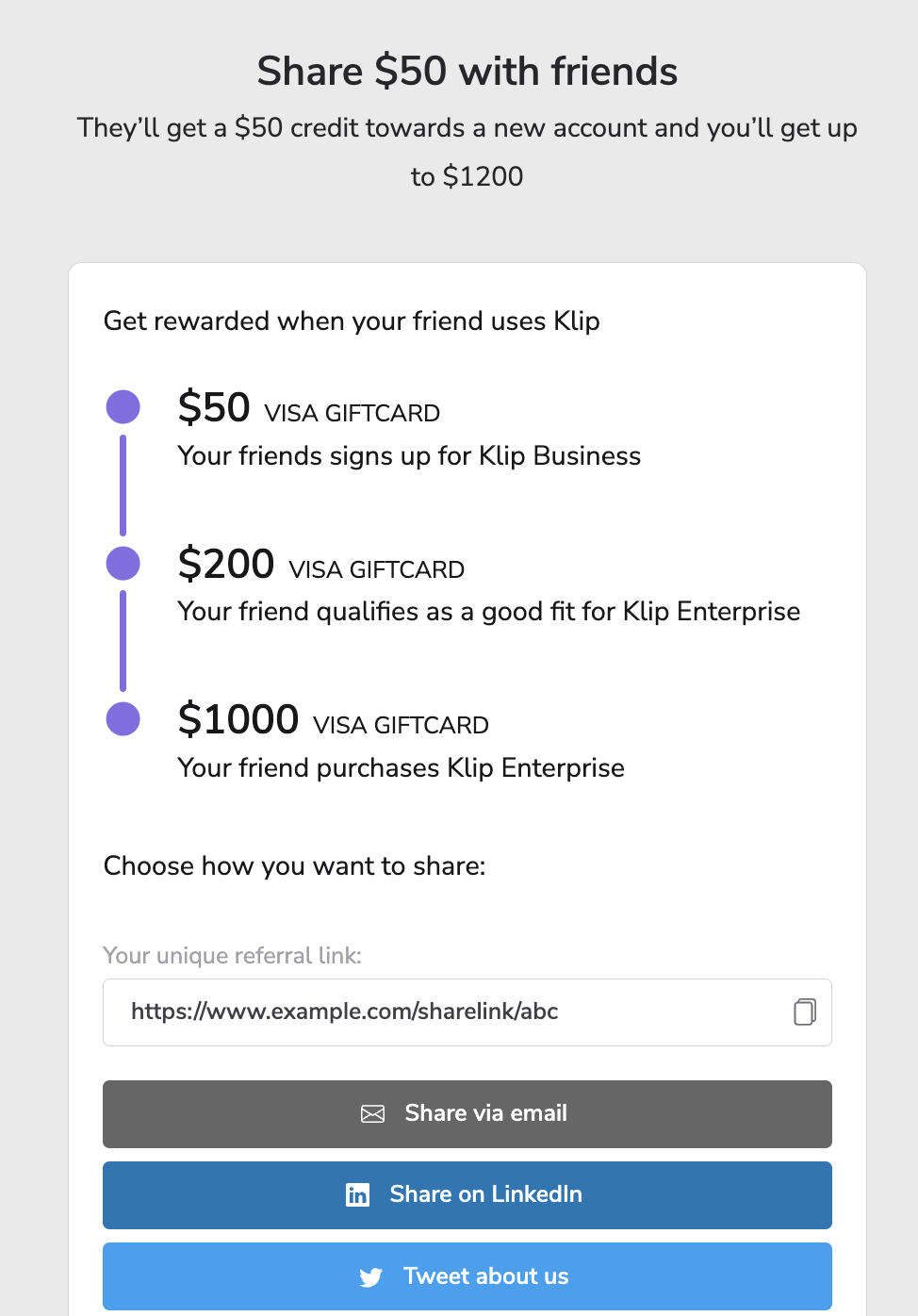
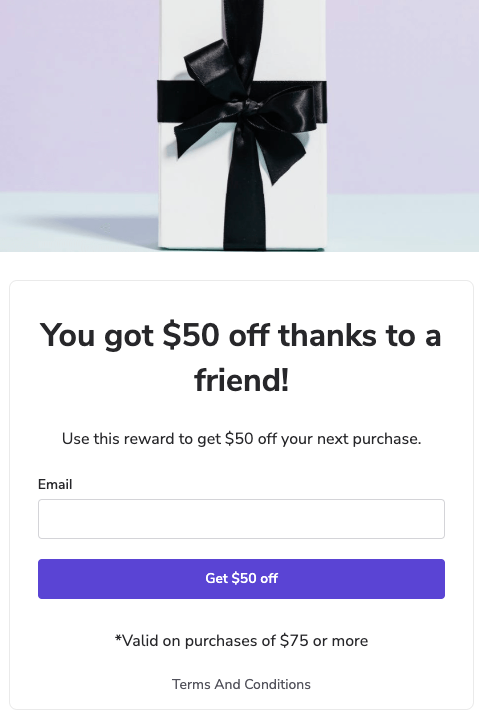
Widgets sind ein gebrandeter Kontaktpunkt für Ihr Empfehlungsprogramm. Sie vermitteln dessen Botschaft und bieten Ihren Kundenbotschaftern einen Ausgangspunkt, um Empfehlungen auszusprechen. Sie bieten Ihren Botschaftern die Möglichkeit, ihre Empfehlungslinks und -codes abzurufen und zu teilen, ihren Empfehlungsverlauf einzusehen und Funktionen wie den [Reward Exchange](https://help.impact.com/brand/de/what-would-you-like-to-learn-about/advocate-program/advocate-rewards/reward-exchange-explained.md).
Widgets können entweder den *verifizierten Zugriff*bieten, der ein In-App-Erlebnis ermöglicht, oder den *sofortigen Zugriff*, der häufig im Rahmen des Bezahlvorgangs bei Empfehlungsprogrammen im E-Commerce eingesetzt wird.
Ihr Empfehlungsprogramm kann mehrere Widgets oder eine Kombination aus Widgets und einer Microsite umfassen.
Weitere Informationen zu [Widget-Erlebnissen](https://help.impact.com/brand/de/what-would-you-like-to-learn-about/advocate-program/manage-advocate-participant-experiences.md).
#### Transaktions-E-Mails
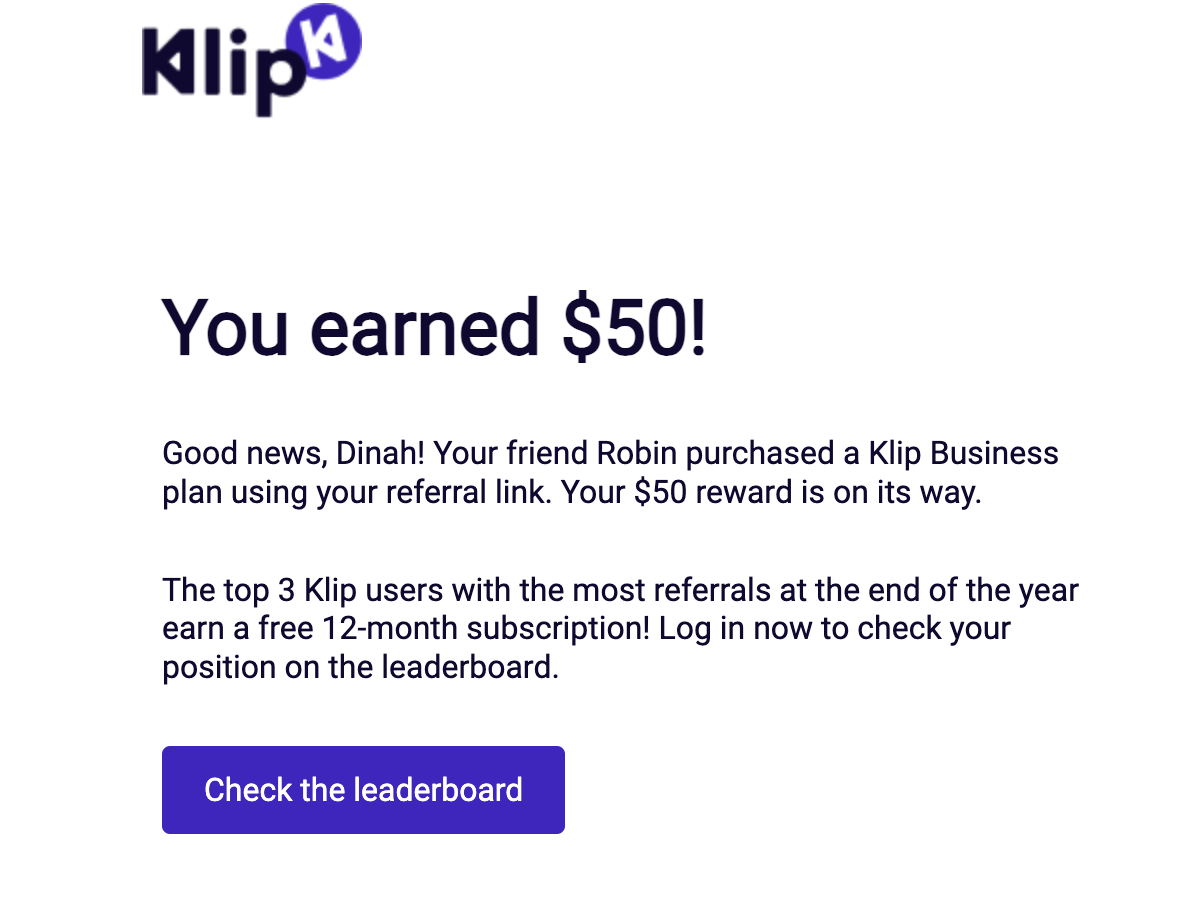
Programm-E-Mails werden Ihren Teilnehmern an wichtigen Stationen ihrer Empfehlungsreise gesendet, zum Beispiel, wenn eine Empfehlung gestartet wurde oder sie eine Prämie erhalten haben. Beim Einrichten Ihrer Programmregeln legen Sie fest, welche Aktionen eine Programm-E-Mail auslösen.
{% hint style="info" %}
**Hinweis:** impact.com unterstützt den Versand von Marketing-E-Mails über die Plattform nicht. Daher müssen Sie Ihr Empfehlungsprogramm über einen separaten Dienst oder eine Integration bewerben.
{% endhint %}
Weitere Informationen zu [E-Mail-Erlebnissen](https://help.impact.com/brand/de/what-would-you-like-to-learn-about/advocate-program/manage-advocate-participant-experiences/email-experiences.md).
#### Microsites
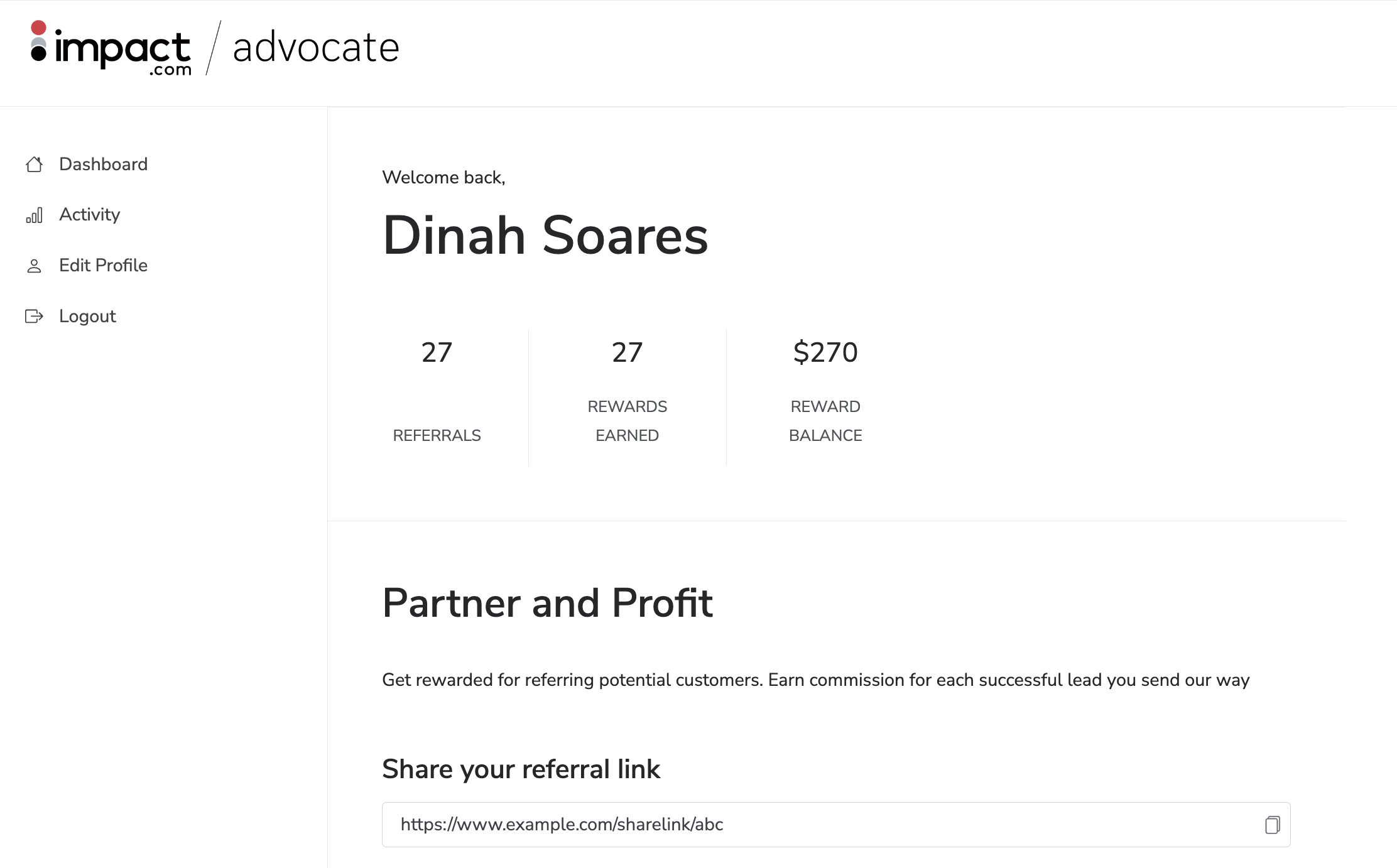
Eine Microsite ist eine eigenständige, gebrandete Website mit einem bestimmten Zweck, die als zentrale Anlaufstelle für das Empfehlungsprogramm Ihrer Marke dient. Sie ist in der Regel ein alternativer Kontaktpunkt für Kunden, wenn eine Marke kein Widget verwenden kann.
Microsites bieten ein dem In-App-Widget-Erlebnis entsprechendes Angebot. Ihre Botschafter müssen sich registrieren oder anmelden, um auf Ihr Programm zugreifen zu können.
Weitere Informationen zu [Microsite-Erlebnissen](https://help.impact.com/brand/de/what-would-you-like-to-learn-about/advocate-program/manage-advocate-participant-experiences/microsite-experiences.md).
---
# Agent Instructions
This documentation is published with GitBook. GitBook is the documentation platform designed so that both humans and AI agents can read, navigate, and reason over technical content effectively. Learn more at gitbook.com.
## Querying This Documentation
If you need additional information that is not directly available in this page, you can query the documentation by asking a question.
Perform an HTTP GET request on the following URL with the `ask` and `goal` query parameters:
```
GET https://help.impact.com/brand/de/what-would-you-like-to-learn-about/advocate-program/manage-advocate-participant-experiences/introduction-to-participant-experiences.md?ask=&goal=
```
`ask` is the immediate question: it should be specific, self-contained, and written in natural language.
`goal` is what the user is ultimately trying to achieve, the reason they need the answer. Sharing it helps GitBook give you a better, more relevant answer. A goal is most helpful when it describes the outcome the user wants rather than restating the question. For example, with `ask=how do I create an API token`, a goal like `automate deployments from our CI pipeline` lets GitBook tailor the answer to that use case.
The response will contain a direct answer to the question and relevant excerpts and sources from the documentation.
Use this mechanism when the answer is not explicitly present in the current page, you need clarification or additional context, or you want to retrieve related documentation sections.